

25 blog post intros that hook readers fast
A strong blog intro does three jobs quickly: it tells readers they are in the right place, promises a clear outcome, and gives them a reason to keep scrolling.
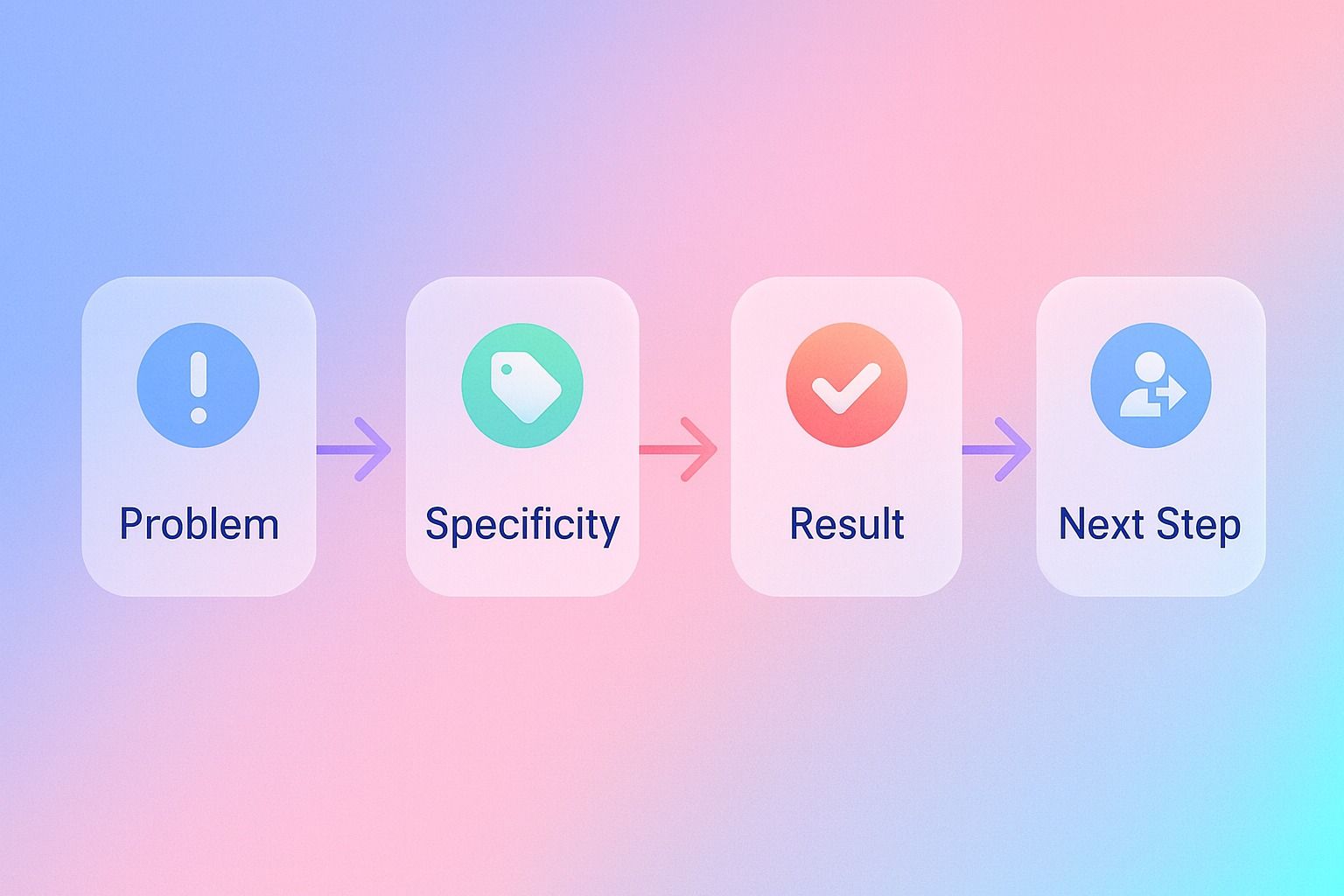
If you want a reusable formula, use this:
- problem
- specificity
- promised result
- next step
If you're turning these intro patterns into LinkedIn content, an AI LinkedIn agent like Dynal can help you move from structure to a draft. It is useful when you want to shape a hook, keep your voice consistent, and organize LinkedIn content in one workspace.
That structure works for how-to posts, list posts, case studies, and product-led content because it reduces fluff and gets to intent quickly. Below, you'll find 25 blog intro templates, examples by post type, and a simple framework you can reuse without sounding generic.
Quick takeaways:
- The best blog intro templates match the search intent and post type.
- Specificity beats cleverness in SEO-focused copywriting.
- A good hook can be a pain point, surprising fact, mistake, question, or mini story.
- A reusable formula is: what this is + why it matters + what readers will get.
What makes a blog intro hook readers fast?
A blog intro hooks readers when it answers three silent questions immediately:
- Is this relevant to me?
- Is there a clear payoff if I keep reading?
- Will this be easy to follow?
Most weak intros fail because they spend too long warming up. They open with a broad definition, a generic industry statement, or vague storytelling that delays the point.
A better intro gets concrete early. It names the problem, audience, scenario, or result in the first few lines.
The reusable fill-in-the-blank blog intro formula
If you want one formula you can use across most post types, start here:
Template:
"If you want to [desired result] without [pain point], this guide will show you [specific method]. You'll learn [key takeaway 1], [key takeaway 2], and [key takeaway 3]."
Example:
"If you want to write blog intros that increase scroll depth without sounding formulaic, this guide will show you a simple hook framework. You'll learn intro templates by post type, common mistakes to avoid, and examples you can adapt fast."
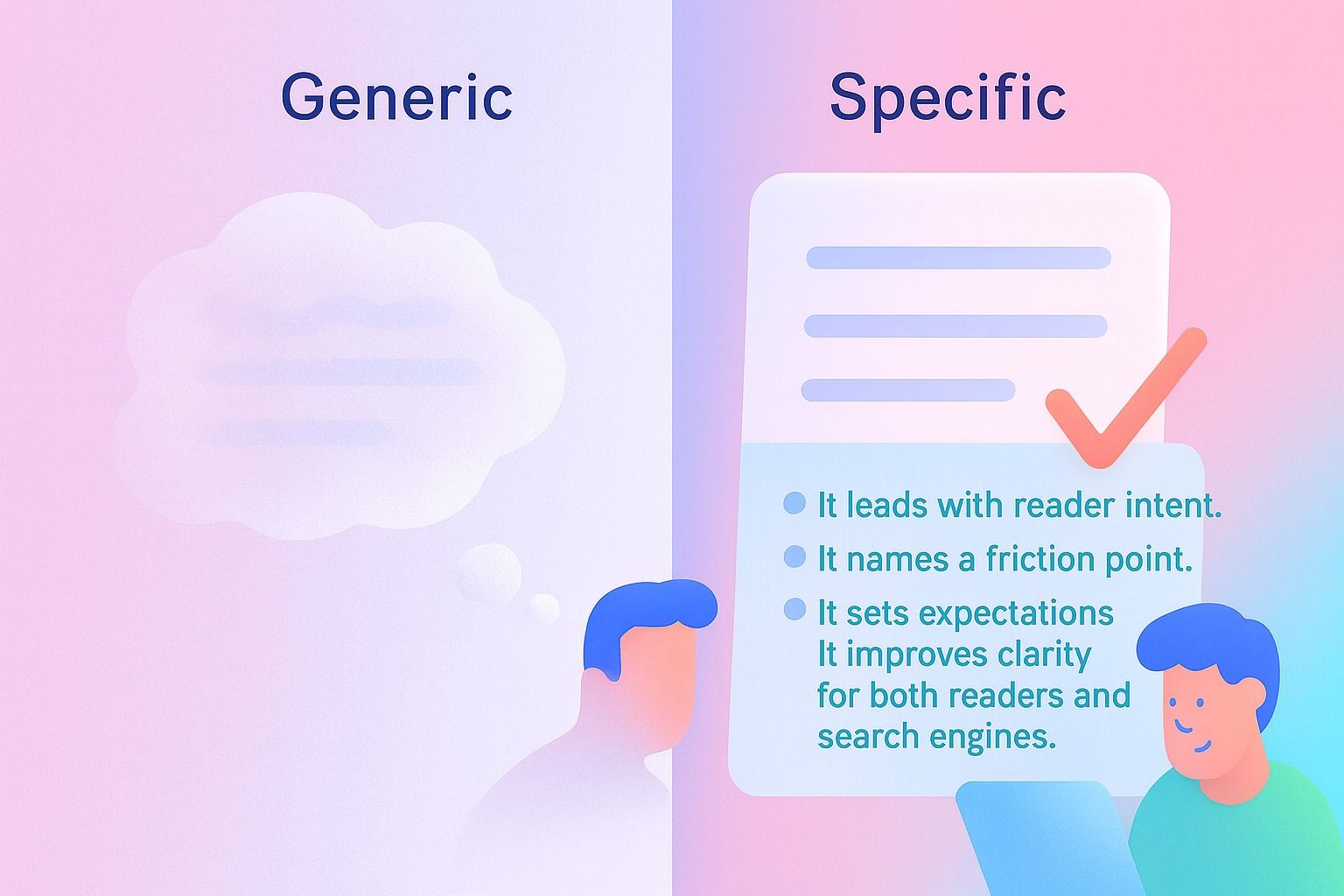
Why it works:
- It leads with reader intent.
- It names a friction point.
- It sets expectations.
- It improves clarity for both readers and search engines.
How to write a blog intro without sounding generic
Use this 5-step process.
1. Start with the reader's situation, not the topic
Weak: "Blog intros are an important part of content writing."
Better: "If your blog posts get clicks but not attention, your intro may be losing readers before the main value starts."
2. Add specificity early
Specificity can come from:
- a use case
- a number
- a timeframe
- a mistake
- a result
Example: "In the next 5 minutes, you can pick an intro template that fits your post type and rewrite your opening line."
3. Promise a realistic outcome
Good copywriting promises a useful result, not a miracle.
Say:
- "make your intro easier to read"
- "improve clarity and click-through appeal"
- "help readers understand the value faster"
Avoid inflated claims.
4. Preview the structure
Readers stay when they know what is coming.
Example: "We'll cover templates for how-to posts, list posts, case studies, and product-led content, plus mistakes and examples."
5. Cut the throat-clearing
Delete lines that only sound like an intro but add no value.
Cut phrases like:
- "In today's fast-paced digital world"
- "Since the beginning of time"
- "Content is king"
- "There are many reasons why"
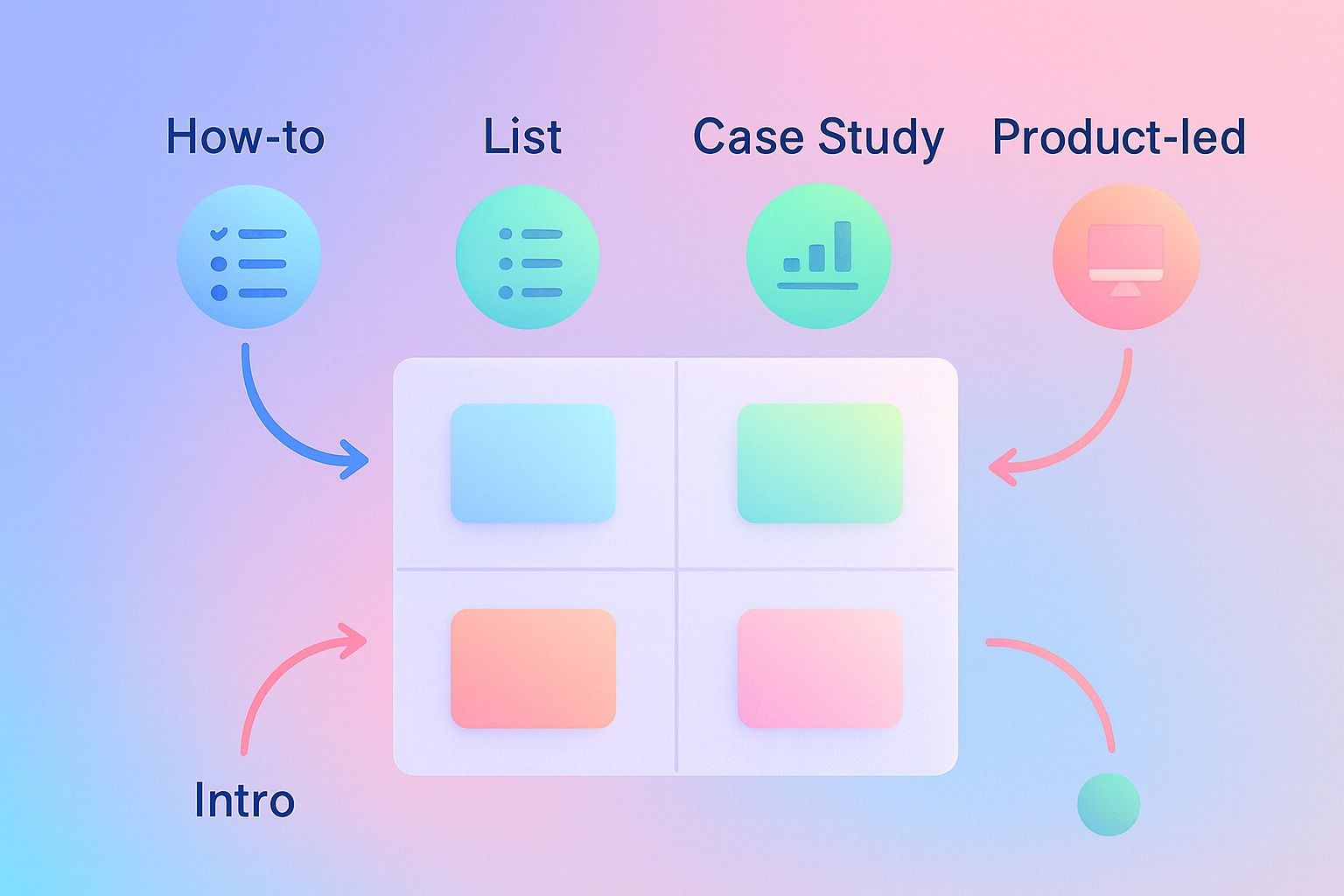
The best blog intro templates by post type
Below are copy-ready blog intro templates grouped by format.
1) How-to blog intro templates
How-to posts need clarity, speed, and confidence.
Template 1: Direct outcome
"Want to [result]? In this guide, you'll learn how to [specific action] step by step, including [detail 1], [detail 2], and [detail 3]."
Template 2: Friction reducer
"[Task] can feel [pain point], especially when [specific scenario]. This guide breaks it into a simple process so you can [result] without [common obstacle]."
Template 3: Beginner-friendly promise
"If you're new to [topic], start here. This how-to guide explains [topic] in plain English and shows you exactly how to [result]."
Template 4: Mistake-led opener
"Most people try to [task] by [common bad approach]. The better way is to [better approach]. In this guide, you'll learn how."
Template 5: Speed + structure
"Need to [result] fast? This guide gives you a practical framework for [task], with steps, examples, and a checklist you can use right away."
Example for SEO content writing:
"Want to write better blog intros fast? In this guide, you'll learn how to build hooks for different post types, avoid generic openings, and use templates you can adapt in minutes."
2) List post intro templates
List posts need a strong promise and a clean preview.
Template 6: Number + result
"Looking for [number] ways to [result]? This list rounds up the best [topic] ideas, examples, and templates so you can [practical outcome]."
Template 7: Curated shortcut
"You could spend hours testing different ways to [task]. Or you can start with these [number] proven [topic] templates designed to help you [result]."
Template 8: Problem to roundup
"When every [topic] starts to sound the same, a strong template saves time. Here are [number] options you can use to write faster and with more clarity."
Template 9: Audience-specific list
"If you're a [audience] trying to [goal], these [number] [topic] examples will help you [result] without starting from scratch."
Template 10: Swipe-file framing
"Need better ways to open your next post? This swipe file includes [number] [topic] templates for [scenarios], so you can plug in your angle and publish more consistently."
Example:
"Need better ways to open your next post? This swipe file includes 25 blog intro templates for how-to posts, listicles, case studies, and product-led articles, so you can plug in your angle and draft more consistently."
3) Case study intro templates
Case studies work best when they establish before, after, and method.
Template 11: Outcome first
"How did [person/company] go from [starting point] to [result]? In this case study, we'll break down what changed, what worked, and what you can apply."
Template 12: Problem-solution-result
"[Company/person] had a problem: [specific problem]. After trying [context], they used [approach] to achieve [result]. Here's how it happened."
Template 13: Lesson-led opener
"This case study is useful if you want to [reader goal]. It shows how [subject] approached [challenge], where the turning point happened, and what the results looked like."
Template 14: Skeptic-friendly opener
"It's easy to talk about strategy in theory. It's more useful to see what happened in practice. This case study shows how [subject] handled [challenge] and what the data revealed."
Template 15: Replicable insight opener
"What can you borrow from a real example of [goal]? In this case study, you'll see the process, decisions, and lessons behind [result]."
Example:
"How did a small content team cut drafting time while improving consistency? In this case study, we'll break down the workflow changes, the content review process, and the lessons other teams can reuse."
4) Product-led blog intro templates
Product-led intros should educate first and connect the product naturally.
Template 16: Problem before product
"If [audience] wants to [goal], they usually run into [problem]. This guide explains a simpler way to handle it, what to look for in a solution, and where the right workflow can help."
Template 17: Workflow-led opener
"[Task] usually involves too many disconnected steps: [step], [step], and [step]. This article shows how to simplify that workflow and what a more streamlined process looks like."
Template 18: Decision criteria opener
"Choosing a tool for [job] gets easier when you know what matters most. In this guide, we'll break down the key criteria, tradeoffs, and must-have capabilities to evaluate."
Template 19: Use-case opener
"For [audience], the challenge isn't just [surface problem]. It's also [deeper problem]. This article walks through a practical way to solve both."
Template 20: Educational bridge to product
"Before you adopt any solution for [task], you need a clear process. We'll start with the framework, then show how that process can work inside a real workflow."
Example with Dynal:
"Creating LinkedIn content usually means jumping between notes, drafts, approvals, and scheduling. This guide shows how to simplify that workflow, and how an AI LinkedIn agent like Dynal can support drafting and publishing inside a LinkedIn-focused process."
5) Universal hook templates for almost any post
These are flexible intros you can adapt across formats.
Template 21: Counterintuitive claim
"Most advice about [topic] says [common belief]. In practice, [better insight] works better because [reason]."
Template 22: Fast empathy
"If you've ever [painful situation], you're not alone. The good news: [topic] gets easier when you use a simple framework."
Template 23: Question hook
"Why do so many [assets/posts/pages] fail to [goal], even when the topic is strong? Usually, the problem starts in the opening."
Template 24: Mini-story hook
"A lot of posts lose readers in the first few lines. One small change to the intro can make the rest of the article easier to read and more likely to hold attention."
Template 25: Myth-busting opener
"You don't need a clever opening to write a strong intro. You need a clear one that connects intent, value, and structure fast."
Which blog intro examples work best for SEO and click-through rate?
The best intros for SEO and click-through rate are usually the ones that:
- align tightly with the title
- repeat the core topic naturally in the first paragraph
- reduce ambiguity
- preview the value clearly
- avoid wasting the first screen on filler
Decision criteria: choose the right intro style
Use this guide:
- Use a direct outcome intro when search intent is practical and high.
- Use a numbered payoff intro for list posts and template collections.
- Use a problem-solution intro for product-led and workflow content.
- Use an outcome-first intro for case studies.
- Use a mini-story or myth-busting hook when the topic is crowded and needs a fresh angle.
For teams or creators who want that decision-making process to carry into LinkedIn publishing, Dynal can help centralize the drafting workflow. It keeps the focus on creating strong posts from a clear brief inside an AI LinkedIn agent workspace.
SEO-friendly intro example
"Looking for blog intro templates that hook readers fast? This guide shares 25 fill-in-the-blank examples for how-to posts, listicles, case studies, and product-led articles, plus a simple formula you can reuse in your content writing workflow."
Why it works:
- Includes the main keyword naturally.
- Clarifies scope.
- Matches likely search intent.
- Signals usefulness fast.
Step-by-step: how to structure a copy-ready blog intro for any post
Use this framework when drafting.
Step 1: Name the topic plainly
State what the post is about in simple language.
Step 2: Tie it to a reader goal or pain point
Show why the topic matters now.
Step 3: Add your angle
What makes this article useful? Templates, examples, checklist, mistakes, data, or process?
Step 4: Preview the contents
Give readers a map.
Step 5: Transition into the body
Make the first heading feel like the natural next step.
Formula:
"[Topic] matters when you want to [goal], but [common problem] gets in the way. In this guide, you'll get [angle], including [point 1], [point 2], and [point 3]."
Blog intro checklist before you publish
Use this quick checklist:
- Does the first sentence sound relevant to the intended reader?
- Is the topic clear in the first 1 to 3 lines?
- Does the intro promise a realistic benefit?
- Does it preview what is inside the article?
- Did you remove generic filler?
- Does the wording match the title and search intent?
- Can someone skim the intro and know whether to continue?
Common blog intro mistakes and how to fix them
Mistake 1: Starting too broad
Problem: "Marketing has changed a lot over the years."
Fix: Start closer to the reader's immediate task.
Better: "If your opening paragraph feels flat, a stronger hook can help readers reach the actual value faster."
Mistake 2: Hiding the payoff
Problem: The intro delays what the reader will learn.
Fix: Add a clear benefit line in the first few sentences.
Mistake 3: Trying to sound profound
Problem: Clever but vague intros reduce clarity.
Fix: Favor precision over performance.
Mistake 4: Writing one intro style for every post
Problem: A case study intro should not sound like a listicle.
Fix: Match the intro to the format and search intent.
Mistake 5: Stuffing keywords unnaturally
Problem: Repeating exact-match terms makes the intro clunky.
Fix: Use the target keyword once naturally, then support it with related language.
Examples: one topic rewritten four ways
Let's say your topic is: how to improve LinkedIn content consistency.
How-to version
"Want to improve LinkedIn content consistency without spending hours rewriting drafts? This guide shows you a simple workflow for planning, drafting, and reviewing posts more efficiently."
List post version
"Looking for practical ways to make your LinkedIn content more consistent? Here are 10 proven tactics you can use to improve quality, speed up reviews, and maintain a clearer voice."
Case study version
"How did one team make LinkedIn posting more consistent without adding more manual work? This case study breaks down the workflow changes, review habits, and lessons they applied."
Product-led version
"Keeping LinkedIn content consistent is hard when planning, drafting, and publishing happen in separate tools. This guide shows a more unified workflow and what to look for in an AI LinkedIn agent that supports it."
Where Dynal fits in this workflow
If you are turning blog ideas into LinkedIn content, structure matters just as much as writing quality.
Dynal is an AI LinkedIn agent built around that workflow. In Workspace & Chat, you can draft content in a chat-based creation flow, shape output with your Brand DNA, and move selected content into publishing actions. That is useful when you want to turn a blog angle, hook, or intro framework into LinkedIn-ready drafts without bouncing between disconnected steps.
A practical use case:
- outline a blog post intro formula
- test multiple hook angles in the content creation workspace
- refine tone and language
- move the best version into your LinkedIn publishing flow
This keeps Dynal in the right lane: not as a generic writer, but as an AI LinkedIn agent for planning, creating, and publishing LinkedIn content with more structure.
Final takeaway
The best blog intro templates are not the cleverest. They are the clearest.
If you want a reusable approach, start with:
- reader problem
- desired outcome
- specific promise
- quick preview of what comes next
Then match the intro style to the post type:
- how-to = clear process
- list post = scoped promise
- case study = before, after, lesson
- product-led = problem, workflow, evaluation criteria
If you want to put that structure into a real LinkedIn content workflow, start with Dynal's Onboarding & Setup. The LinkedIn-first setup can help you get started with a usable brand context, then you can refine your inputs and begin creating inside the workspace.