

If you already have a blog library, one of the fastest ways to earn new gains is not always publishing more. It is running a consistent content refresh system.
A strong content refresh process helps you identify aging posts, update what matters most, and improve rankings, traffic, and conversion potential without starting from zero. In SEO terms, this is often called historical optimization or SEO maintenance.

The key is to stop treating updates like random edits. Instead, use a repeatable workflow: identify posts with upside, refresh the highest-impact elements first, republish strategically, and track results over time.
In this guide, you will learn how to tell when a post needs attention, what to update first, how often to revisit content, and what a practical refresh checklist looks like.
Quick summary
- Refresh posts that have declining traffic, outdated information, weak rankings, or low conversion performance.
- Start with search intent, title, intro, headings, outdated sections, internal links, and on-page SEO basics.
- Review high-value posts on a regular cadence instead of waiting for traffic to fall off sharply.
- Historical optimization can support traffic and conversions when the page already has authority or relevant demand.
What is a content refresh?
A content refresh is the process of updating an existing post so it stays useful, accurate, competitive, and aligned with current search intent.
This is different from a full rewrite. In many cases, the URL stays the same, the core topic stays the same, and you improve the page by updating:
- outdated examples or statistics
- weak intros and titles
- missing subtopics
- internal links
- calls to action
- formatting and readability
- on-page SEO elements
When done consistently, content refresh becomes part of SEO maintenance, not a one-off cleanup project.
How do I know when a blog post needs a content refresh?
A blog post usually needs a content refresh when one or more of these signals appear:
1. Traffic is declining
If a post used to attract steady organic traffic and has trended downward over the last few months, that is a strong refresh signal.
Look for:
- year-over-year traffic declines
- ranking drops for important queries
- lower click-through rates from search
- fewer conversions from the page
2. The content is outdated
Some posts lose value simply because the world moved on.
Common examples:
- screenshots no longer match the current tool or platform
- tactics no longer reflect how search or social platforms work
- statistics are old
- examples reference outdated trends or market conditions
3. The page ranks, but not high enough
Posts sitting in positions 5 to 20 often have strong refresh potential. They already show relevance, but they may need better structure, stronger depth, fresher examples, or clearer intent matching.
4. The page gets traffic but few conversions

Sometimes the ranking is fine, but the business outcome is weak. If visitors land on the post and do not take the next step, the issue may be:
- weak CTA placement
- unclear next action
- poor alignment between topic and offer
- lack of trust signals or examples
5. Competing pages are now better
Search results evolve. If top-ranking pages are more current, more comprehensive, or better formatted than yours, your post may need a refresh to remain competitive.
6. The search intent has shifted
A keyword can stay the same while user expectations change. A query that once rewarded short explainers may now favor detailed systems, templates, or actionable checklists.
If your page no longer matches what searchers want, refreshing copy alone is not enough. You need to realign the whole piece.
What should I update first in an old blog post to improve rankings?
Start with the changes that affect relevance, intent match, and usability before polishing smaller details.
A step-by-step content refresh process
Step 1: Reconfirm the target keyword and search intent
Before editing, ask:
- What query should this page rank for now?
- What type of content currently ranks?
- Does the page still match that intent?
If the SERP now favors practical guides, your opinion piece may need to become more tactical. If the SERP favors comparisons, your simple definition post may need a new structure.
Step 2: Rewrite the title and introduction
Your title and opening shape both click-through and engagement.
Update them if they are:
- vague
- too broad
- missing the target keyword
- not aligned with the promise searchers expect
A stronger intro should answer the question quickly and show readers exactly what they will get.
Step 3: Update outdated facts, examples, and screenshots
This is one of the most visible trust signals. Remove stale references and replace them with:
- current examples
- current numbers where available
- fresher screenshots
- more relevant use cases
Step 4: Improve the heading structure
Often, an old post underperforms because it is hard to scan or misses obvious subtopics.
Refresh the structure by:
- adding missing questions as subheads
- breaking long sections into smaller chunks
- improving logical flow
- using clearer, benefit-focused headings
Step 5: Add depth where competitors are stronger
Do not add words just to make the post longer. Add the missing substance.
For example, if competing pages include:
- decision criteria
- examples
- templates
- checklists
- mistakes to avoid
then your page may need those too.
Step 6: Refresh internal links
Internal links are often overlooked in historical optimization.
Add links to:
- newer related posts
- product pages that fit naturally
- supporting guides
- high-intent bottom-funnel pages where relevant
And update older links that now point to outdated or weaker pages.
Step 7: Improve the CTA and conversion path
If the page earns visits but not actions, adjust the CTA.
For example, a post about repeatable content operations can point readers toward Dynal's Projects & Publishing workflow, where selected drafts can move from creation into publish-now or schedule-later actions for LinkedIn content.
That mention works because Dynal is an AI LinkedIn agent with a structured workflow from brand context and drafting through review and publishing, with user approval retained at key steps.
If that workflow needs to carry a refreshed idea into LinkedIn, Dynal can help as an AI LinkedIn agent that turns brand context into drafts and next-step publishing actions. It is a natural next place to move from SEO maintenance into distribution.
Step 8: Refresh on-page SEO elements
Finish with the supporting details:
- title tag
- meta description
- image alt text
- slug only if truly necessary
- schema where applicable
- broken links
The best checklist for refreshing old blog content
Use this checklist each time you review an existing post.
Content refresh checklist
- Confirm the primary keyword and current search intent.
- Review rankings, traffic, clicks, and conversions.
- Check whether the post is outdated factually or strategically.
- Rewrite the title if it is weak or misaligned.
- Improve the intro with an answer-first opening.
- Update headings for completeness and readability.
- Add missing subtopics, examples, or FAQs.
- Replace outdated screenshots, references, and statistics.
- Tighten sections with fluff or repetition.
- Improve internal links to related and higher-intent pages.
- Add or refine the CTA.
- Update title tag and meta description.
- Check formatting for mobile readability.
- Republish or re-promote if that fits your workflow.
- Track performance after the refresh.
If you manage many posts, turn this into a scorecard so you can prioritize refreshes instead of editing randomly.
Decision criteria: which posts should you refresh first?
Not every old post deserves immediate attention. Prioritize based on potential impact.
Refresh first if a post has:
- strong historical traffic
- rankings on page one or page two
- high business relevance
- outdated information
- weak conversion performance despite decent traffic
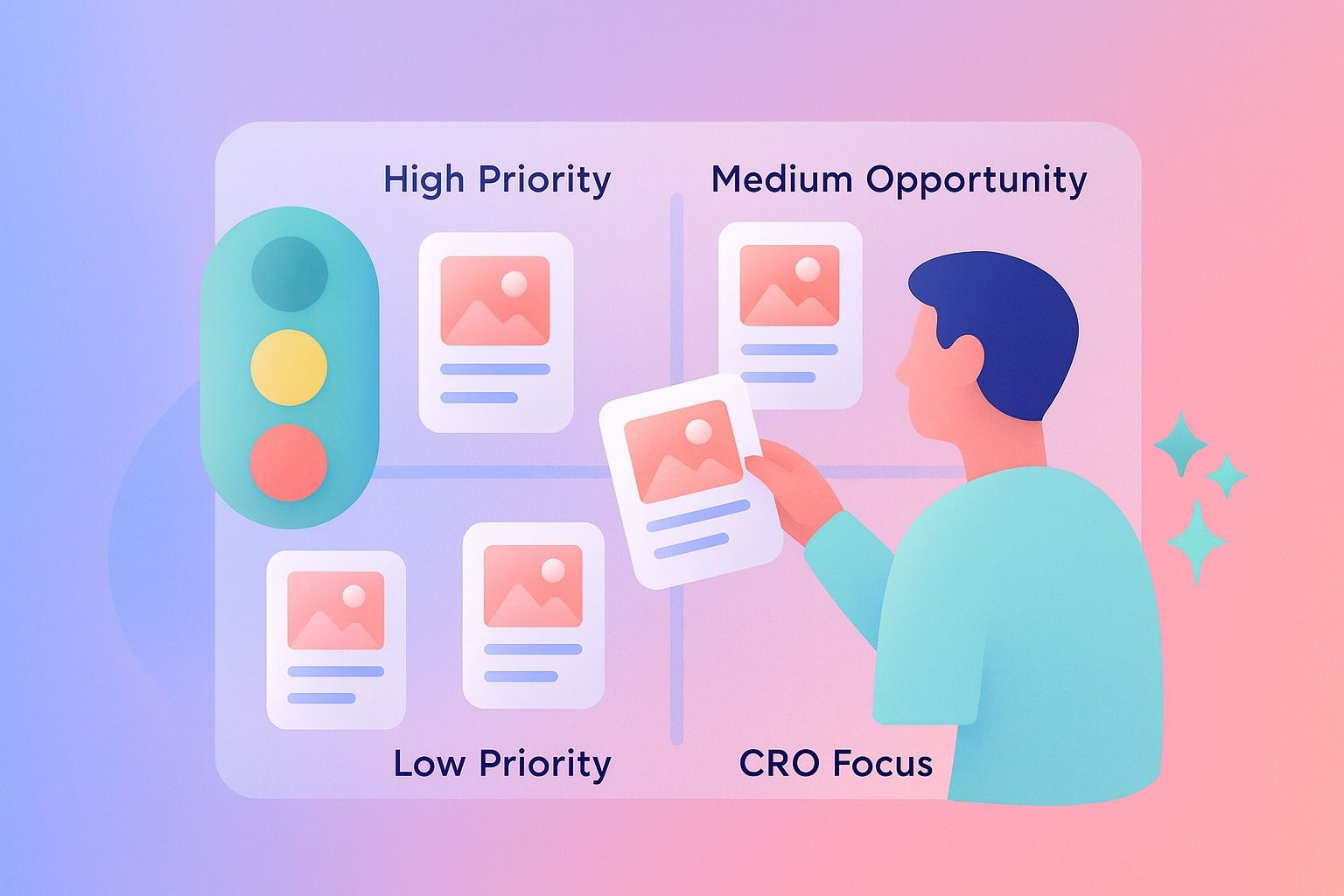
Simple prioritization model
- High traffic + declining rankings = urgent refresh
- Mid rankings + strong topic value = high opportunity
- Low traffic + low relevance = low priority
- Good traffic + poor conversions = CRO-focused refresh
How often should I update blog posts for SEO maintenance?
There is no universal schedule for every post, but a practical SEO maintenance cadence looks like this:
High-value or high-converting posts
Review every 3 to 6 months.
These are posts that:
- drive leads or pipeline
- rank for important terms
- support important product or service pages
Mid-tier evergreen posts
Review every 6 to 12 months.
These pages may not be your top performers, but they still contribute meaningful organic visibility.
Time-sensitive or trend-driven posts
Review more frequently, sometimes quarterly or sooner.
Anything tied to platform changes, product updates, or market shifts can become stale quickly.
The main point: SEO maintenance should be calendar-based, not reactive.
If your team already runs a content calendar, add a refresh lane to it. That makes content refresh a standing workflow instead of a neglected backlog.
That same cadence can also feed LinkedIn. Dynal is an AI LinkedIn agent that helps teams move from content inputs to planned and published LinkedIn posts with more structure.
Does historical optimization help increase traffic and conversions?
Yes, historical optimization can help increase both traffic and conversions, especially when a page already has some authority, existing rankings, or proven topic demand.
Why it works:
- Search engines can reassess a page when it becomes more useful and current.
- Better intent match can improve rankings and click-through rates.
- Better structure and clearer CTAs can improve conversion performance.
- Updated internal links can strengthen discoverability and pathing.
That said, not every refresh creates a big lift.
Results are usually strongest when:
- the page was already ranking but underperforming
- intent had drifted and is now corrected
- the topic still has demand
- the update improves both relevance and usability
Historical optimization is not magic. It is leverage. You are building on an existing asset instead of starting from zero.
Examples of what to refresh first
Here are a few quick scenarios.
Example 1: Traffic down, rankings slipping
Post: "Social Selling Tips for Consultants"
Update first:
- title and intro
- outdated examples
- missing subheads based on current SERP
- internal links to newer supporting content
Example 2: Good traffic, weak conversions
Post: "How to Build a Thought Leadership Strategy"
Update first:
- CTA placement
- next-step offer alignment
- examples and proof points
- readability and scannability
Example 3: Rankings stuck around positions 8 to 12
Post: "LinkedIn Content Calendar Guide"
Update first:
- search intent alignment
- heading structure
- checklist or template additions
- fresher examples
Common content refresh mistakes and how to fix them
Mistake 1: Updating a date and calling it a refresh
Fix: Improve substance, not just freshness signals.
Mistake 2: Adding length without adding value
Fix: Add missing depth only where it helps intent match and usefulness.
Mistake 3: Ignoring conversions
Fix: Treat refreshes as both SEO and conversion opportunities.
Mistake 4: Refreshing low-potential posts first
Fix: Prioritize pages with traffic, rankings, relevance, or conversion upside.
Mistake 5: Changing the URL unnecessarily
Fix: Keep the existing URL when the topic remains the same.
Mistake 6: Forgetting internal links
Fix: Update the page's role in your broader content system, not just the copy on the page.
A simple template for running historical optimization at scale
If you want a repeatable system, use this review template:
Content refresh template
Page URL:
Primary keyword:
Current ranking range:
Traffic trend: Up / Flat / Down
Conversion trend: Up / Flat / Down
Intent match: Strong / Partial / Weak
Outdated elements found:
Sections to rewrite first:
Internal links to add/update:
CTA update needed: Yes / No
Refresh priority: High / Medium / Low
This kind of template helps teams turn scattered updates into a real operating system.
When teams want that operating system to extend beyond the article itself, Dynal is an AI LinkedIn agent built to keep brand voice, planning, and publishing connected. It fits well for turning high-value refreshed posts into a repeatable LinkedIn workflow.
Where Dynal fits in the workflow
If your team is refreshing blog content as part of a wider thought leadership process, the handoff into LinkedIn matters too.
Dynal is an AI LinkedIn agent built for professionals and teams who want a more structured way to create, plan, and publish LinkedIn content. After you update a strong blog post, you can use that improved source material inside Dynal's content creation workspace, shape outputs with Brand DNA, and move selected drafts into Projects and Publishing for scheduling or publishing on LinkedIn.
That is useful when a refreshed article should not just rank better, but also feed a consistent LinkedIn content workflow.
Final takeaway
A content refresh system works because it turns old posts into active assets again.
Instead of asking, "What should we publish next?" ask:
- Which posts already have authority?
- Which pages are losing momentum?
- Which assets are closest to producing new results with focused updates?
The best teams do both net-new creation and SEO maintenance. They publish new content, but they also revisit what is already working and make it better.
If you want to connect refreshed content to a more structured LinkedIn workflow, start with Dynal's Onboarding and Setup. Its LinkedIn-first connection helps you get to a usable starting point faster, then you can shape content with Brand DNA and move into planning and publishing with more context.