

Best content workflow tools in 2026: start with team size
If you are choosing between content workflow tools in 2026, start with this rule: small teams need simplicity and speed, while larger teams need clearer planning, review structure, and scheduling discipline.

The best tool is not the one with the most features. It is the one that helps your team move from idea to approved, scheduled, and published content without adding friction.
For most teams, the decision comes down to five things:
- planning
- collaboration
- approvals
- publishing
- fit with your actual team size
If LinkedIn is a major channel, look for a platform built around that workflow rather than a generic content stack.
If LinkedIn is a core channel, it can help to evaluate an AI LinkedIn agent built around that motion. Dynal is an AI LinkedIn agent that connects planning, content creation, and publishing in one workflow.
In this guide, we break down the best content workflow tools in 2026 by team size and needs, what features matter most, and how to choose without overspending.
Quick take
- Small teams usually win with lightweight planning and fast publishing.
- Mid-sized teams need stronger review steps and role clarity.
- Enterprise teams need governance, visibility, and process consistency.
- If LinkedIn is core to your strategy, an AI LinkedIn agent can reduce workflow fragmentation.
What are content workflow tools?
Content workflow tools help teams manage the path from content idea to published asset.
In 2026, that usually includes some combination of:
- planning
- editorial calendars
- content creation
- reviews and approvals
- collaboration
- scheduling or publishing
- basic analytics or performance review
The main difference between older editorial tools and newer content operations tools is integration. Instead of splitting planning into one tool, drafting into another, and publishing into a third, many teams now want a more connected workflow.
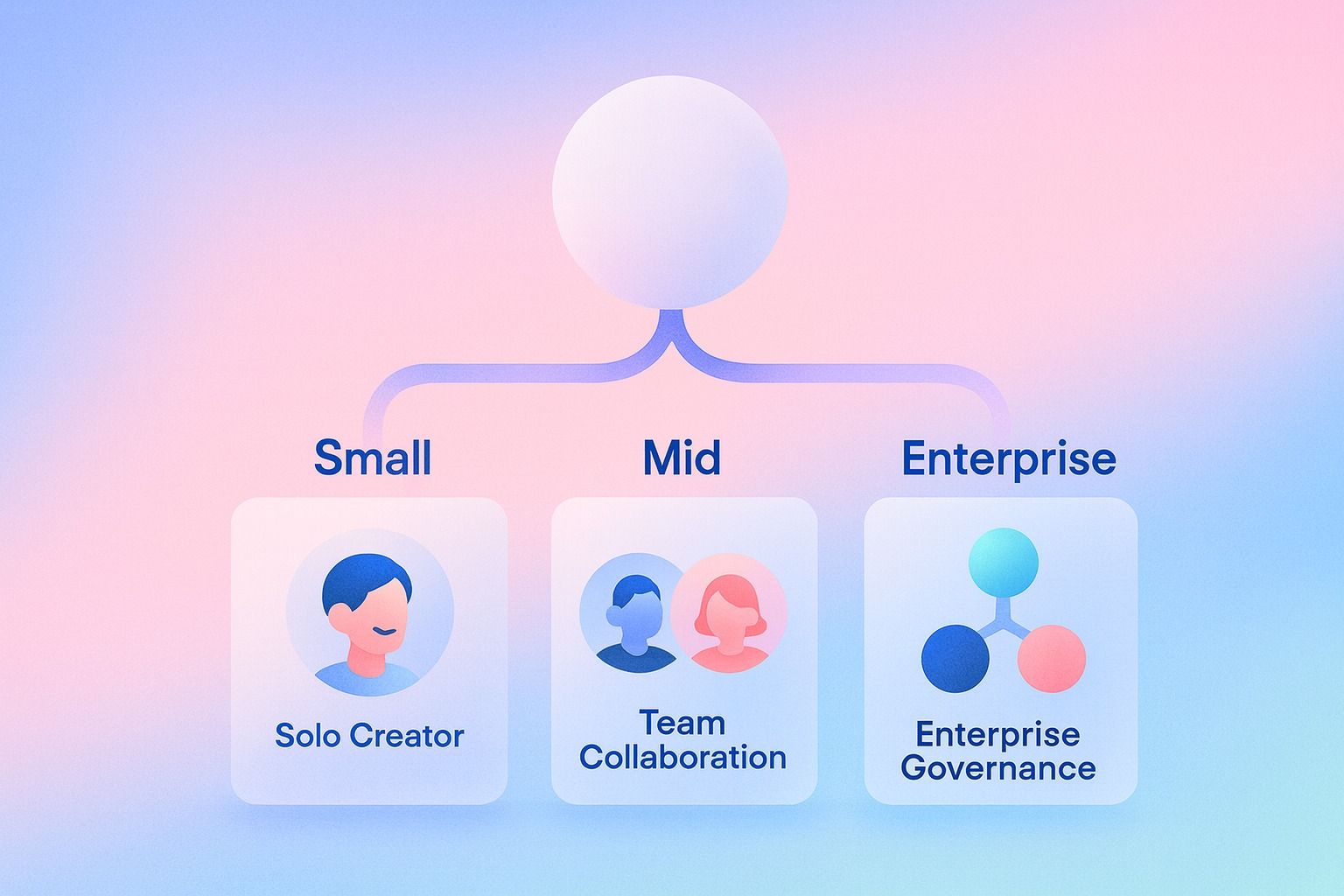
Best content workflow tools by team size
Small teams: favor speed over complexity
Small teams usually do not need a complicated content operations stack. They need fewer handoffs and faster execution.
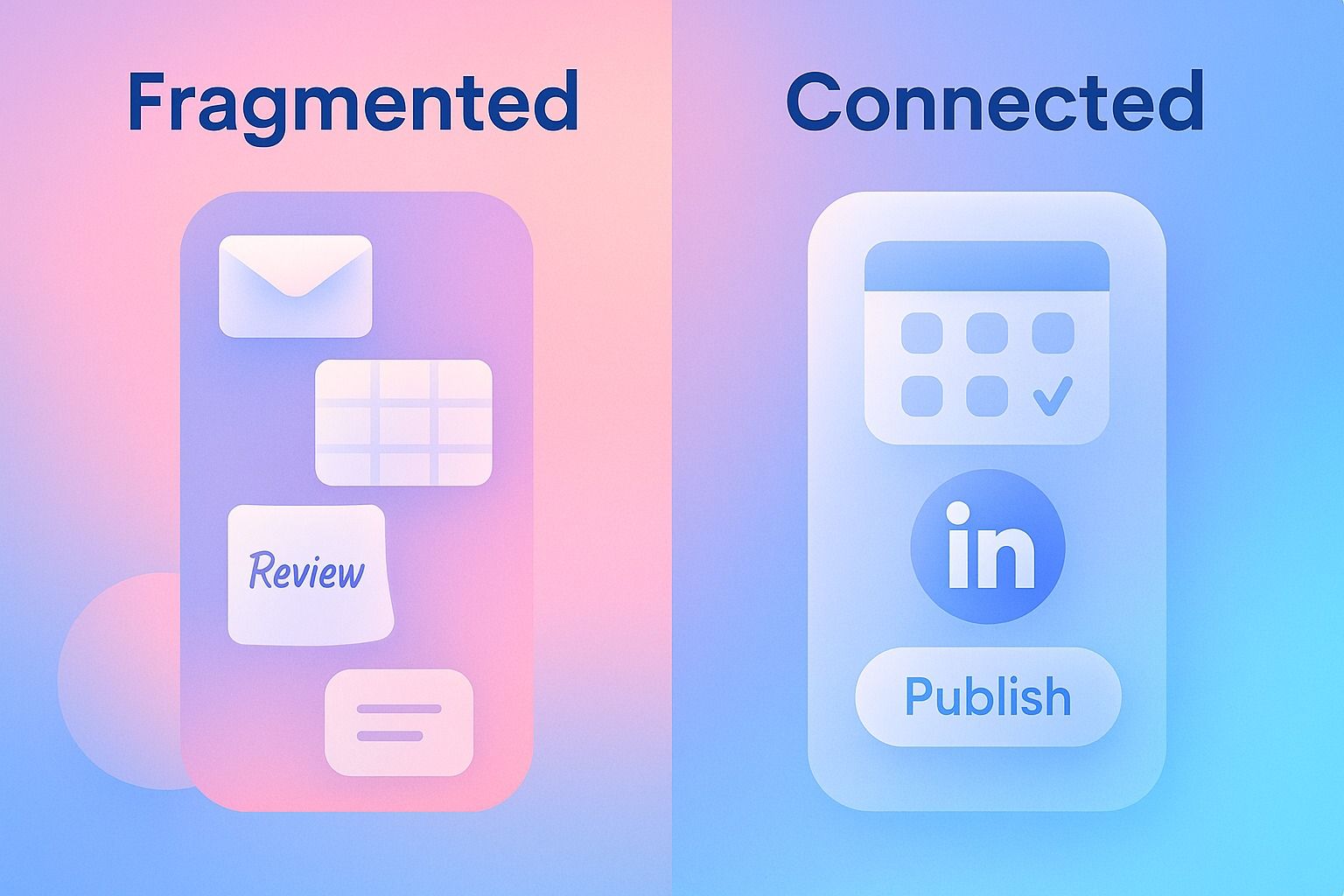
A good small-team workflow tool should offer:
- a simple calendar
- easy draft collaboration
- minimal admin setup
- scheduling in the same flow when possible
- enough structure to avoid chaos, but not so much that work slows down
A three-person founder marketing team may need to:
- brainstorm weekly themes
- assign one owner per post
- review quickly
- schedule content
- track what shipped
If they need five different tools to do that, the workflow becomes the problem.
What to avoid for small teams:
- enterprise-heavy setup
- too many approval layers
- rigid permissions for every micro-step
- complex dashboards nobody uses
- tools designed for multi-department governance when you just need momentum
Mid-sized teams: favor structure without slowdown
Mid-sized teams usually need more than a lightweight calendar, but less than a full enterprise governance layer.
Look for:
- clear review stages
- role clarity
- shared planning visibility
- collaboration that stays close to the draft
- publishing or scheduling connected to the same workflow
A growing team often has writers, editors, marketers, and social leads working in the same process. The tool should make handoffs obvious without making every task feel heavy.
Enterprise teams: favor consistency and visibility
Larger organizations usually need more structure because more people are involved.
Look for:
- clear workflow stages
- team-wide planning visibility
- standardized review processes
- stronger controls over who can edit, review, and publish
- audit-friendly handoffs
- integration with the broader content operations environment
A large B2B team may have:
- strategists planning themes
- writers drafting content
- editors reviewing copy
- brand or legal reviewing sensitive posts
- social managers scheduling final content
In that environment, workflow breakdowns are expensive. The tool must make status, ownership, and approval state obvious.
Which tools are best for planning, approvals, and publishing in one workflow?
The best content operations tools for unified workflow are the ones that reduce context-switching.
In practice, that means the strongest tools connect these three jobs:
- planning the content
- reviewing and approving the draft
- publishing or scheduling the final version
Many tools handle one or two of those steps well. Fewer handle all three cleanly.
Use this checklist:
- Can you create a content plan and see it on a calendar?
- Can drafts move through review states without leaving the platform?
- Can approved content be scheduled from the same workflow?
- Is it clear who owns the next step?
- Can your team reopen or reschedule work if timing changes?
For LinkedIn-focused teams, Dynal is relevant here because it brings together a chat-centered creation surface, planning, and Projects & Publishing. That means a team can create content, keep work in a project-based content thread, then publish selected content or schedule it for later from the same flow.
For LinkedIn-first teams, that kind of connected flow is exactly where Dynal fits as an AI LinkedIn agent.
That said, it should be evaluated as an AI LinkedIn agent, not as a full omnichannel content operations platform.
What features should I look for in editorial tools in 2026?
The best editorial tools in 2026 are less about flashy AI and more about operational clarity.
The must-have features:
1. Planning and calendar visibility
Your team should be able to see what is planned, what is in review, and what is scheduled.
2. Review states
A draft should not just exist as "done" or "not done." Teams need visible stages such as draft, review, approved, and scheduled.
3. Collaboration around the asset
Comments, edits, ownership, and context should stay close to the content.
4. Publishing or scheduling support
The closer publishing is to the drafting workflow, the less operational drag your team faces.
5. Brand consistency controls
In 2026, teams increasingly want reusable guidance for voice, audience, and what to avoid. In Dynal, that role is handled by Brand DNA, a structured brand context system for shaping LinkedIn content.
6. Lightweight analytics
You do not always need a BI suite. But you do need enough visibility to understand what worked and what did not.
7. Fit for actual team behavior
A tool is only good if your team will actually use it. The best workflow is the one people follow consistently.
How do I choose between content workflow tools based on team size and budget?
Here is a simple decision framework.
Step 1: map your current workflow
Write down your actual content path:
- where ideas start
- where drafts are created
- who reviews them
- where content gets scheduled
- where content gets published
If your workflow is scattered across too many tools, that is your first signal.
Step 2: identify the main bottleneck
Usually it is one of these:
- no clear editorial calendar
- slow approvals
- poor collaboration
- publishing delays
- inconsistent brand voice
Choose the tool category that solves your biggest constraint first.
Step 3: match tool depth to team size
Use this quick guide:
- 1–5 people: lightweight content workflow tools with fast setup and simple scheduling.
- 6–20 people: content operations tools with stronger workflow stages, planning discipline, and collaboration controls.
- 20+ people or multi-team organizations: editorial tools with standardized approvals, permissions, and process visibility.
Step 4: budget for workflow savings, not just software cost
A cheaper tool is not cheaper if it creates manual work.
Ask:
- how many hours do we lose to chasing approvals?
- how often do drafts get stuck?
- how often do we miss publishing windows?
- how much effort is spent moving content between tools?
Step 5: test one real workflow before committing
Do not evaluate tools with a feature checklist alone. Run one week of actual content through the system.
Which tools are best for managing editorial calendars, content reviews, and collaboration?
The best tools for calendars, reviews, and collaboration are the ones that keep status visible and handoffs simple.
Look for:
- a shared editorial calendar
- clear ownership per content item
- visible review stages
- rescheduling without workflow breakage
- easy collaboration near the draft
- scheduling or publishing connected to review completion
A healthy workflow might look like this:
- strategist adds a topic to the calendar
- writer drafts inside the creation workspace
- editor reviews and requests changes
- manager approves
- social lead schedules the post
That is the ideal. The wrong tool turns those five steps into email threads, spreadsheets, and missed deadlines.
For LinkedIn teams, Dynal can support this in a more focused way. Teams can use planning features for a posting plan, keep creation context in project-based content threads, and use Projects & Publishing to move selected drafts into publish or schedule actions.
Best content workflow tools in 2026 by team size and need
Below is a practical framework rather than a one-size-fits-all ranking.
Best choice for solo creators and founder-led brands
Pick tools that are:
- easy to learn
- quick to publish from
- strong enough to keep a basic calendar
- flexible for rapid iteration
Best if you care more about consistency than formal approvals.
Best choice for lean marketing teams
Pick tools that are:
- structured enough for planning
- collaborative enough for editors and marketers
- simple enough that no one needs training for weeks
Best if you publish often and need reliable reviews.
Best choice for agencies and multi-client teams
Pick tools that are:
- organized by project or account
- easy to review with clients or internal approvers
- strong on scheduling visibility
Best if you need clear separation between workstreams.
Best choice for enterprise content operations
Pick tools that are:
- process-driven
- role-aware
- built for visibility and standardization
- reliable under higher review complexity
Best if governance matters as much as speed.
Best choice for LinkedIn-first content teams
Pick tools that are:
- optimized for LinkedIn publishing workflows
- capable of maintaining brand context
- able to connect planning, creation, and scheduling
Dynal fits this category as an AI LinkedIn agent. It is especially useful when your team wants LinkedIn content creation, structured brand context, planning, and publishing to live closer together.
If that sounds like the workflow you want, Dynal is worth a closer look. It is positioned for LinkedIn-led teams that want brand context, planning, and publishing to live in the same place.
Common mistakes when choosing content workflow tools
Mistake 1: buying for future complexity you do not have yet
Fix: choose for your next 12 months, not an imagined five-year org chart.
Mistake 2: prioritizing features over adoption
Fix: ask whether the team will use the workflow every week.
Mistake 3: ignoring publishing friction
Fix: make sure the handoff from approved draft to scheduled post is clear.
Mistake 4: separating planning from execution too aggressively
Fix: keep your content plan, draft workflow, and publishing flow as connected as possible.
Mistake 5: using generic tools for channel-specific work
Fix: if LinkedIn is strategically important, consider a platform designed around LinkedIn workflows instead of forcing a generic system to fit.
A simple template for choosing the right tool
Use this scorecard with your team:
- planning and calendar visibility
- collaboration quality
- approval clarity
- scheduling or publishing ease
- brand consistency support
- reporting usefulness
- setup complexity
- price relative to team size
Then ask one final question:
Will this tool remove friction from our weekly content process, or add another layer to manage?
Where Dynal fits in the 2026 workflow tool landscape
Dynal should not be viewed as a generic workflow tool. It is an AI LinkedIn agent.
That distinction matters.
For teams focused on LinkedIn, Dynal brings together:
- a content creation workspace
- structured brand context through Brand DNA
- planning and calendar support
- project-based content threads
- publishing and scheduling through Projects & Publishing
- lightweight LinkedIn content analytics
That makes it a strong fit for professionals and teams who want a more connected LinkedIn workflow from idea to scheduled post, while keeping approval in the process.
Final recommendation
If you are comparing content workflow tools in 2026, do not ask only, "Which tool has the most features?"
Ask:
- what team size is this built for?
- does it reduce friction in planning, reviews, and publishing?
- does it match our budget and actual workflow?
- does it fit the channels that matter most to us?
If LinkedIn is central to your content strategy, evaluate tools built for that motion directly.
If you want to see how a LinkedIn-first workflow comes together, start with Dynal's Onboarding & Setup. The LinkedIn-first connection gives you a faster path to usable brand context so you can move into planning, creation, review, and publishing with less setup friction.