

A lightweight content governance policy should do one thing well: make publishing more consistent without turning every post into a committee project.
For most marketing and content teams, that means defining who owns strategy, who drafts, who reviews, what needs approval, and what "done" means before content gets published. If your process is simple, visible, and repeatable, you can protect quality without slowing the team down.
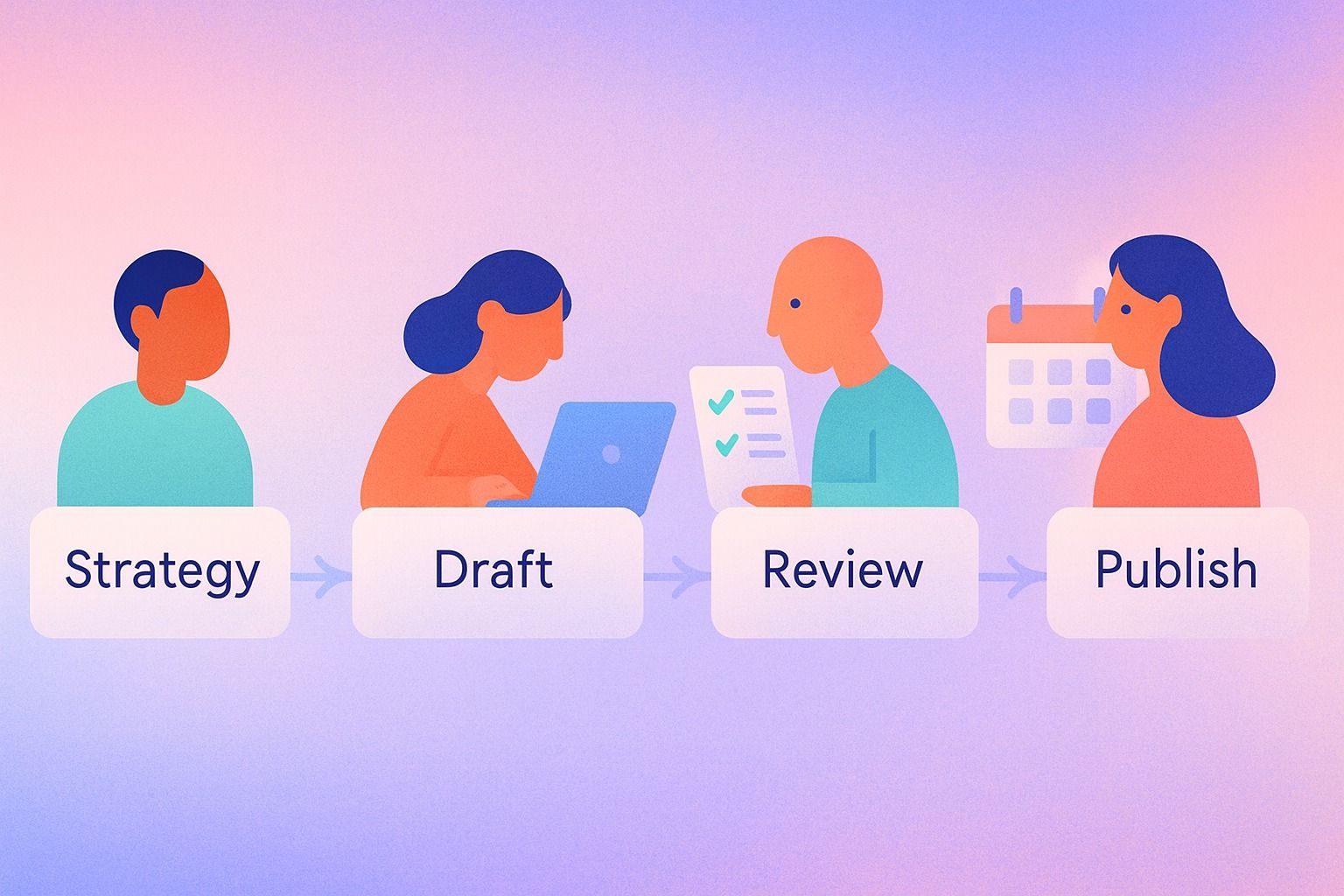
The easiest model is usually a small set of roles, one clear approval workflow, a short editorial policy, and a practical definition of done.
If you want a cleaner way to keep that workflow connected for LinkedIn, Dynal is an AI LinkedIn agent that helps teams move from planning to drafting to publishing in one place. It is especially useful when you want structure without adding more process.
In practice, good content governance is less about control for its own sake and more about reducing confusion. Everyone should know what they are making, who it is for, what standards apply, and when it can move forward.
Quick take:
- Content governance defines ownership, decisions, and quality controls.
- Editorial policy defines how content should sound, what it should cover, and what it should avoid.
- A good approval workflow uses the fewest approvers possible.
- A definition of done prevents endless review cycles and last-minute changes.
What a content governance policy should include
If you are building a content governance policy for a marketing or content team, keep it lightweight and operational. A useful policy usually includes seven parts.
1. Purpose and scope
Start by defining what the policy covers.
For example:
- Which channels are included
- Which content types are included
- Which team or business unit owns the process
- Which content needs formal review versus informal review
If your immediate priority is LinkedIn, say so clearly. Teams often make governance too broad too early. It is better to govern one workflow well than create a policy nobody follows.
That same focus helps when the workflow lives in an AI LinkedIn agent like Dynal, where brand context, planning, and publishing can stay aligned around a single channel. The goal is simply to make the process easier to follow, not heavier.
2. Roles and responsibilities
Document who is responsible for each stage of the workflow.
Typical roles include:
- Content lead: owns priorities, calendar, and final standards
- Subject matter expert: checks accuracy and depth
- Writer or creator: drafts content
- Editor: improves clarity, structure, and consistency
- Brand reviewer: checks voice, positioning, and boundaries
- Approver: gives final sign-off when required
- Publisher: schedules or publishes content
One person can hold multiple roles. In smaller teams, that is normal.
3. Approval workflow
Your approval workflow should answer:
- What content needs approval?
- Who approves it?
- In what order?
- How fast must each reviewer respond?
- What happens if there is no response?
This matters because most delays do not come from writing. They come from vague ownership and too many reviewers.
4. Editorial policy
Your editorial policy is the style and standards layer.
It should cover:
- Brand voice
- Tone by content type
- Intended audience
- Topics to prioritize
- Topics to avoid
- Formatting conventions
- Evidence and sourcing expectations
- Legal or brand-sensitive rules if applicable
This is where many teams confuse editorial policy with content governance. They are related, but not the same thing.
5. Definition of done
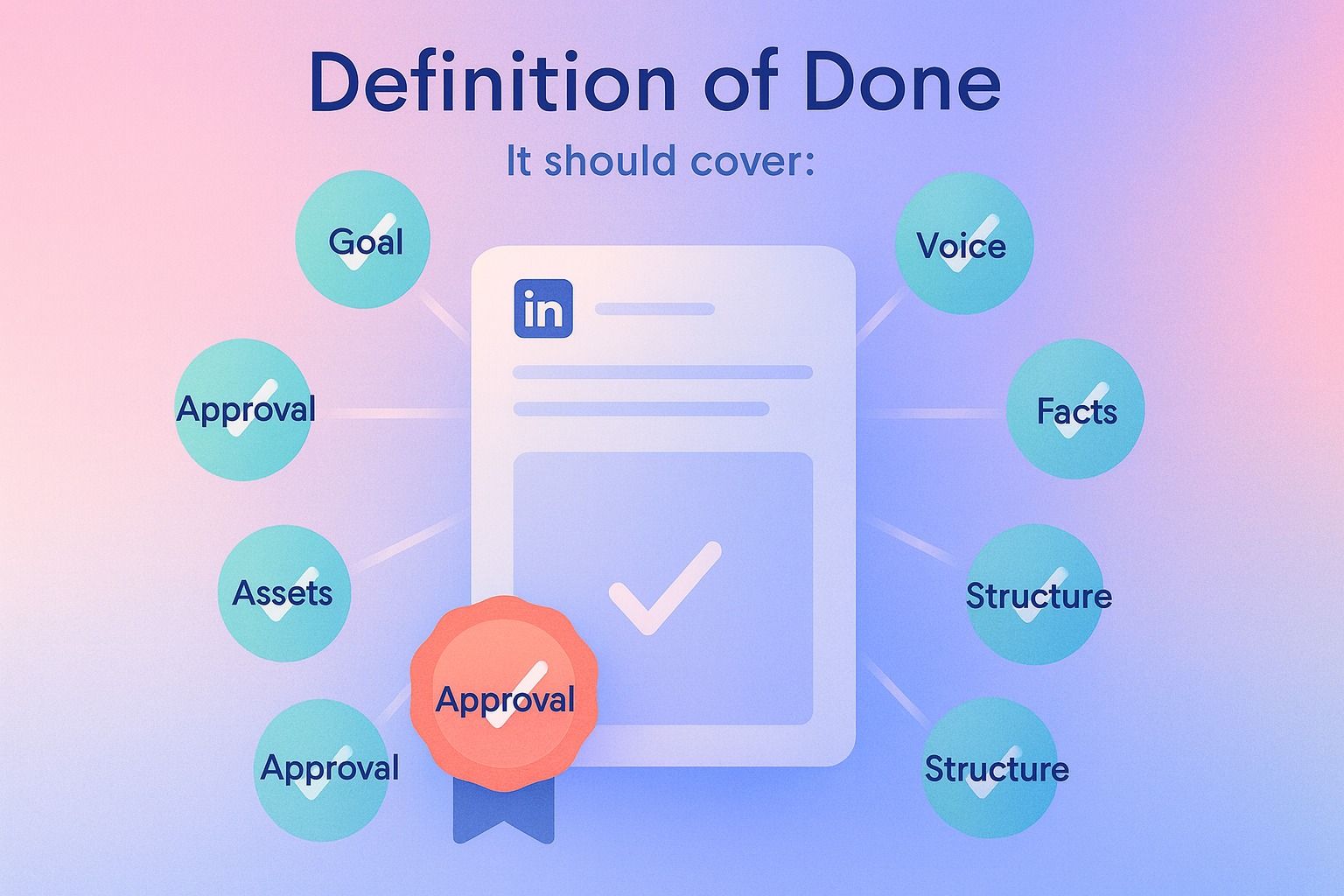
A definition of done is the checklist that tells the team when a piece of content is actually ready.
Without it, "almost done" can stretch for days.
6. Escalation rules
Not everything needs a meeting. But edge cases need a path.
Define when content should be escalated, such as:
- Sensitive claims
- Executive ghostwriting
- Reputation risk
- Major brand changes
- Conflicting reviewer feedback
7. Tooling and recordkeeping
Your policy should also say where work happens and where final decisions are documented.
For example, if your team uses an AI LinkedIn agent, a planning tool, or a scheduling calendar, clarify where drafts live, where comments happen, and where publish decisions are made.
If you use Dynal, this is where Projects & Publishing can support a cleaner draft-to-publish workflow for LinkedIn content. It helps teams keep creation context connected to publishing actions, instead of splitting the process across scattered documents and messages.
If you are already thinking about tooling here, Dynal’s AI LinkedIn agent fits the same idea: keep the draft-to-publish path organized while preserving human review. That can make a lightweight policy easier to actually use.
Content governance vs editorial policy: what is the difference?
This is one of the most common questions, and the distinction is simple.
Content governance
Content governance is about decision rights and process.
It answers:
- Who can create content?
- Who reviews it?
- Who approves it?
- What standards must be met before publishing?
- How are conflicts resolved?
Think of governance as the operating model.
Editorial policy
Editorial policy is about quality, consistency, and expression.
It answers:
- What should our content sound like?
- What topics fit our brand?
- What claims should we avoid?
- How should we structure posts?
- What style rules should we follow?
Think of editorial policy as the rulebook for the content itself.
Simple way to remember it
- Governance = who decides and how work moves
- Editorial policy = what good content looks like
You need both. Governance without editorial policy creates bottlenecks around subjective feedback. Editorial policy without governance creates inconsistency because nobody knows who has final say.
How to set up an approval workflow without slowing down publishing
The best approval workflow is the lightest one that still protects quality.
Here is a practical setup most teams can use.
Step 1: Classify content by risk
Not every post should follow the same review path.
A simple model:
Low-risk content
Examples:
- Routine thought leadership posts
- Educational posts
- Repurposed insights from approved source material
Workflow:
- Writer drafts
- Editor or content lead reviews
- Publisher schedules
Medium-risk content
Examples:
- Posts tied to active campaigns
- Customer-related stories
- Opinionated posts from leadership
Workflow:
- Writer drafts
- Subject matter expert reviews
- Editor or brand reviewer checks voice and positioning
- Final approver signs off
High-risk content
Examples:
- Sensitive claims
- Regulated topics
- Posts responding to controversy
- Major company announcements
Workflow:
- Writer drafts
- Subject matter expert reviews
- Brand or communications lead reviews
- Final approver signs off
- Optional legal review if required by your business
This tiered approach is usually the simplest way to protect speed.
Step 2: Limit approvers
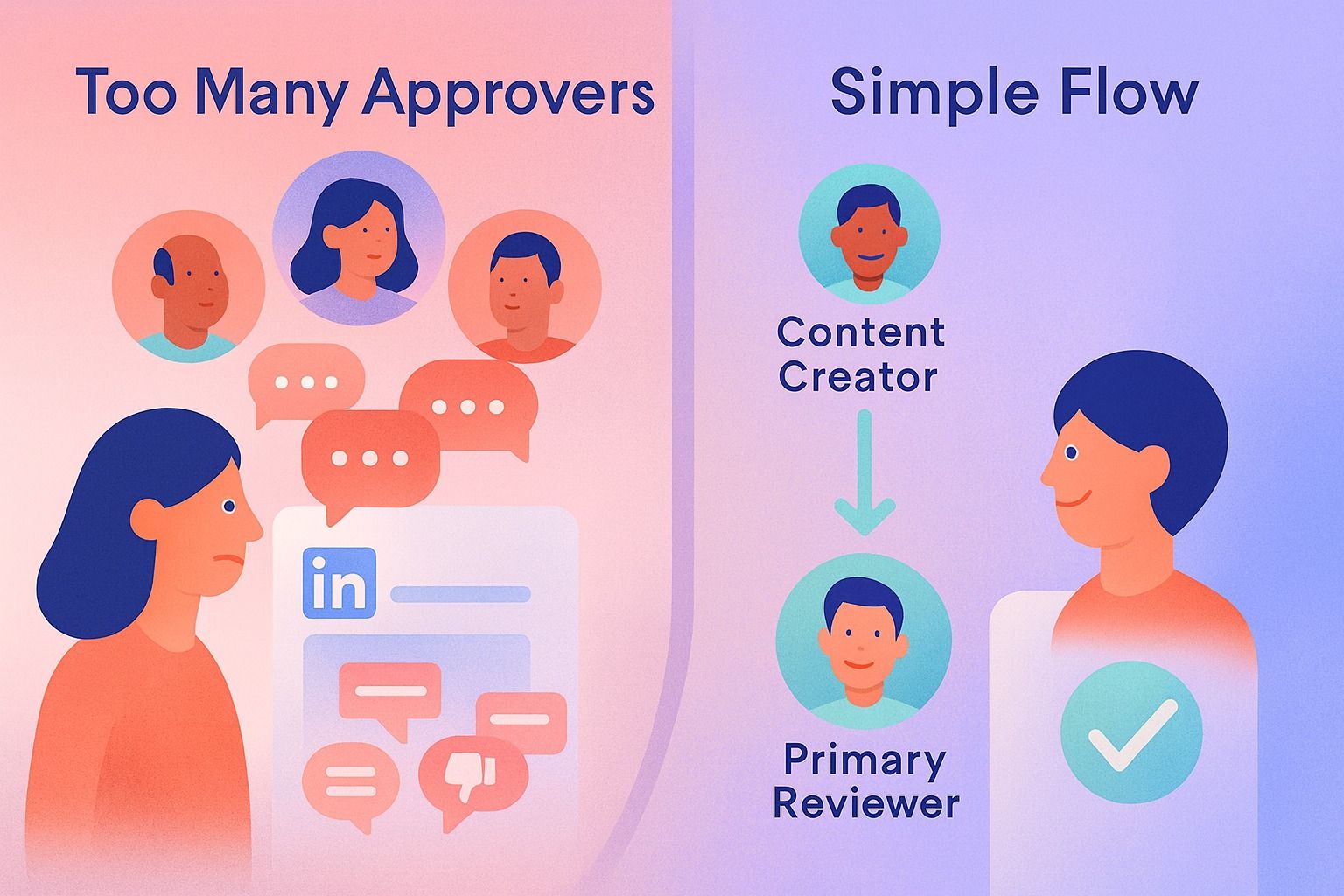
A common mistake is asking too many people for "input." That creates parallel feedback, contradictory edits, and delay.
A better rule:
- One owner
- One primary reviewer
- One final approver only when needed
If five people must approve every LinkedIn post, your issue is not content quality. It is process design.
Step 3: Set response windows
Approvals stall when deadlines are implied instead of defined.
Try service levels like:
- Low-risk: review within 24 hours
- Medium-risk: review within 48 hours
- High-risk: review within 72 hours
Also define what happens if someone does not respond. For example, approval defaults to the content lead after the review window closes, unless the content is high risk.
Step 4: Separate review types
Many teams combine too many kinds of feedback into one pass.
Break review into categories:
- Accuracy review
- Brand voice review
- Copy edit
- Final approval
That reduces vague comments like "this does not feel right" because each reviewer knows what they are checking.
Step 5: Publish from the same flow when possible
Context switching slows teams down.
If your drafting, review, and scheduling are disconnected, reviewers lose the source context and creators waste time reformatting approved work.
For LinkedIn teams, that is one reason an AI LinkedIn agent can be useful. In Dynal, Projects & Publishing connect project-based content conversations to publish or schedule actions, which supports a cleaner review-to-publishing handoff for LinkedIn content.
How to define roles for content ops
A lightweight content ops model does not need a complex org chart. It needs clear ownership.
Here is a simple role template.
Recommended role model
1. Content owner
Responsible for:
- Content priorities
- Calendar alignment
- Final quality standard
- Resolving conflicting feedback
This is often the content lead or marketing manager.
2. Creator
Responsible for:
- Drafting the content
- Using source materials correctly
- Following editorial policy
- Addressing review feedback
3. Subject matter reviewer
Responsible for:
- Verifying accuracy
- Correcting nuance or missing context
- Flagging unsupported statements
4. Brand reviewer
Responsible for:
- Voice and tone consistency
- Audience fit
- Topic guardrails
- Positioning consistency
5. Approver
Responsible for:
- Final sign-off when required
- High-risk exceptions
- Leadership or campaign-sensitive content
6. Publisher
Responsible for:
- Scheduling or publishing
- Final formatting check
- Link and asset check
- Confirming post timing
In some teams, the content owner and publisher are the same person. In others, a social lead handles publishing.
Definition of done: a simple template
A definition of done should be specific enough to prevent debate and short enough that people actually use it.
Here is a practical example for LinkedIn content.
Definition of done checklist
A LinkedIn post is done when:
- The goal of the post is clear
- The intended audience is clear
- The post aligns with the editorial policy
- Brand voice and tone are appropriate
- Facts, examples, and claims have been checked
- The post includes a clear structure and readable formatting
- Any required reviewer feedback has been incorporated
- The final approver has signed off if the content requires approval
- Assets and links are ready
- The post is scheduled or published in the correct workflow
You can adapt this by content type. For example, a leadership post may require SME review, while a recurring educational post may not.
A lightweight governance template you can copy
If you want the simplest version possible, start with this.
Content governance policy template
Purpose
This policy helps our team create and publish consistent content efficiently while maintaining quality, brand fit, and clear accountability.
Scope
This policy applies to all LinkedIn content created by the marketing team and approved contributors.
Roles
- Content owner: sets priorities and final standards
- Creator: drafts posts
- SME reviewer: checks accuracy when needed
- Brand reviewer: checks voice, audience fit, and topic guardrails
- Approver: signs off on medium- and high-risk posts
- Publisher: schedules or publishes approved posts
Approval workflow
- Low-risk posts: creator → content owner review → publish
- Medium-risk posts: creator → SME review → brand review → approval → publish
- High-risk posts: creator → SME review → brand/comms review → approval → publish
Editorial policy
- Follow approved brand voice and tone
- Prioritize audience-relevant, useful content
- Avoid off-topic, unsupported, or sensitive claims
- Use consistent formatting and sourcing standards
Definition of done
Content is ready when it meets editorial standards, passes any required review, and is approved for scheduling or publishing.
Escalation
Escalate content involving sensitive claims, reputation risk, or unresolved reviewer disagreement.
Common mistakes and how to fix them
Even strong teams create unnecessary friction. Here are the most common problems.
Mistake 1: Too many approvers
Problem: Everyone wants a say, so nobody owns the decision.
Fix: Reduce each content type to one owner and one primary reviewer. Add final approval only for medium- or high-risk content.
Mistake 2: No difference between review and approval
Problem: Teams ask for "approval" when they really want feedback.
Fix: Define review as input and approval as final sign-off. Not every reviewer should have veto power.
Mistake 3: Editorial standards live in people’s heads
Problem: Content quality depends on who happens to review it.
Fix: Write down voice, audience, boundaries, and formatting standards in a short editorial policy.
Mistake 4: "Done" is subjective
Problem: Posts bounce between draft and near-final forever.
Fix: Use a definition of done checklist tied to actual publishing requirements.
Mistake 5: Process is heavier than the content itself
Problem: A simple social post gets treated like a corporate press release.
Fix: Match workflow intensity to content risk.
Decision criteria: how much governance do you actually need?
If you are unsure how formal your policy should be, use these decision criteria.
You likely need a lightweight model if:
- A small team creates recurring content
- You publish frequently
- Most content is low to medium risk
- Speed and consistency matter more than layered oversight
You may need more formal governance if:
- Multiple departments publish under one brand
- Executive or regulated content is common
- Review conflicts happen often
- Reputation risk is high
For many LinkedIn-led teams, lightweight governance is enough. Especially when the workflow is built around clear planning, review, and publishing steps instead of ad hoc requests.
The simplest way to keep content consistent across a team
The simplest way is not more meetings. It is shared standards plus a visible workflow.
In practical terms:
- Use one editorial policy
- Define a small set of roles
- Create a risk-based approval workflow
- Agree on one definition of done
- Keep draft-to-publish steps in one place when possible
If your team creates LinkedIn content regularly, consistency also improves when brand context is documented instead of implied. Dynal, as an AI LinkedIn agent, is built around that kind of structured workflow: Brand DNA, a chat-centered workspace, and Projects & Publishing for publish or schedule actions.
That does not replace human editorial judgment. It just gives the team a cleaner operating system for LinkedIn content.
Final checklist for a lightweight content governance policy
Before you finalize your policy, make sure you can answer yes to these questions:
- Do we know which content this policy applies to?
- Do we know who owns drafting, review, approval, and publishing?
- Do we know which content actually requires approval?
- Do we have a short editorial policy teams can follow?
- Do we have a definition of done?
- Do we know when to escalate edge cases?
- Do we have a clear draft-to-publish workflow?
If yes, your governance policy is probably strong enough to use.
Get your LinkedIn workflow set up cleanly
If you want to put a lightweight governance model into practice, start with the workflow itself. Dynal’s Onboarding & Setup gives teams a guided starting point, with a LinkedIn-first connection path that helps establish initial brand context faster before moving into planning, drafting, review, and publishing.
That makes it easier to create a repeatable LinkedIn process with clearer ownership from the start.