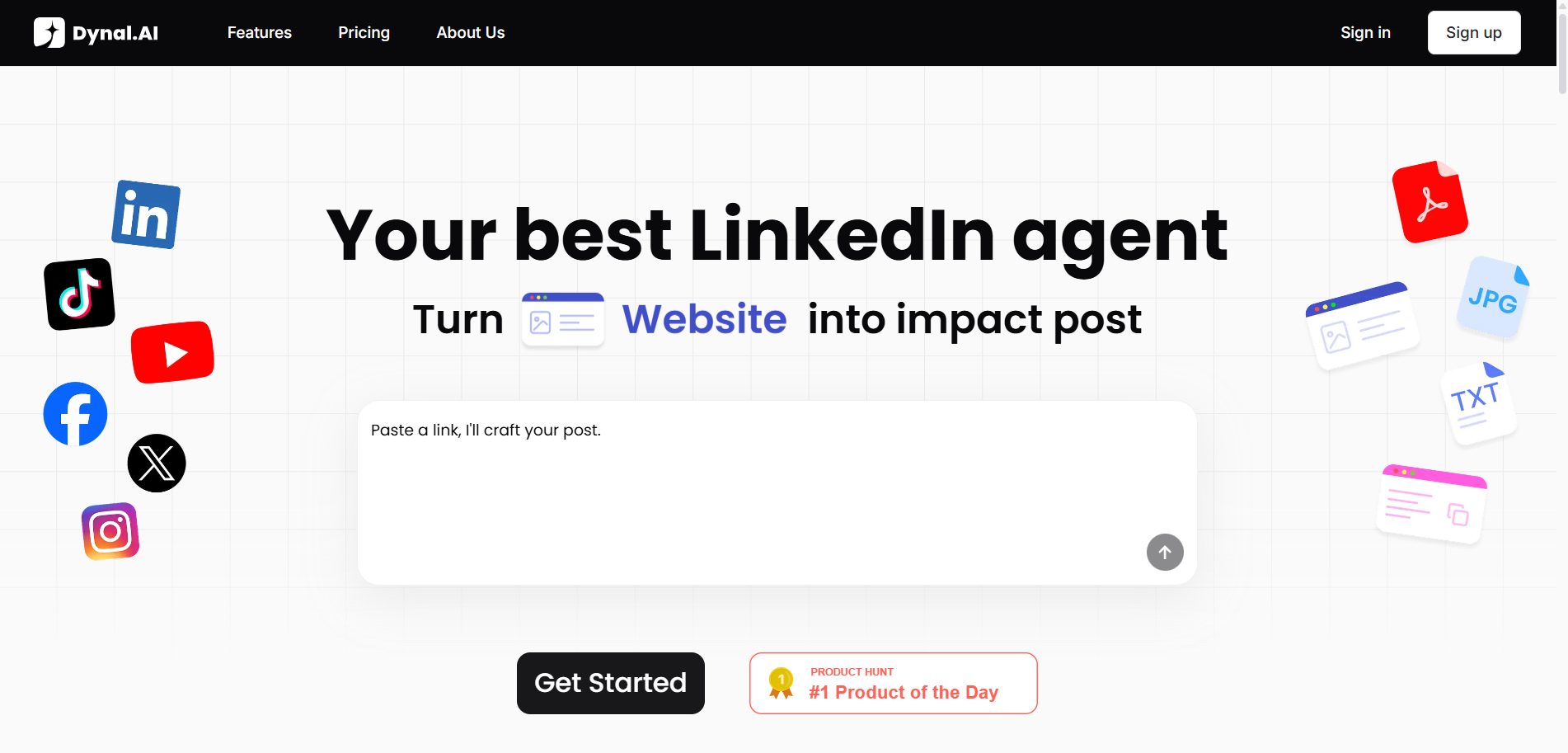
Ready to build your personal brand, grow your influence, and create standout content on LinkedIn—without the struggle? Dynal.AI is your personal LinkedIn agent, designed to make content creation smarter, faster, and more impactful. In this beginner’s guide, you’ll learn how to set up your account, customize your profile, and start navigating the Dynal.AI dashboard with confidence.
Table of Contents
- What is Dynal.AI?
- Why Choose Dynal.AI?
- How to Sign Up & Set Up Your Account
- Personalizing Your Profile & Goals
- Exploring the Dynal.AI Dashboard
- Quick Start Checklist
- Next Steps
What is Dynal.AI?
Dynal.AI is a next-generation content creation platform, built to help professionals like you stand out and connect meaningfully on LinkedIn. By blending advanced AI with human-centric personalization, Dynal.AI empowers you to create, refine, and publish high-impact content—without needing to be a content or tech expert.
Our mission: We believe every professional deserves a powerful voice on LinkedIn. Dynal.AI exists to help you craft quality content effortlessly, grow your influence, and lead with confidence.
Why Choose Dynal.AI?
Here’s what makes Dynal.AI your ultimate LinkedIn content companion:
- AI-Powered Personalization: Dynal.AI learns your unique voice, goals, and creative habits for tailored guidance.
- Effortless Content Creation: Turn links, PDFs, images, or text into ready-to-publish posts in seconds.
- Smart Content Planning: Set your growth goals, and Dynal.AI automatically plans, writes, and schedules a week of high-performing LinkedIn posts that you can easily refine.
- Flexible Editing: Intuitive tools let you fine-tune every detail—no design or writing experience needed.
- Live Previews: See exactly how your post will look before publishing
- Seamless Scheduling & Publishing: Move from idea to live post in one smooth flow. Schedule content in advance (coming soon) or publish instantly with a single click.
- Multi-Account Support: Manage multiple LinkedIn accounts effortlessly—personal and organizational.
- Clear, Contextual Insights: Dynal.AI believes that creativity works best when you understand what’s being created — not just how it looks. That’s why every piece of content Dynal generates comes with a short, clear summary of its creative intent. You’ll see the tone, purpose, and visual direction behind each draft.
- Cross-Platform Support (Coming Soon): Connect and publish across LinkedIn, X, Facebook, and Instagram, all from one cohesive hub.
Pro Tip: Whether you’re a marketer, strategist, or thought leader, Dynal.AI is designed for every professional ready to create smarter and influence faster.
How to Sign Up & Set Up Your Account
Starting with Dynal.AI is quick and intuitive. Here’s how to get going:
Step 1: Sign up for an account
- Visit Dynal.AI and click Sign Up.
- Choose your preferred sign-up method (email or Google).
- Fill in your basic details (email and password) or authenticate with Google.
- Log in to access your new Dynal.AI account.
When you first sign up, Dynal.AI will ask you a series of questions to better understand your background, needs and preferences. This helps the AI tailor your experience right from the start.
You can choose to connect your LinkedIn directly at the final step for a more personalised Dynal.AI experience, or click 'skip for now' to set it up later.
Step 2: Access Your Dashboard
After onboarding, you’ll land on your personalized dashboard. Here, you’ll find a greeting, a quick content input bar, and an option to set up your Personalization Settings.
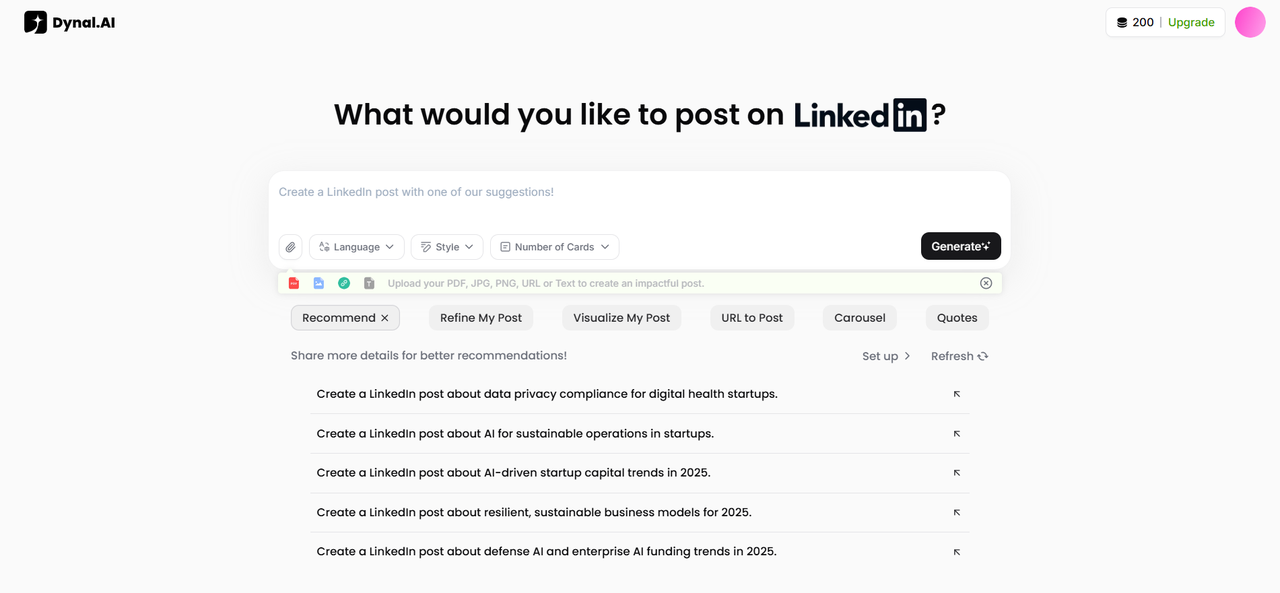
- The file button allows you to upload relevant links, files, or text to allow Dynal.AI to create relevant content best suited for your needs.
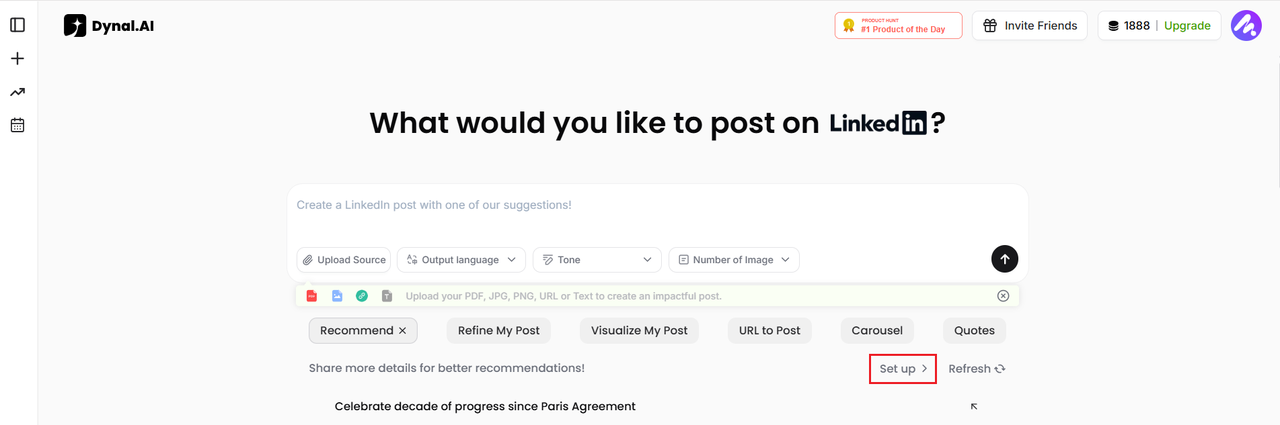
- For best results, click Set up under Recommend to complete your profile.
Personalizing Your Profile & Goals
Personalization is at the heart of Dynal.AI. The more you tell the platform about your goals and preferences, the smarter and more relevant your content recommendations will be.
Step 3: Personalization Settings
Click Set up to open the Personalization Settings dialog.
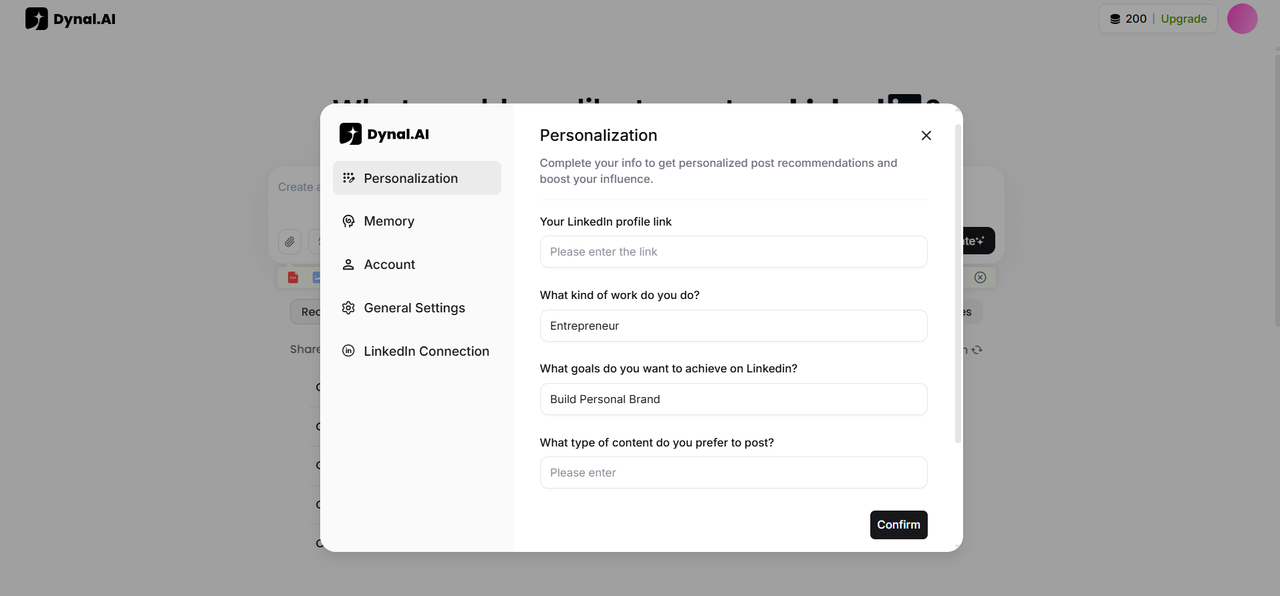
Fill in the following fields:
- Your LinkedIn profile link: (Paste your profile URL)
- What kind of work do you do? (e.g., Product Manager, Entrepreneur)
- What goals do you want to achieve on LinkedIn? (e.g., Build a brand, attract clients, share insights)
- What type of content do you prefer to post? (e.g., Thought leadership, industry news)
- Additional information: (e.g., website, company link, unique interests)
Click Confirm to save and unlock personalized guidance.
Exploring the Dynal.AI Dashboard
Your dashboard is your creative command center. Here’s what you’ll find:
Personalized Content Recommendations
Once your profile is set, Dynal.AI immediately suggests post ideas, which you can find under the 'Recommendations' tab, based on your profile and goals. That's why it's important to set up your profile as soon as you can! The more details you share, the better the recommendations.
- Click 'Refresh' for more ideas tailored to your goals!
Effortless Content Input
To create a post, simply click the file icon and choose from the options below:
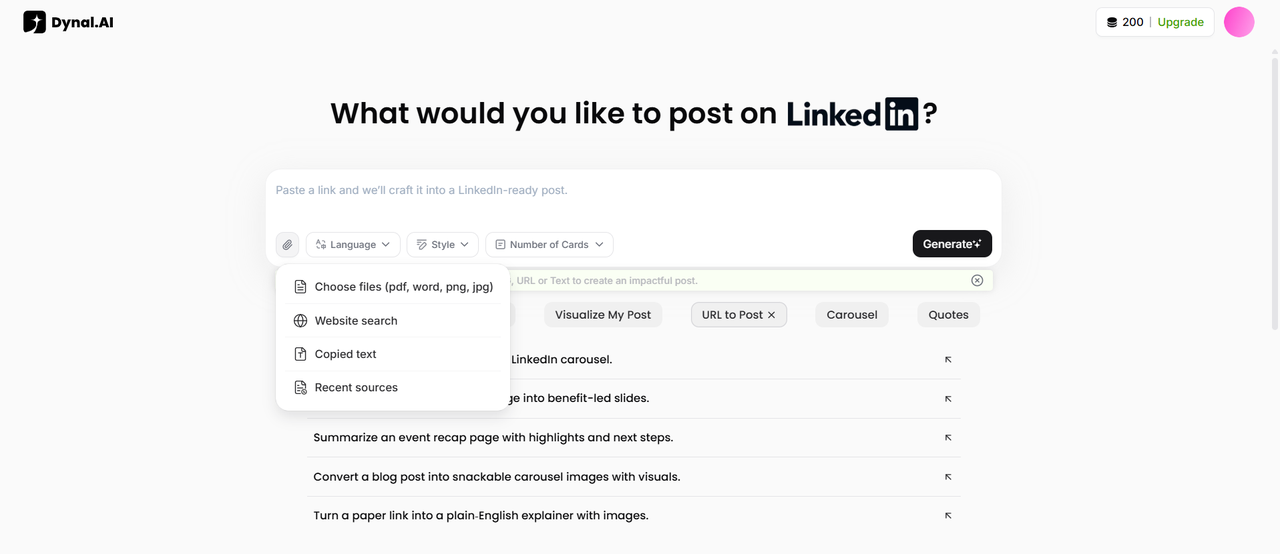
- Upload PDFs, Word docs, images
- Paste links or text to use as references (this includes YouTube links as well! Dynal can retrieve video content)
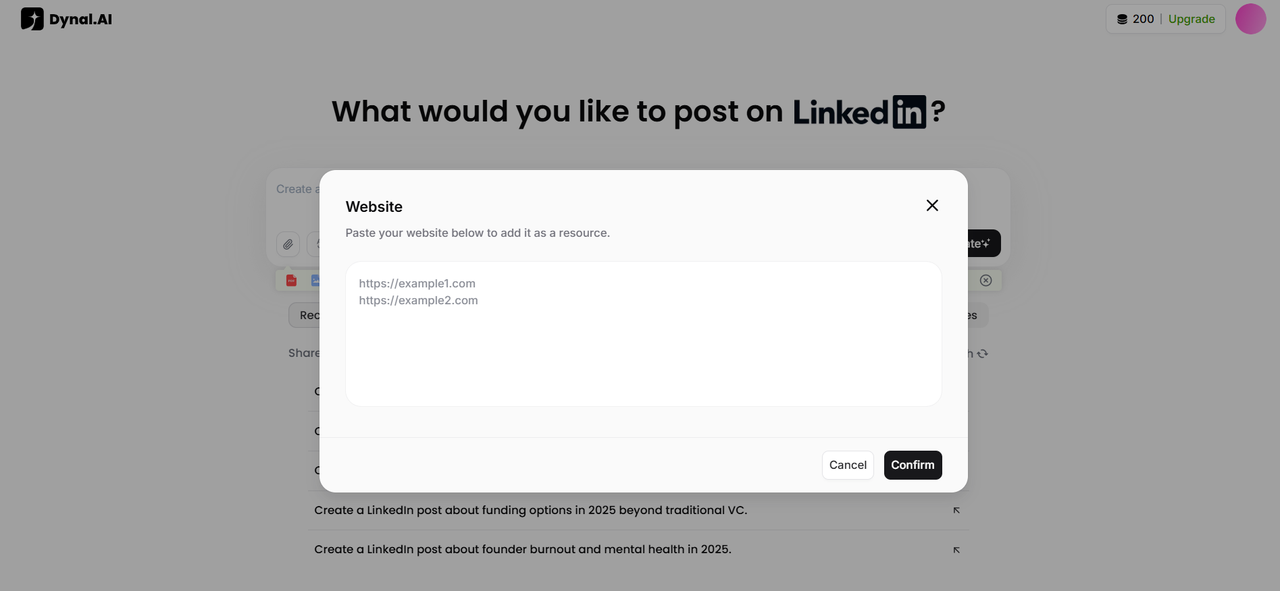
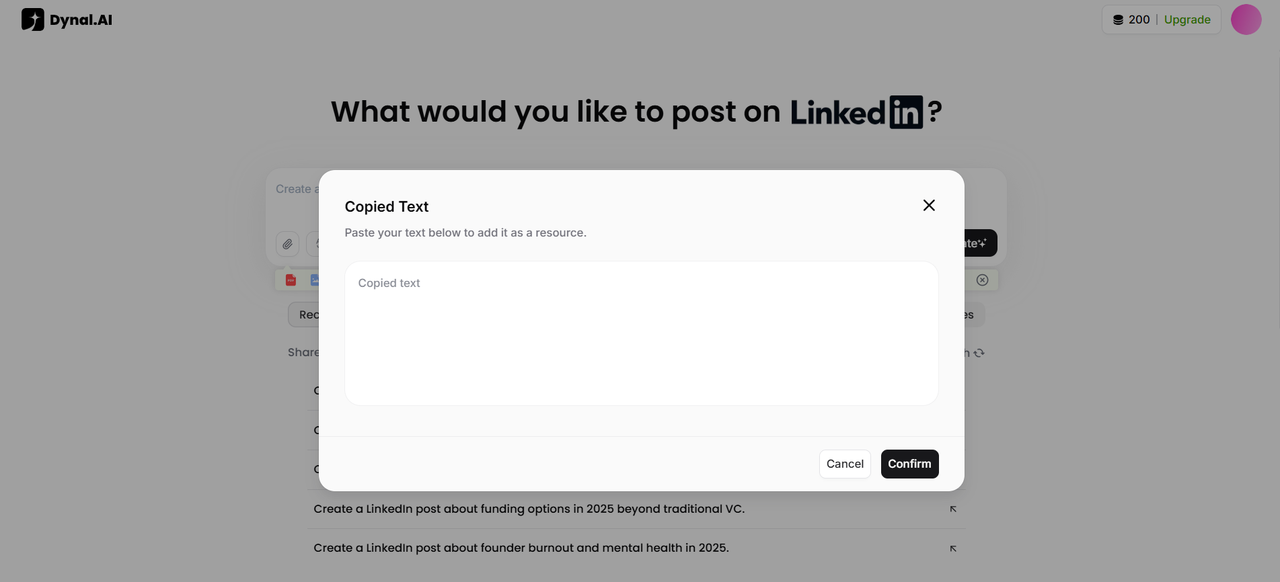
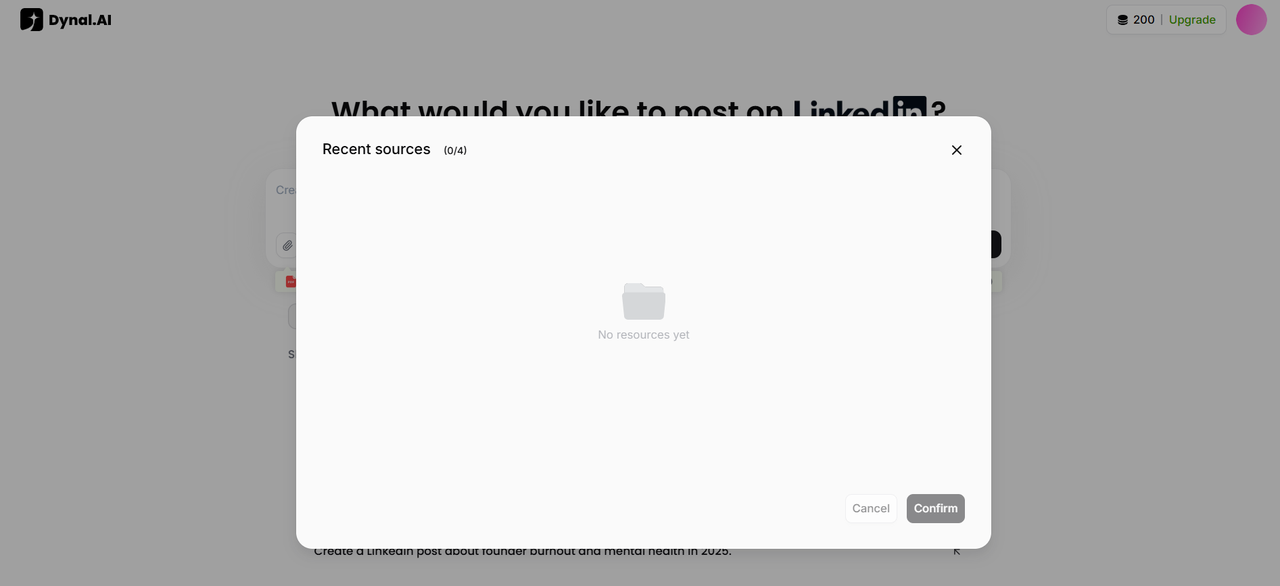
Dynal.AI will extract key points and help you turn them into LinkedIn-ready content. You can also easily manage and select from your existing sources:
Diverse Content Generation Options
Whether you're starting from scratch or looking to refine an existing draft, Dynal.AI provides everything you need to create impactful LinkedIn posts effortlessly. Dynal.AI offers an array of powerful tools to streamline and enhance the process of creating LinkedIn posts, tailored to meet your specific needs. Here's a breakdown of each feature:
- Recommendations
This feature generates personalized suggestions for LinkedIn posts by analyzing individual profiles. It delivers ideas and topics that align with your expertise, audience, and goals, helping you craft posts that resonate.
2. Refine My Post
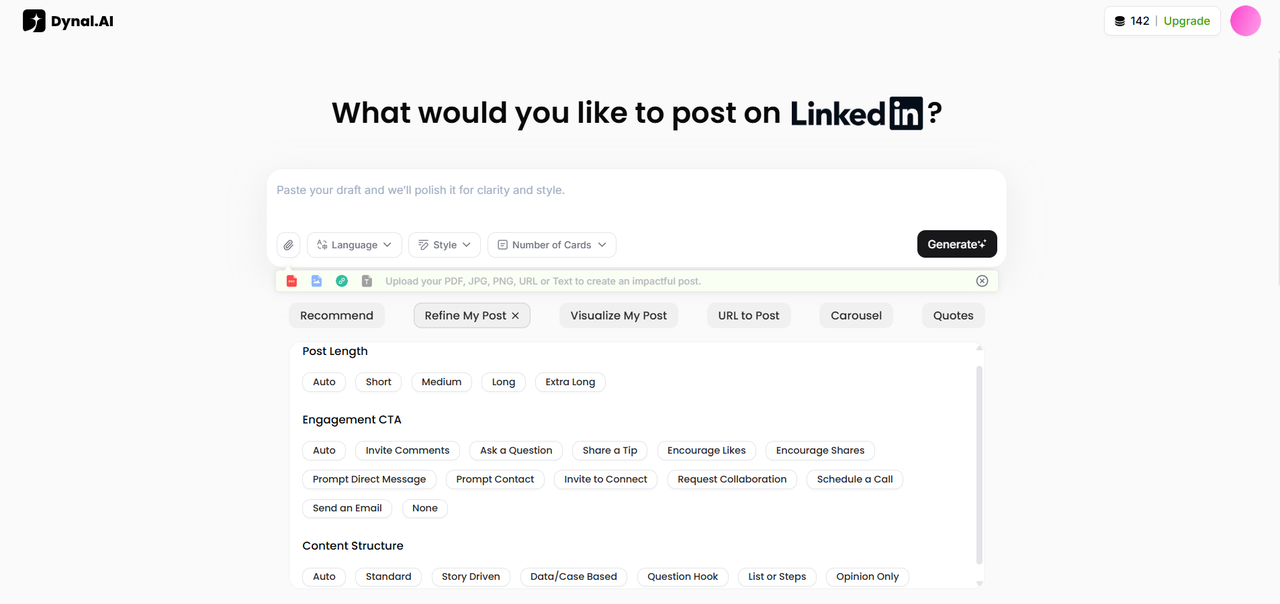
Improve the clarity and flow of your draft effortlessly. Choose from options like Post Length, Engagement CTA and Content Structure to tailor the output to suit your needs better. This tool takes your original content and enhances its readability, ensuring a polished and professional final version.
3. Visualize My Post
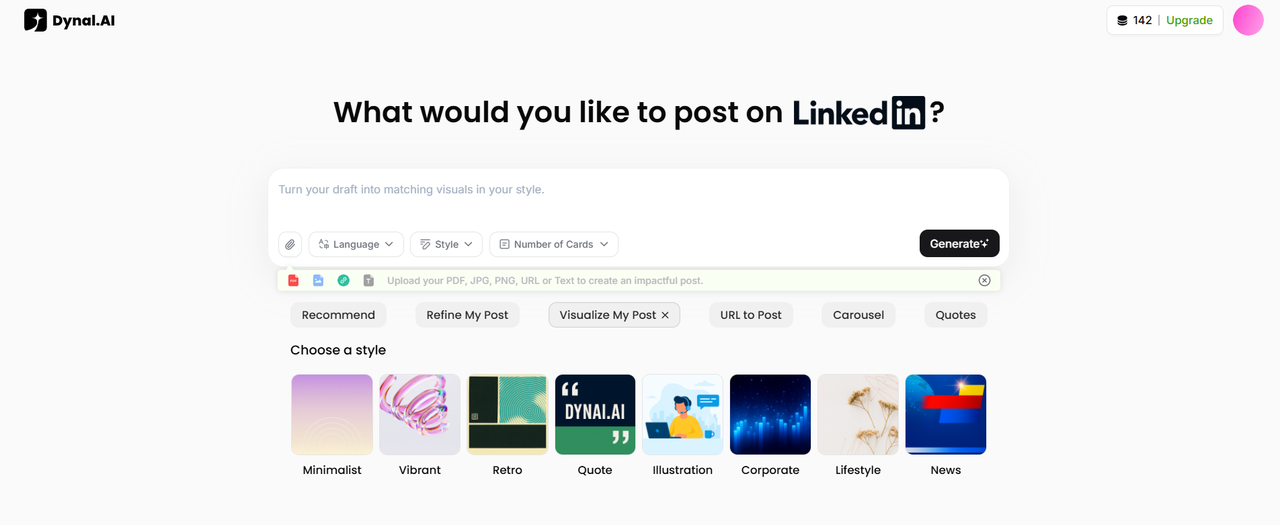
Transform your post into a visually appealing masterpiece. Based on your draft, this feature generates matching visuals, making your content more engaging and eye-catching for your audience. Choose from various styles, such as Minimalist, Vibrant and Retro etc. With so many options to select from, you'll never run out of fresh content to spice up your feed!
4. URL to Post
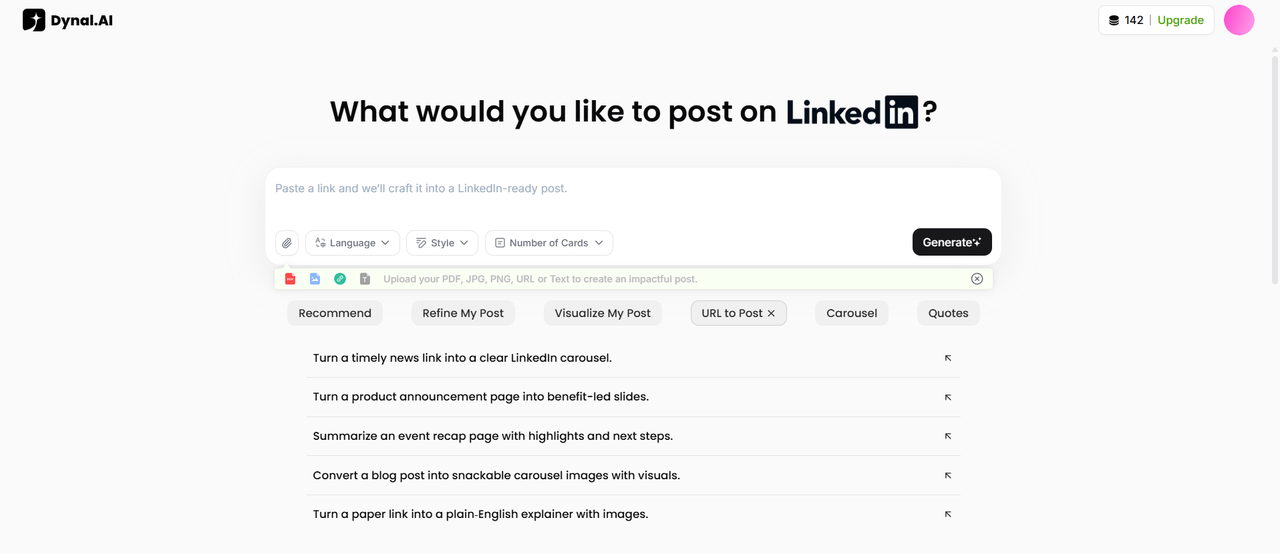
Create compelling LinkedIn posts by simply pasting a link. This tool analyzes the content of the provided URL and generates copy and images that summarize and amplify its key points. Creating a LinkedIn post from scratch has never looked easier.
5. Carousel
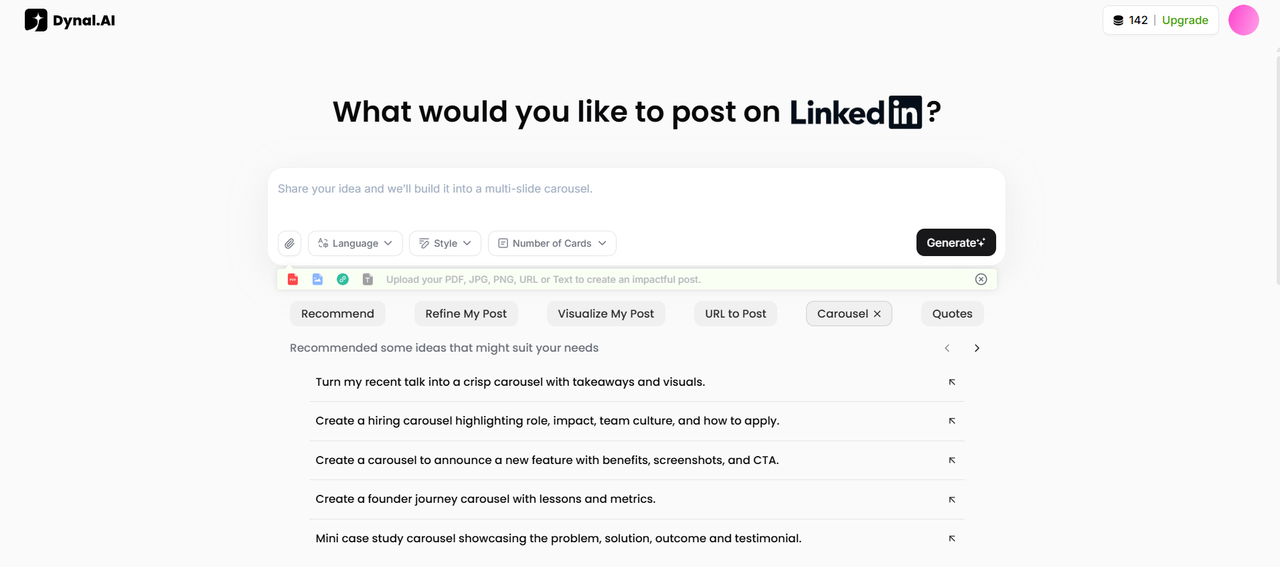
Generate multi-slide carousels with ease. This feature creates visually engaging slides and accompanying copy based on your prompt, perfect for sharing detailed insights or step-by-step guides. Need some inspiration or unsure of how to prompt? Browse our carefully curated suggestions to get a head start on your post! Here's an example of what you'll see when you click on the first recommendation:
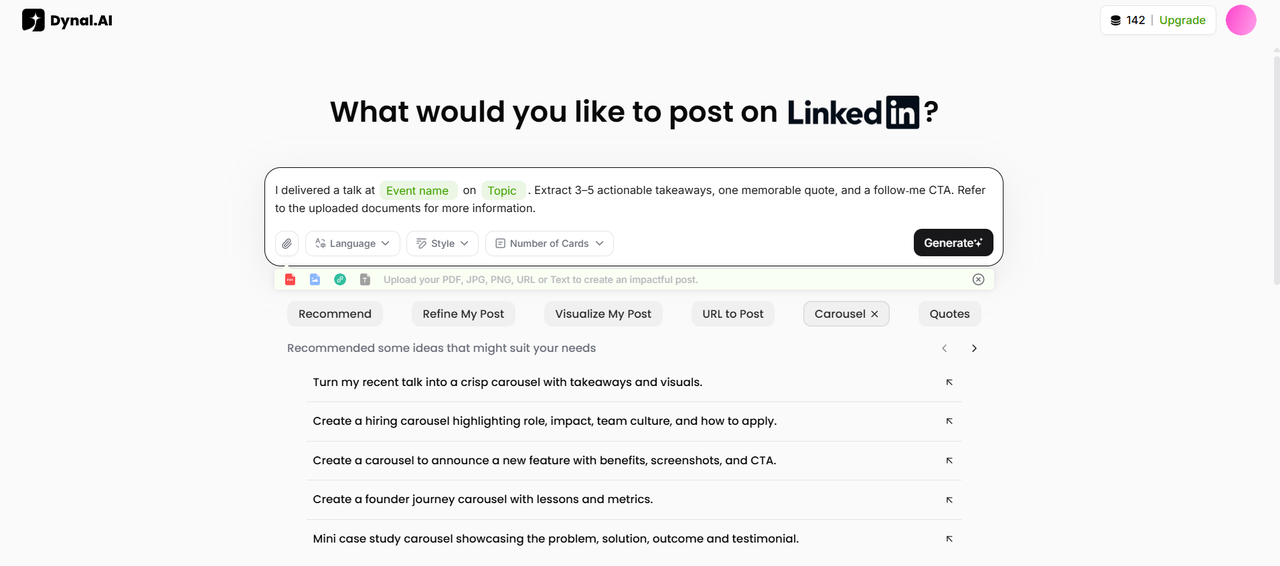
With our ready-written prompts, simply fill in details such as the [Event name] and [Topic]. Upload any documents you have for context, select your preferred language, style, number of cards and click 'Generate'. Then sit back and relax as Dynal generates your LinkedIn post!
6. Quotes
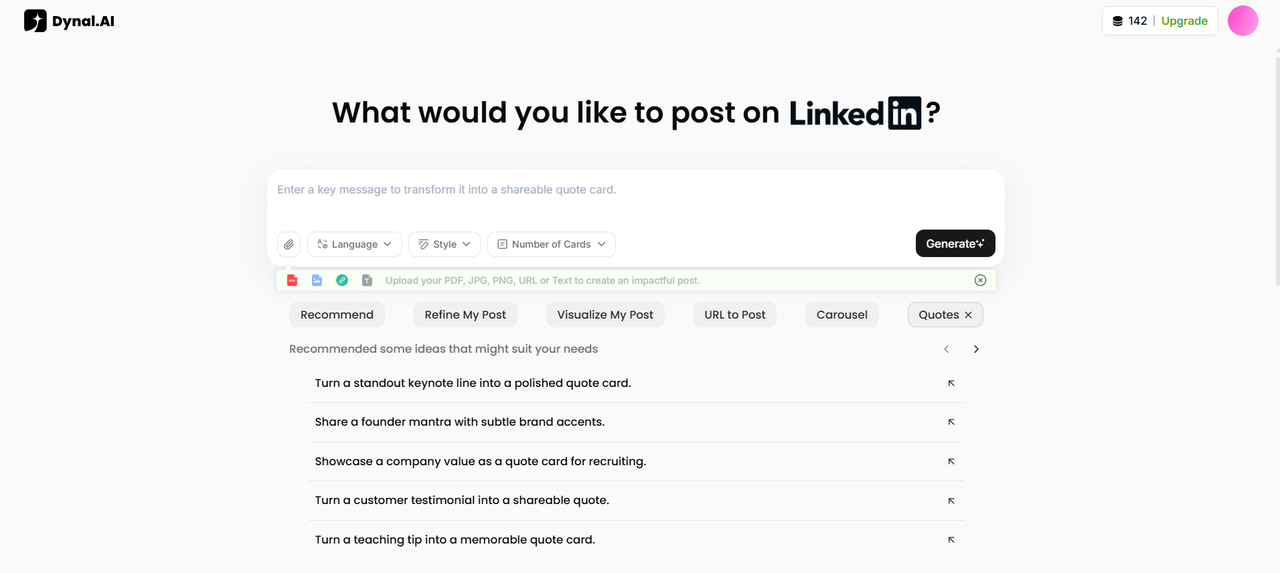
Turn your ideas into shareable quote cards. Enter a message or quote into the prompt, and this tool generates attractive cards that are ready to post and grab attention. Similar to the 'Carousel' tab, you can browse our suggestions for prompt ideas that you can instantly use if you're feeling stuck on what to post.
Top Trending Posts for Inspiration
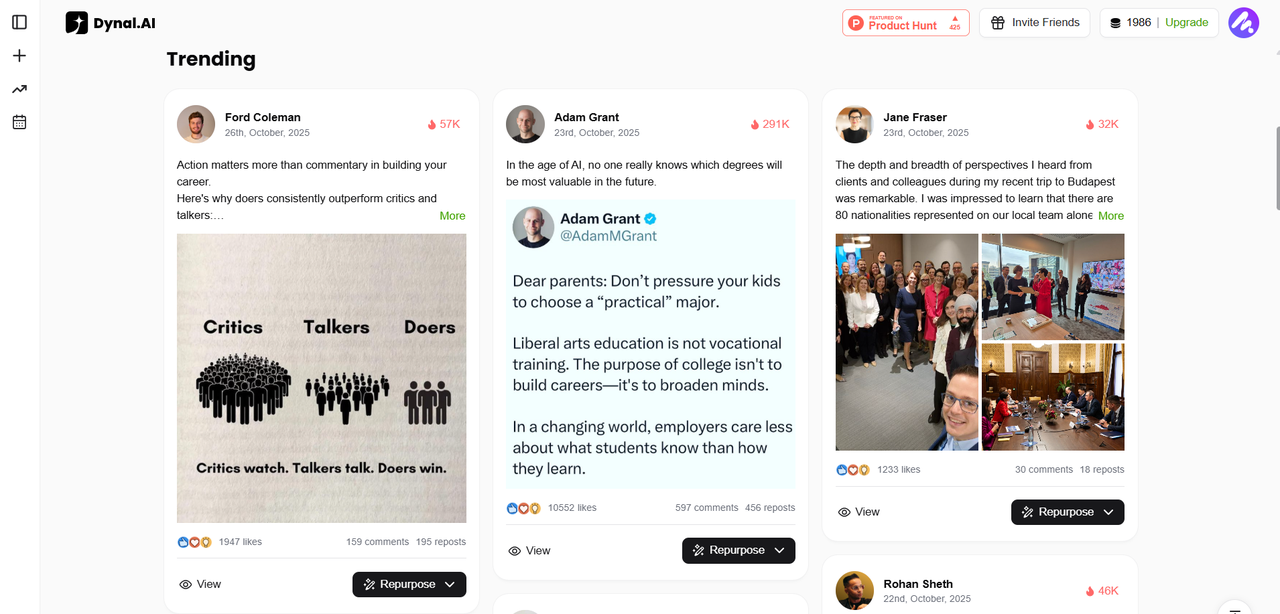
If you scroll to the bottom, you'll see our 'Trending' section, which contains a collection of our carefully curated selection of the top trending posts, constantly refreshed. Here, you can browse through examples from top LinkedIn voices and learn from their writing style, then adapt the post to your own needs.
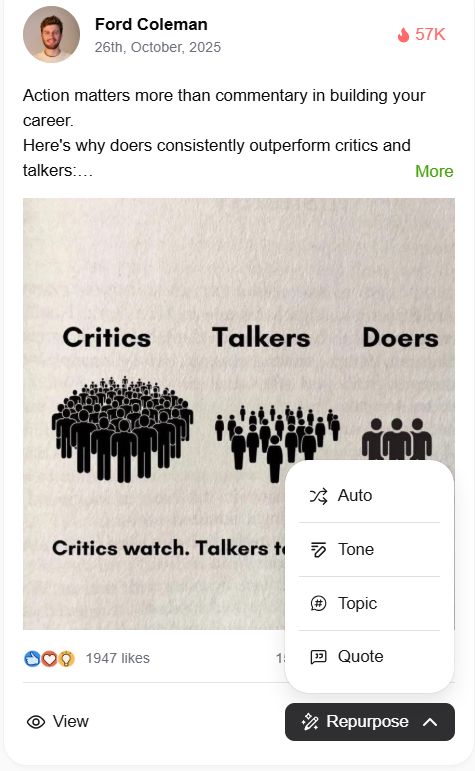
If you click on 'Repurpose', you'll see 4 options: 'Auto', 'Tone', 'Topic' and 'Quote'. 'Auto' allows you to create a new LinkedIn post inspired by your chosen post, keeping a similar tone and structure but focusing on a fresh idea.
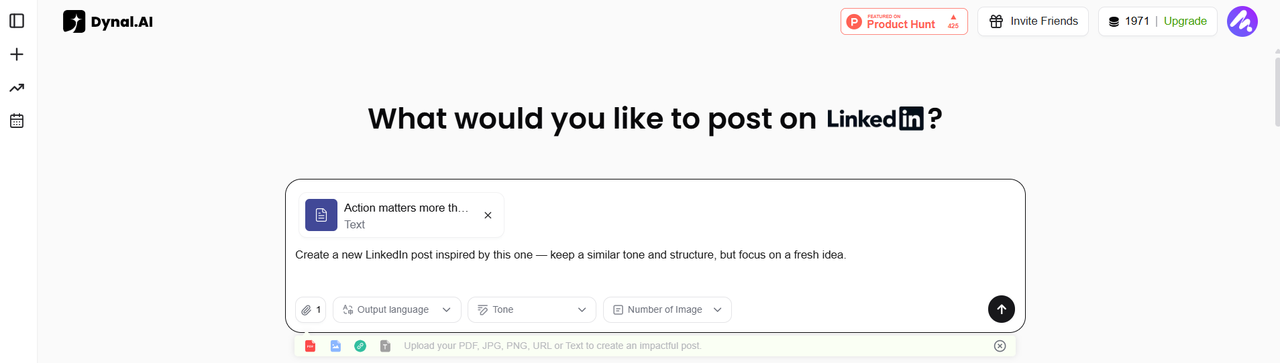
'Tone' allows you to write a new post in the same tone and rhythm as your chosen post, on a different topic.
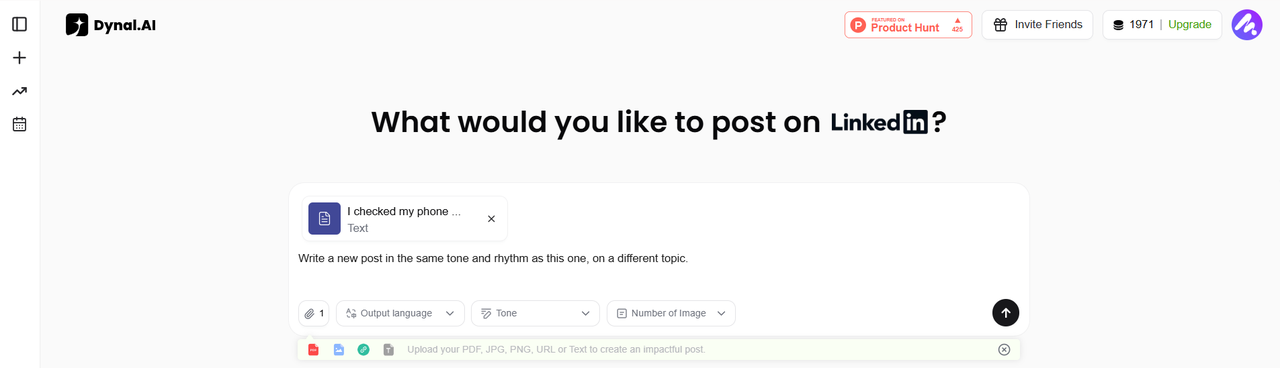
'Topic' allows you to delve deeper into the topic of your chosen post, exploring it from a new angle or with new insight.
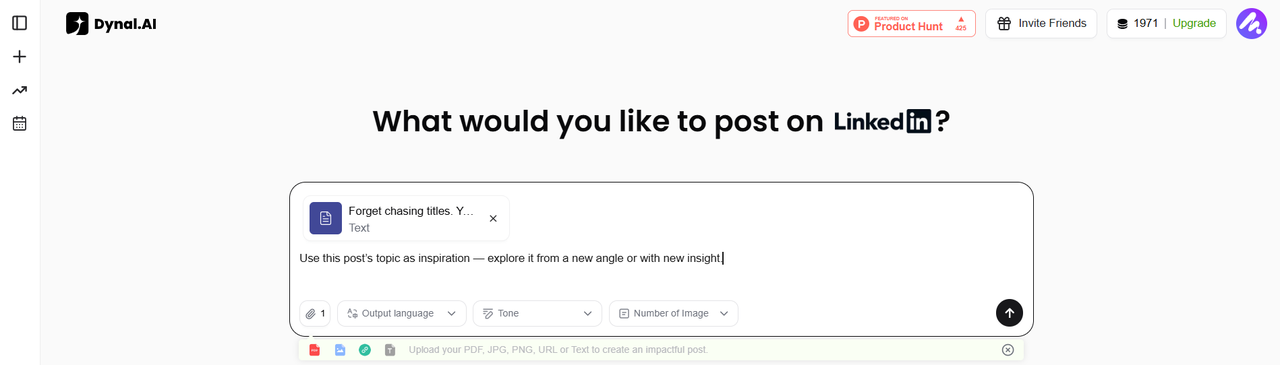
'Quote' allows you to reference your chosen post and add your own additional reflection or perspective on the topic.
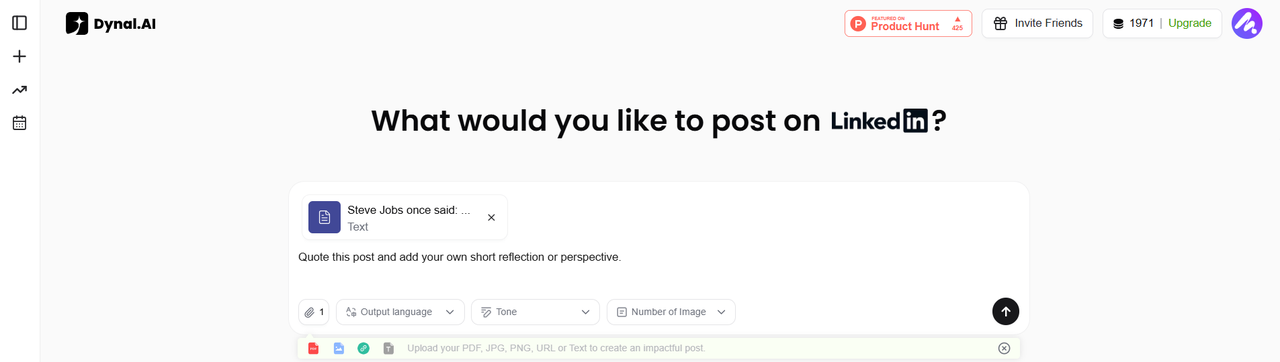
The prompts you see in the prompt box are the defaults, but feel free to tweak the prompts to your liking! Simply click inside the prompt box to make the necessary edits.
Quick Start Checklist
Ready to get going? Here’s your Dynal.AI quick start checklist:
- Sign up and select your work role
- Complete your Personalization Settings
- Edit your memory for the best AI guidance
- Review your customized dashboard and recommendations
- Check out the trending posts and learn the style from those you like
- Add a source and start your first post! Or use one of our ready-made prompts and simply fill in details to personalize your content as you wish.
Next Steps
Congratulations—you’re set up and ready to go! In the next post, you’ll learn how Dynal.AI builds a personalized content strategy just for you, recommends high-impact topics, and helps you plan your LinkedIn growth.
Stay tuned: How Dynal.AI Personalizes Your LinkedIn Content Strategy →
Try it