

If you want a pillar page to rank, do not start by writing the longest guide possible. Start by choosing a topic you can realistically win, building supporting topic clusters around clear search intent, and connecting everything with deliberate internal linking.
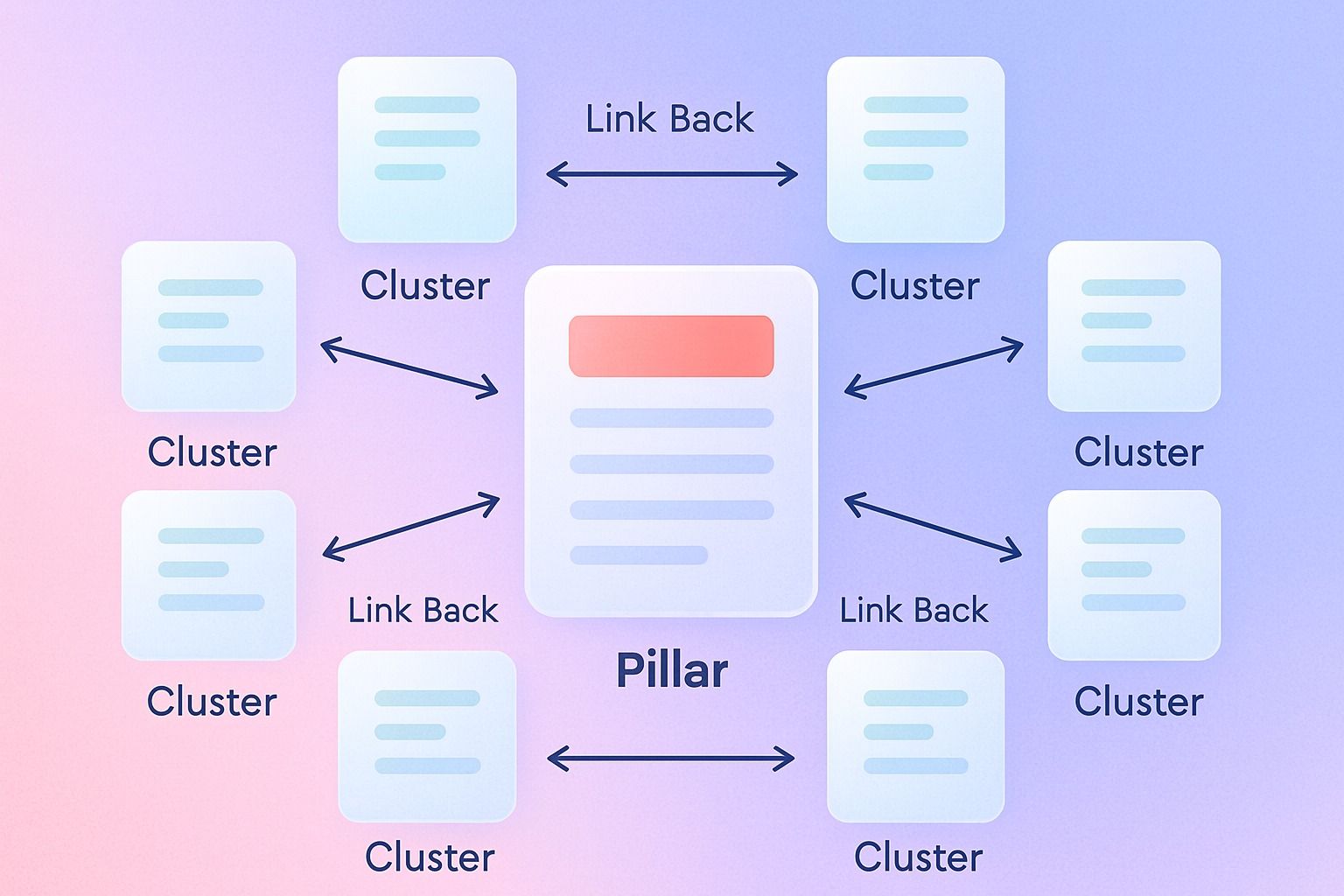
A strong pillar page works because it sits at the center of a content hub, not because it exists as a standalone article. The pillar covers the broad topic, the cluster posts answer specific related questions, and the links between them help search engines understand depth, relevance, and structure.
If you are turning one pillar into a repeatable publishing system, Dynal can help you organize LinkedIn content ideas in a clearer workflow. As an AI LinkedIn agent, it is built to support planning and scheduling around a more structured content process.
If you do this well, your pillar page becomes the main destination, your supporting posts capture long-tail traffic, and the full hub is more likely to build topical authority than isolated blog posts ever could.
In practice, that means:
- Pick a pillar topic with realistic ranking potential, not just high volume
- Build cluster posts around subtopics with distinct intent
- Use a clear two-way internal linking structure
- Publish enough depth to make the hub feel complete, not thin
In this guide, we will break down how to choose the right pillar page topic, what topic clusters to create, how many posts you need, how internal linking should work, and what a practical 10-post map looks like.
What is a pillar page?
A pillar page is the central resource in a content hub. It targets the broad parent topic and links out to more detailed cluster content that explores subtopics in depth.
For example, if your core theme is topic clusters, your pillar page might be a comprehensive guide to planning and building topic clusters. Supporting posts could cover:
- how to choose cluster topics
- how to structure internal linking
- how many cluster pages to publish
- how to measure topical authority
- how to update a content hub over time
The key point: a pillar page is not just a long article. It is the hub page for a broader content system.
If your business cannot credibly produce follow-up content around the topic, do not build the hub.
That same filter matters for LinkedIn too: if a topic can support ongoing posts, Dynal can help you plan those ideas into a consistent posting sequence. It keeps the focus on planning a useful content sequence, not on forcing extra posts.
Why a content hub can outperform standalone blog posts
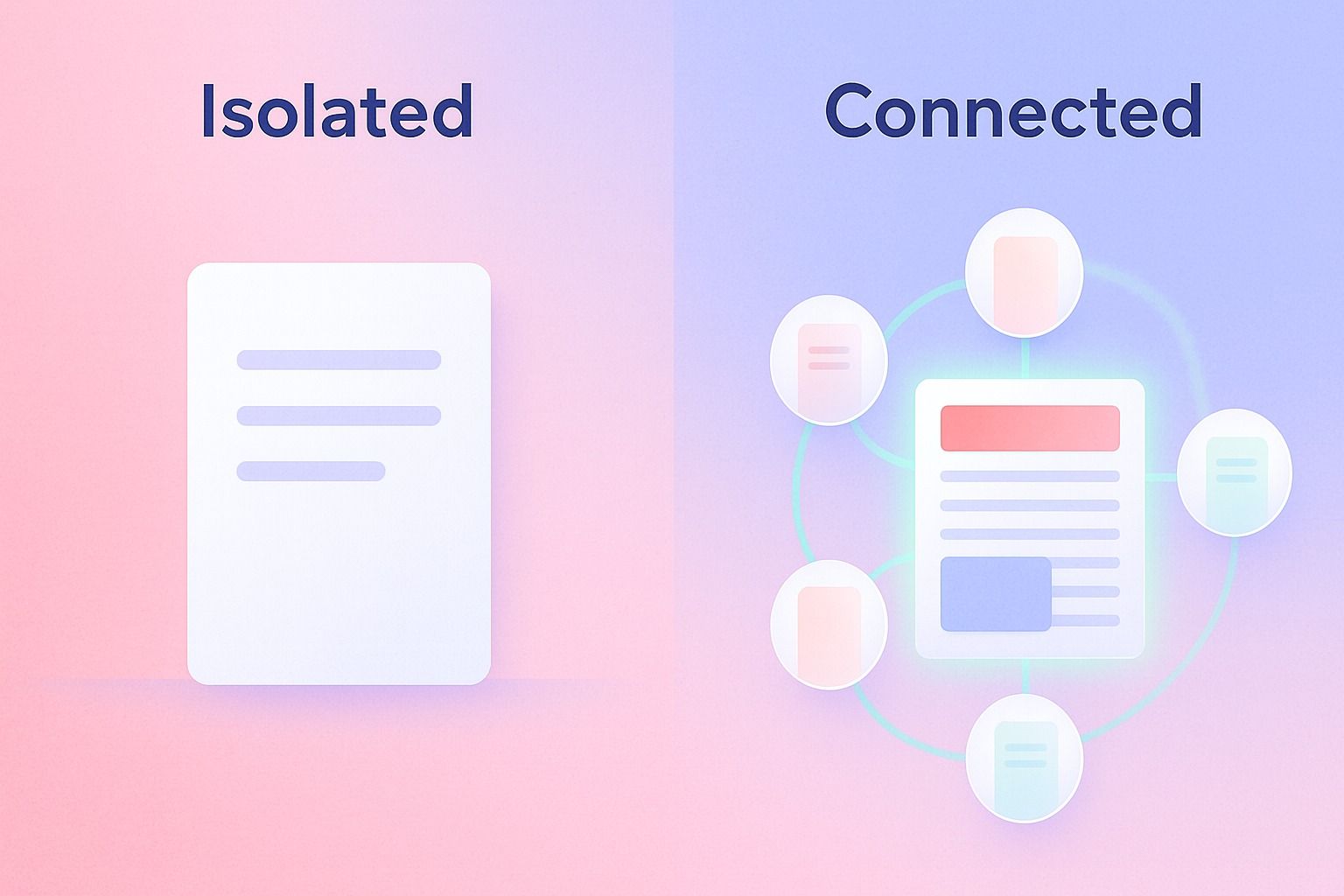
A content hub often outperforms disconnected articles for a simple reason: it creates context.
Standalone posts can rank for narrow keywords, but they usually do little to reinforce each other. A hub creates a semantic and navigational structure that helps both users and search engines understand:
- what your site covers
- which page is the primary resource
- how subtopics relate to the main topic
- whether you have genuine depth in the subject area
That is why a content hub can support topical authority more effectively than scattered posts.
What search engines may reward in a strong hub
While no one outside Google can claim an exact formula, strong hubs tend to share a few traits:
- Clear topical scope
The pillar page targets a broad theme without drifting into unrelated territory. - Intent coverage
Cluster pages answer adjacent, specific questions users search for.
- Useful internal linking
Links connect broad and narrow pages in ways that genuinely help navigation. - Depth without duplication
Each cluster post adds unique value instead of repeating the pillar. - Consistent publishing and maintenance
The hub evolves over time rather than becoming stale.
How do you choose a pillar page topic that can actually rank?
This is the most important decision. A pillar page topic should sit at the intersection of relevance, search demand, and realistic competitiveness.
Use these decision criteria
Choose a pillar page topic only if it passes most of these tests:
1. The topic is broad, but not too broad
A good pillar page topic supports multiple related subtopics.
Good examples:
- topic clusters
- pillar page strategy
- internal linking
- content hub strategy
Too broad:
- SEO
- content marketing
- digital marketing
Too narrow:
- how to add breadcrumb links in WordPress for one theme
If the topic cannot naturally support at least 6 to 10 useful cluster posts, it may be too narrow for a real hub.
2. The SERP matches the content format you want to create
Search the term and inspect what already ranks.
Ask:
- Are the top results guides, templates, tools, or product pages?
- Are they beginner explainers or advanced frameworks?
- Is Google rewarding comprehensive pages or highly specific posts?
If the SERP is dominated by glossary pages or software category pages, a blog-style pillar may struggle. If it is full of practical guides, you have a better opening.
3. You have a believable angle
Do not create a generic copy of the current top results. You need a reason for your page to exist.
Your angle could be:
- a clearer framework
- stronger examples
- a practical map or template
- an industry-specific interpretation
- a better user experience and content structure
For this topic, the angle is practical execution: not just what a pillar page is, but how to build one that can actually rank.
4. The topic aligns with your business and future content
A pillar should not be a traffic island. It should connect naturally to the themes your brand can keep publishing on.
If your business cannot credibly produce follow-up content around the topic, do not build the hub.
5. You can support it with internal links and cluster depth
A pillar without cluster content is usually just a long article pretending to be a hub. Before choosing a topic, make sure you can support it with related pages.
Quick pillar topic checklist
Use this before you commit:
- Does the topic have one clear head term?
- Can it support at least 6 to 10 subtopics?
- Do those subtopics have distinct search intent?
- Does the current SERP reward this type of page?
- Can your brand add something better or more useful?
- Can you maintain the hub over time?
If the answer is mostly yes, the topic is a good pillar candidate.
What are the best topic clusters to support a pillar page?
The best topic clusters are not random related keywords. They are supporting pages that deepen the main topic from different angles without cannibalizing the pillar.
A useful way to think about cluster posts is to group them into four types.
1. Definition and framework posts
These clarify terms and concepts that support the main pillar.
Examples:
- what is a pillar page
- what are topic clusters
- what is topical authority
2. Execution posts
These show how to do a specific part of the process.
Examples:
- how to structure internal linking for topic clusters
- how to map keywords to a content hub
- how to update a pillar page
3. Decision posts
These help users choose between options or determine scope.
Examples:
- how many cluster posts do you need
- pillar page vs regular blog post
- when to create a new hub vs expand an existing one
4. Examples and templates
These make the topic more usable and often capture valuable long-tail intent.
Examples:
- pillar page examples
- topic cluster template
- content hub planning worksheet
The strongest topic clusters support the pillar from multiple intent angles: explanation, execution, comparison, and application.
How many cluster posts do you need for topical authority?
There is no universal magic number, but most sites need more than two or three supporting posts if they want a pillar page to feel authoritative.
A practical benchmark is 8 to 12 meaningful pieces around a topic, including the pillar itself.
That does not mean you must publish everything at once. It means your hub should eventually show enough depth that users can explore the topic without hitting dead ends.
A realistic rule of thumb
- Minimum viable hub: 1 pillar + 4 to 6 cluster posts
- Stronger hub: 1 pillar + 8 to 10 cluster posts
- Mature hub: 1 pillar + 10+ well-maintained supporting pages
The goal is not volume for its own sake. The goal is coverage.
A smaller hub can outrank a larger one if:
- the pillar topic is tightly focused
- each cluster post is genuinely useful
- internal linking is strong
- there is minimal overlap between pages
Topical authority comes from complete, coherent coverage, not publishing quotas.
How should internal linking be structured between a pillar page and cluster content?
Internal linking is what turns a set of articles into an actual content hub.
A simple and effective structure looks like this:
Core internal linking model
- The pillar links to every core cluster page
Include contextual links in the body and, when useful, a visible hub section or table of contents. - Every cluster page links back to the pillar
This reinforces the pillar as the central resource. - Related cluster pages cross-link where helpful
If two subtopics naturally connect, link them. - Anchor text reflects the destination topic clearly
Avoid vague anchors like "click here." - Links should support navigation, not just SEO mechanics
If a link does not help the reader, it probably should not be there.
Example internal linking pattern
Imagine a pillar page called Topic Clusters: The Complete Guide.
That pillar could link to:
- how to choose a pillar page topic
- topic cluster examples
- internal linking best practices
- how many cluster posts you need
- content hub mistakes to avoid
Then each of those pages links back to the pillar with natural contextual text such as:
- "For the full topic cluster framework, start with our pillar page"
- "This sits inside our broader guide to building a content hub"
And some cluster posts can cross-link, for example:
- the internal linking post links to the content hub mistakes post
- the examples post links to the template post
- the post-count article links to the topical authority article
Internal linking mistakes to avoid
- Linking every page to every other page without logic
- Using identical anchor text unnaturally every time
- Creating cluster posts that never link back to the pillar
- Letting orphan pages sit outside the hub
- Writing cluster posts that compete directly with the pillar on the same intent
Step-by-step: how to build a pillar that actually ranks
Here is a practical process you can use.
Step 1: Define the parent topic
Choose the broad topic your audience would genuinely search and your site can credibly own.
For this article, the parent topic is a mix of:
- topic clusters
- pillar page
- content hub
- internal linking
- topical authority
Step 2: Analyze the SERP and intent landscape
Review top-ranking pages and map what they cover.
Look for:
- repeated subtopics across top pages
- gaps in examples, templates, or process depth
- whether the SERP favors beginner or advanced content
- whether one dominant intent exists or multiple related intents appear
Step 3: List all plausible supporting subtopics
Brainstorm subtopics first, then validate with keyword research.
Questions to ask:
- What does a beginner need to understand first?
- What implementation questions follow?
- What objections or comparison queries come next?
- What examples would make the topic easier to apply?
Step 4: Group subtopics by intent
Do not create 10 posts that all answer the same question in slightly different ways.
Instead, separate by intent:
- definition
- process
- examples
- comparison
- mistakes
- measurement
Step 5: Outline the pillar page around the cluster map
Your pillar should summarize the full landscape and point readers to deeper pages where needed.
A strong pillar usually includes:
- clear definition
- strategic context
- process overview
- supporting examples
- links to deeper cluster pages
Step 6: Publish the highest-leverage cluster posts first
If you cannot publish all 10 pieces immediately, start with the pages most essential to the hub:
- topic definition
- implementation process
- internal linking
- examples
- common mistakes
Step 7: Add intentional internal linking from day one
Do not wait until later to connect pages. Build the hub structure as you publish.
Step 8: Update and expand based on performance
As the hub grows, refine weak sections, merge overlapping pages, and add missing cluster posts where user intent suggests a gap.
A 10-post topic cluster map for this topic
Below is a sample content hub structure built around the general theme of pillar pages and topic clusters.
Pillar page
1. Pillar Page: How to Build Topic Clusters and a Pillar Page That Rank
Target intent: broad educational + strategic
Primary role: central hub
Cluster posts
2. How to Choose a Pillar Page Topic That Can Actually Rank
Intent: decision-making
3. What Are Topic Clusters? A Simple Framework for SEO Teams
Intent: definition / beginner education
4. Pillar Page vs Blog Post vs Content Hub: What Is the Difference?
Intent: comparison
5. How Many Cluster Posts Do You Need for Topical Authority?
Intent: scope / planning
6. Internal Linking for Topic Clusters: Best Practices and Examples
Intent: execution
7. 7 Common Content Hub Mistakes That Hurt Rankings
Intent: troubleshooting
8. Topic Cluster Examples: 5 Realistic Ways to Structure a Hub
Intent: examples / inspiration
9. A Topic Cluster Template You Can Use to Plan Your Hub
Intent: template / practical application
10. How to Measure Whether a Pillar Page Is Gaining Topical Authority
Intent: measurement / evaluation
Optional expansion posts
If the hub performs well, you can extend it with posts like:
- how to refresh an old pillar page
- how to consolidate overlapping cluster content
- how to assign search intent across a hub
- how to brief writers for a pillar-and-cluster model
Example outline template for a pillar page
If you are building your own, this structure is a solid starting point:
- What the topic is
- Why it matters
- How the model works
- Step-by-step process
- Examples
- Common mistakes
- Recommended structure or checklist
- Links to deeper supporting resources
- FAQ
- Conclusion and next step
This works because it satisfies broad intent while naturally creating opportunities for cluster links.
Common mistakes that stop a pillar page from ranking
Even strong teams get this wrong. Here are the most common issues and how to fix them.
Mistake 1: Choosing a topic that is too broad
Problem: You pick a giant keyword like "content marketing" and compete against dominant sites with far more authority.
Fix: Narrow to a topic with a realistic scope and clearer supporting subtopics.
Mistake 2: Writing the pillar before planning the cluster
Problem: The pillar becomes bloated, repetitive, and hard to navigate.
Fix: Design the content hub first, then write the pillar as the summary and hub page.
Mistake 3: Publishing thin cluster pages
Problem: Supporting posts exist only to create links, not to solve real user questions.
Fix: Make every cluster page independently useful.
Mistake 4: Weak internal linking
Problem: Posts mention the same theme but are not connected clearly.
Fix: Use a hub model with pillar-to-cluster, cluster-to-pillar, and selective cluster-to-cluster links.
Mistake 5: Cannibalization between pages
Problem: Multiple pages target the same intent with slightly different wording.
Fix: Give each page one primary role and one clear intent.
Mistake 6: Treating the hub as finished after launch
Problem: The pillar ages, examples become outdated, and gaps remain unresolved.
Fix: Review the hub regularly and expand based on actual performance and missing coverage.
A simple decision framework: when should you build a content hub?
Build a content hub when:
- the topic matters commercially or strategically
- there are multiple related questions worth owning
- your site can publish several useful supporting pages
- internal linking can reinforce the relationship clearly
- you are willing to maintain the topic over time
Do not build a full hub when:
- the topic only supports one or two narrow articles
- you do not have a clear parent topic
- search intent is fragmented beyond repair
- your team cannot support follow-up content
Planning a hub without losing the thread
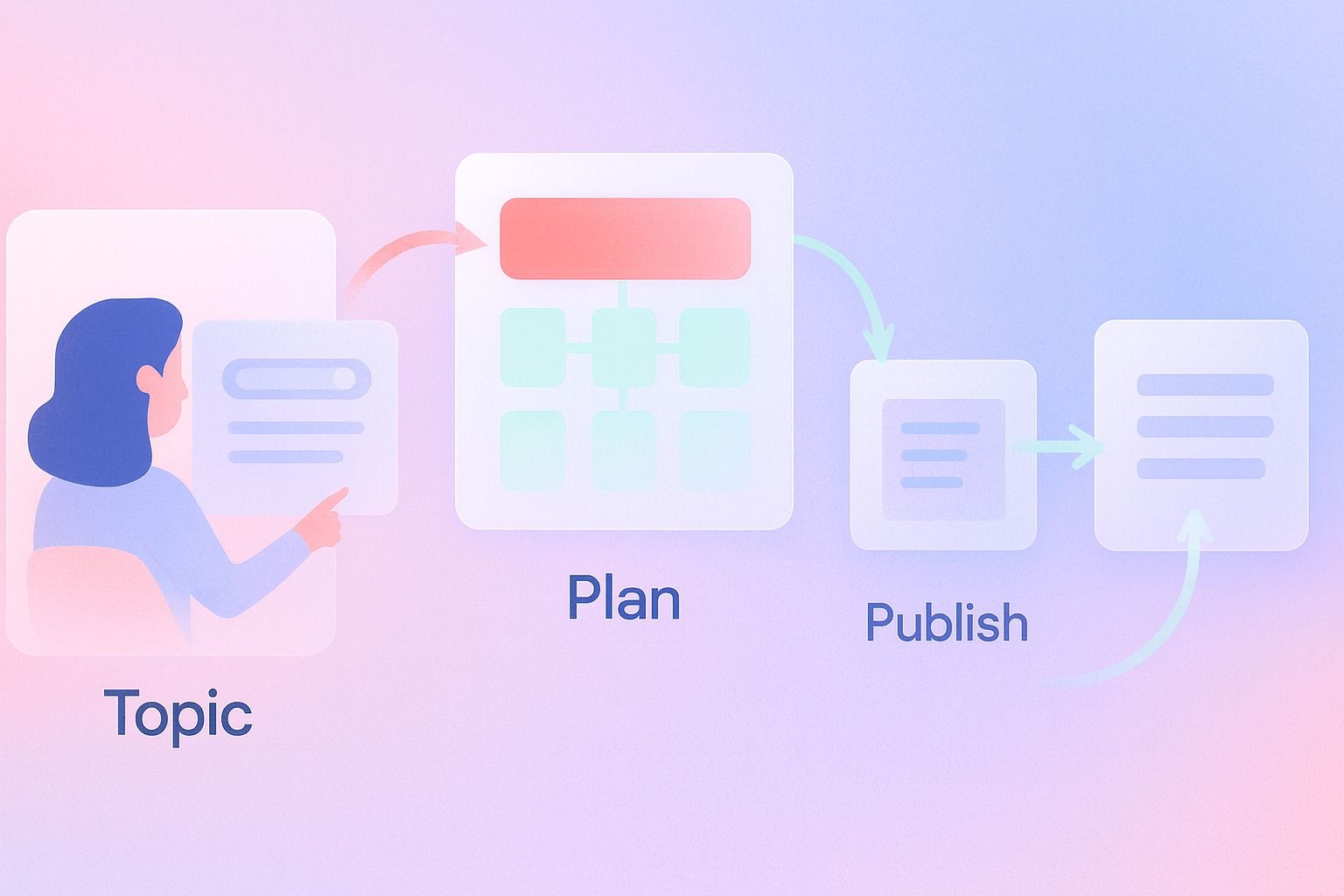
One of the hardest parts of pillar strategy is not the writing. It is planning the sequence.
This is where a structured planning process helps. If you are turning a broad idea into a series, you need to decide:
- which topic becomes the pillar
- which subtopics become cluster posts
- what order to publish them in
- how they should link together
- how the full schedule fits your broader content goals
For teams that want that same structure on LinkedIn, Dynal can help organize ideas before you publish. Its Planning & Calendar flow is designed to support topic planning and scheduling around a clearer workflow.
In other words, the strategy behind a content hub and the strategy behind a strong LinkedIn presence overlap more than most teams think: clear themes, intentional sequencing, and consistent execution.
Final checklist before you publish a pillar page
Use this quick review:
- Is the pillar topic broad enough to support a hub but narrow enough to compete?
- Does each cluster page serve a distinct intent?
- Does the pillar link to all core supporting content?
- Does each cluster page link back to the pillar?
- Are cluster pages substantial enough to stand on their own?
- Is there a clear content hub structure visible to readers?
- Do you have a plan to update the hub over time?
If yes, you are no longer just publishing articles. You are building a system.
Conclusion
A pillar page ranks when it is supported by the right structure.
That means choosing a topic with realistic ranking potential, building topic clusters around distinct search intent, publishing enough depth to cover the space credibly, and using internal linking to turn separate pages into a real content hub.
The simplest version of the strategy is this:
- one clear pillar page
- 8 to 10 genuinely useful supporting posts
- deliberate internal linking
- ongoing refinement based on gaps and performance
If you want a more consistent way to turn your expertise into planned content, start with a structured setup. Dynal's Onboarding & Setup helps you get to a usable state quickly, and the LinkedIn-first onboarding gives your Brand DNA a stronger starting point before you move into planning your content workflow.
If that fits your process, start there, then use Planning & Calendar to organize themes, review content, and keep publishing with more structure.