

The Content Brief System: A One-Page Brief That Produces Better Drafts
A strong content brief does not need to be long. It needs to be specific.
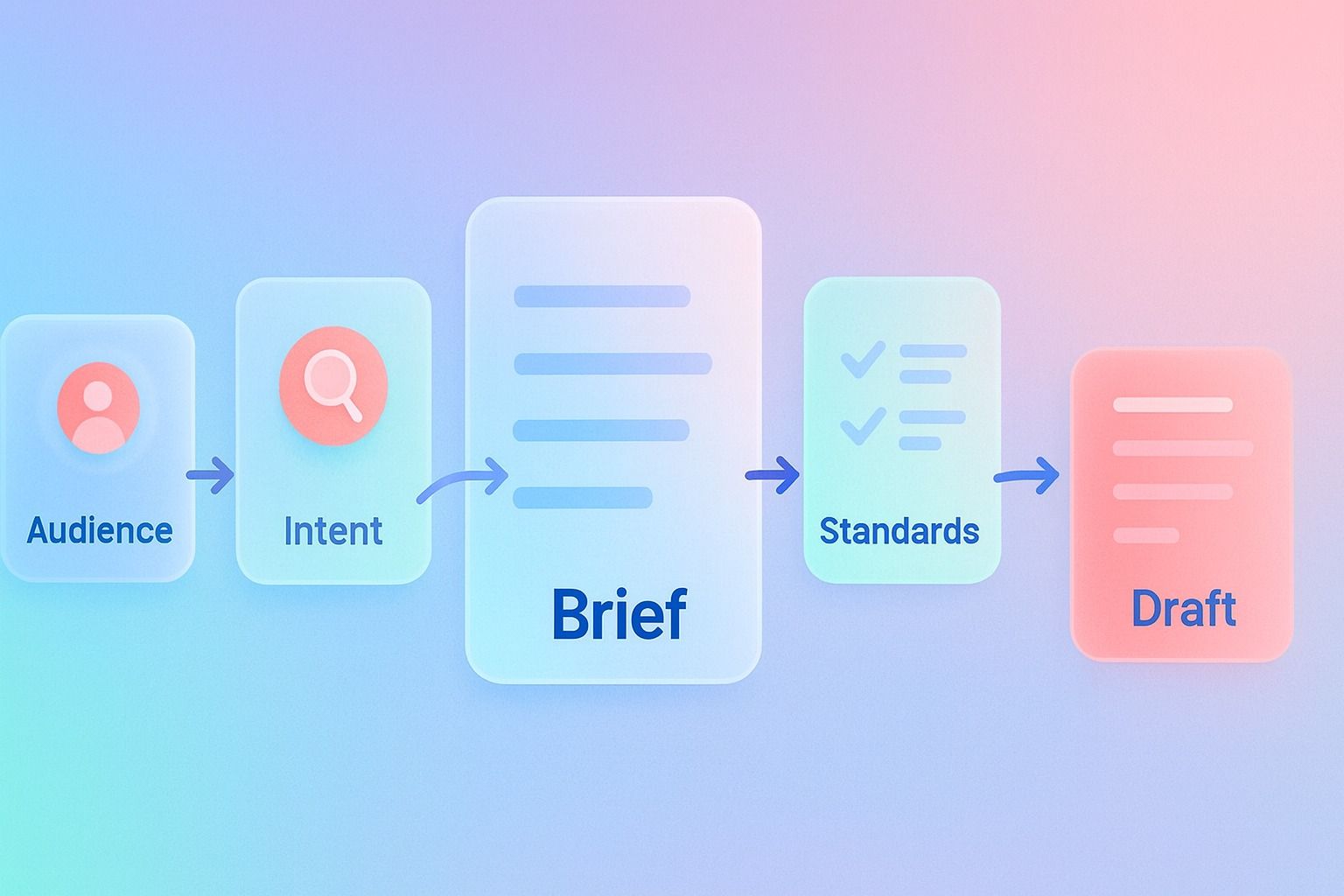
If writers are missing the audience, wandering off-topic, or delivering drafts that need heavy rewrites, the problem is usually not talent. It is briefing. A one-page content brief can help by giving writers the essentials: who the piece is for, what search intent it should satisfy, what points it must cover, how the draft should be structured, and what standards it must meet.
The best briefs are detailed enough to remove ambiguity, but simple enough to reuse. That is what makes them useful for both SEO and editorial quality.
In practice, a good brief sits between strategy and writing. It is more complete than a content outline, but lighter than a full strategy document.
Here is the short version:
- A content brief should include audience, goal, search intent, angle, outline, references, and editorial standards.
- If you want a LinkedIn-specific system for turning that kind of clarity into consistent posts, Dynal can help. As an <a href="https://dynal.ai/">AI LinkedIn agent</a>, it keeps brand context, planning, and publishing connected so the brief does not get lost between strategy and drafting.
- An SEO brief adds keyword direction, SERP context, and ranking expectations.
- A content outline is only the structure; a brief explains the why behind the structure.
- Editorial standards should clarify voice, formatting, evidence, and quality thresholds without turning into a giant rulebook.
- The best format is a repeatable one-page system writers can scan in minutes.
What is a content brief?
A content brief is a working document that tells a writer what a piece needs to achieve before drafting begins.
It aligns four things:
- Audience: who the piece is for
- Intent: what problem or question it should solve
- Structure: how the information should be organized
- Standards: what “good” looks like for the final draft
A brief is not the article itself. It is not just a keyword list either.
That same principle applies when you move from planning to publishing: the right context makes the next step easier. If you want an <a href="https://dynal.ai/">AI LinkedIn agent</a> that works with brand context instead of generic prompts, Dynal is built for that workflow.
It is the operating document for the writing process.
What should a content brief include to help writers produce better drafts?
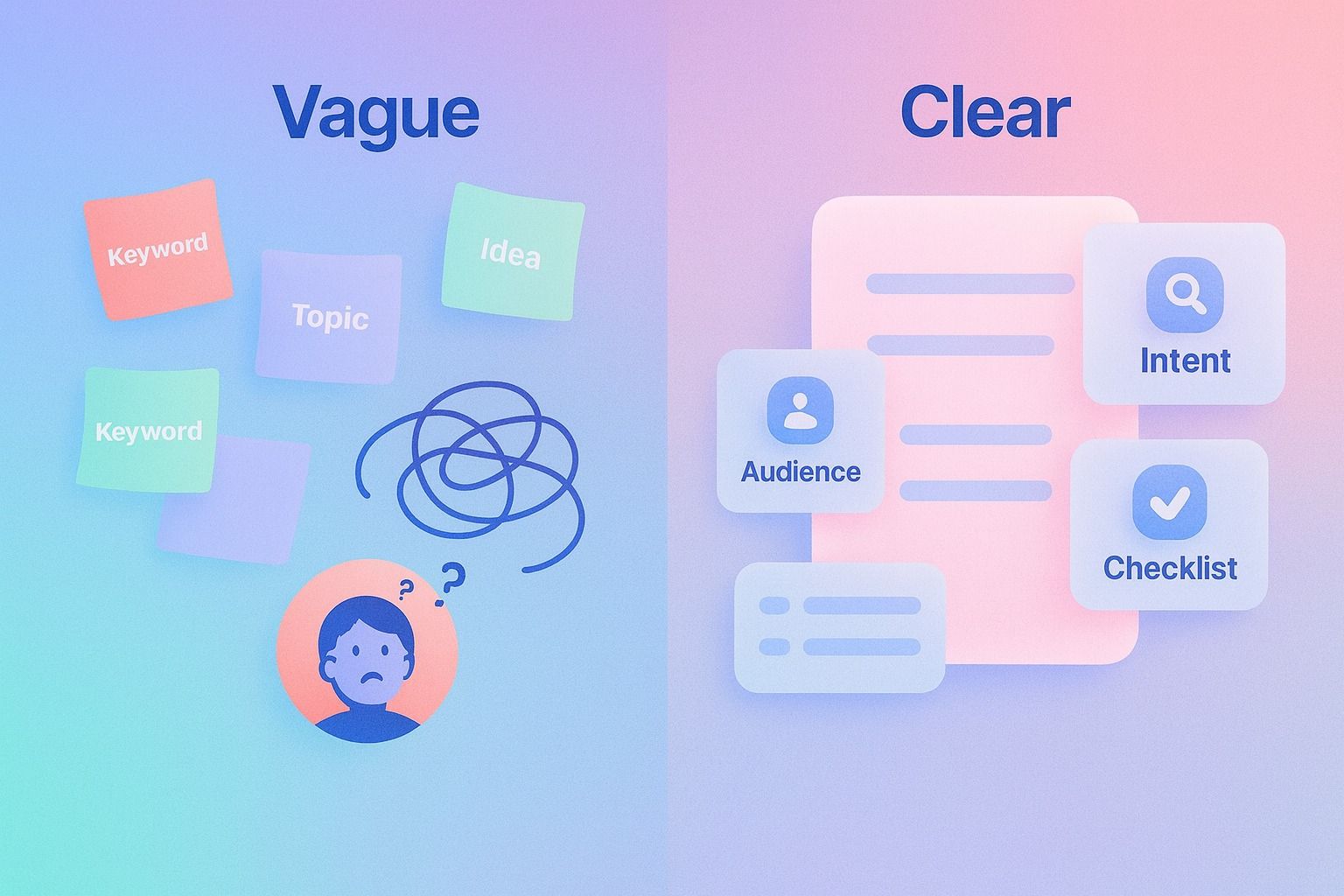
At minimum, a useful content brief should cover these eight fields.
1. Topic and working title
State the topic in plain English and give the draft a provisional title.
Example:
- Topic: One-page content brief system
- Working title: The Content Brief System: A One-Page Brief That Produces Better Drafts
This sounds basic, but it reduces framing errors early.
2. Audience
Define the intended reader as specifically as possible.
Include:
- Role or experience level
- Pain points
- What they already know
- What they need from this piece
Example:
- Audience: Content leads, SEO managers, and founders building a repeatable writing process
- Pain point: Writers submit uneven drafts because expectations are unclear
3. Search intent
A writer should know why someone searched this topic.
Common intent types:
- Informational: learn or understand
- Commercial: compare options or approaches
- Transactional: act or buy
- Navigational: reach a known page
For most educational blog posts, intent is usually informational with a light commercial layer.
Example:
- Primary intent: Learn how to create a better content brief
- Secondary intent: Find a practical template to standardize team workflow
4. Primary keyword and related terms
This is where an SEO brief gets more precise.
Include:
- Primary keyword
- Secondary keywords
- Related questions
- Terms that should appear naturally
For this topic, that might look like:
- Primary keyword: content brief
- Secondary keywords: SEO brief, content outline, editorial standards, writing process
5. Core angle or thesis
What is the main argument of the piece?
Without this, writers often assemble information but miss the point.
Example thesis:
A one-page brief produces better drafts because it gives writers enough context to make strong decisions without overwhelming them.
6. Required outline
This is the skeleton of the article.
It should include:
- Required sections
- Key questions to answer
- Important comparisons or examples
- Desired order of ideas
A good outline gives structure, but still leaves room for the writer to write.
7. Examples and source guidance
Writers do better when they know what “good” looks like.
Helpful inputs:
- Strong examples to emulate
- Internal points that must be included
- Source material or research links
- Claims that require careful wording
This is especially important when writing about products. For example, if you mention Dynal, keep the positioning accurate: Dynal is an AI LinkedIn agent, not just an AI writer or a generic social media tool.
8. Editorial standards
This is the quality bar.
Your brief should specify things like:
- Voice and tone
- Reading level
- Formatting preferences
- Internal linking expectations
- How examples should be used
- Whether the piece should be concise, tactical, or in-depth
- Claims to avoid
Editorial standards do not need to be huge. They need to be clear.
How do you write an SEO brief that covers audience, search intent, outline, and examples?
The easiest way is to build the brief in a fixed order. Here is a step-by-step process you can reuse.
A 7-step process for writing an SEO brief
Step 1: Start with the query, not the article idea
Ask: what is the reader actually trying to accomplish?
For example, someone searching content brief may want:
- a definition
- a template
- a checklist
- a way to improve draft quality
That changes the structure of the article.
Step 2: Define the audience before the outline
Two people can search the same term and need different content.
A freelance writer may need a simple brief template.
A content manager may need a system for teams.
Choose one primary audience and write for them.
Step 3: Write the intent statement in one sentence
Use this format:
This article should help [audience] do or understand [outcome] so they can [practical result].
Example:
This article should help content managers build a one-page content brief so they can get cleaner first drafts and reduce editing time.
Step 4: Build the outline around decisions, not just sections
Weak outline:
- Intro
- Benefits
- Template
- Conclusion
Better outline:
- What a content brief is
- What it must include
- How an SEO brief differs from an outline
- How detailed standards should be
- A one-page template teams can reuse
- Common mistakes and fixes
The second version mirrors the reader's questions.
Step 5: Add examples at the point of likely confusion
Examples help most in these areas:
- audience definition
- search intent
- heading structure
- tone expectations
- “good vs bad” brief quality
Step 6: Define editorial standards in practical terms
Do not say only “make it engaging.”
Say things like:
- answer first in the opening
- use short sections and descriptive subheads
- include examples after abstract explanations
- avoid jargon unless the audience expects it
- make recommendations concrete
Step 7: End the brief with a completion checklist
This is the fastest way to improve consistency.
One-page SEO brief template
Use this template as a repeatable format.
Brief overview
- Topic:
- Working title:
- Primary keyword:
- Secondary keywords:
- Search intent:
- Primary audience:
- Desired outcome for reader:
Angle
- Core thesis:
- What makes this article different:
- What must be true by the end of the piece:
Required structure
- Opening promise:
- Required sections:
- Questions to answer:
- Examples or comparisons to include:
Editorial standards
- Voice:
- Tone:
- Reading level:
- Formatting rules:
- Length target:
- Internal links to include:
- Claims to avoid:
Source guidance
- References:
- Internal product or brand points to mention:
- Supporting examples:
Done-when checklist
- Matches audience and intent
- Answers the main query early
- Covers all required sections
- Uses examples where useful
- Meets editorial standards
- Includes CTA if needed
What is the difference between a content brief and a content outline?
This is one of the most common points of confusion.
A content outline
A content outline is the structure of the article.
It usually includes:
- headline
- H2s and H3s
- maybe a few notes under each section
It answers: What sections should this piece contain?
A content brief
A content brief includes the outline, but also adds context.
It answers:
- Who is this for?
- Why does this piece exist?
- What intent should it satisfy?
- What angle should it take?
- What standards should the writer follow?
- What examples or references should shape the draft?
Simple rule
If the document only tells a writer what headings to use, it is an outline.
If it helps the writer make good decisions during drafting, it is a brief.
How detailed should editorial standards be in a brief for writers?
Detailed enough to guide judgment. Not so detailed that the brief becomes hard to use.
That usually means editorial standards should fit into four categories.
1. Voice and tone
Clarify how the piece should sound.
Example:
- Clear, direct, professional
- Helpful, not academic
- Confident, not exaggerated
2. Structure and formatting
Clarify how the piece should read.
Example:
- Answer-first intro
- Short paragraphs
- Use bullets for summaries and checklists
- Use H2s for major questions
- Include examples after frameworks
3. Evidence and claims
Clarify how assertions should be handled.
Example:
- Do not make unsupported product claims
- Use cautious wording where evidence is limited
- Prefer specific, verifiable language over hype
If mentioning Dynal, safe phrasing matters. For example, you can describe Dynal as an AI LinkedIn agent with a content creation workspace, Brand DNA, planning, publishing, and lightweight analytics. You should not describe it as a fully autonomous multichannel platform or claim it automatically learns from every past post.
4. Conversion and CTA rules
Clarify what action the content should support.
Example:
- Mention Dynal only where it fits naturally
- Keep product references relevant to the topic
- End with one CTA tied to the workflow
Decision criteria: how much detail should go in your brief?
Use this simple test.
Add more detail when:
- the topic is technical
- multiple stakeholders care about accuracy
- product or brand language must be precise
- several writers contribute to the same content program
- first drafts often miss the mark
Keep it lighter when:
- the topic is straightforward
- the audience is narrow and familiar
- one writer owns the voice and strategy
- the content format is highly standardized already
A brief should remove uncertainty, not replace thinking.
For teams that want the same clarity in their LinkedIn content process, Dynal can serve as the <a href="https://dynal.ai/">AI LinkedIn agent</a> between planning and drafting. It helps keep the workflow structured while still leaving judgment with the writer.
Common content brief mistakes and how to fix them
Mistake 1: The brief is just a keyword dump
Problem: The writer knows the terms but not the purpose.
Fix: Add audience, intent, angle, and examples.
Mistake 2: The outline is too rigid
Problem: The draft sounds mechanical.
Fix: Define required outcomes, then leave room for the writer to shape transitions and phrasing.
Mistake 3: Editorial standards are vague
Problem: “Make it good” produces inconsistent work.
Fix: Spell out structure, tone, and claim standards in plain language.
Mistake 4: The brief is too long to use
Problem: Writers skim it and miss key points.
Fix: Keep the main brief to one page. Link out only when extra detail is necessary.
Mistake 5: The brief does not connect to workflow
Problem: Good planning still breaks during drafting, review, and publishing.
Fix: Use one system from planning through distribution.
For teams building a LinkedIn content workflow, this is where product structure matters. In Dynal, for example, teams can move from project-based creation to Projects & Publishing, connecting draft work to publish-now or schedule-later actions in the same AI LinkedIn agent flow. That does not replace editorial leadership, but it does reduce fragmentation between drafting and publishing.
A practical example of a one-page brief
Here is a simplified example for this article topic.
Example brief
- Topic: One-page content briefs
- Primary keyword: content brief
- Secondary keywords: SEO brief, content outline, editorial standards, writing process
- Audience: Content managers and SEO leads
- Intent: Learn how to create a repeatable brief that improves first drafts
- Core thesis: Better drafts come from clearer inputs, not longer briefs
- Required sections: definition, required elements, SEO brief process, brief vs outline, editorial standards, template, mistakes
- Examples to include: sample template, weak vs strong standards, practical checklist
- Editorial standards: answer-first opening, short paragraphs, practical tone, no inflated claims, include a CTA near the end
That is enough direction for a good writer to produce a focused draft.
The best brief format for a repeatable writing process
The best format is usually:
- short enough to scan quickly
- structured enough to reuse every time
- flexible enough for different topics
- specific enough to reduce revision cycles
In other words: one page, fixed sections, clear checklist.
If you want a repeatable writing process, standardize the brief before you standardize the writer.
Content brief checklist
Before you assign a draft, confirm the brief answers these questions:
- Who is the piece for?
- What is the search intent?
- What outcome should the reader get?
- What is the main angle or thesis?
- What sections are required?
- What examples should be included?
- What editorial standards matter most?
- What claims, wording, or positioning should be handled carefully?
- What should the writer do next after drafting?
If any of those are missing, expect revision work later.
Final takeaway
A content outline tells writers what to cover.
A content brief tells writers how to succeed.
That is why the one-page brief works so well: it combines audience, intent, structure, examples, and editorial standards in a format people will actually use.
If your drafts are inconsistent, do not start by rewriting the writers' work. Start by upgrading the briefing system.
And if you want a cleaner workflow from idea to scheduled LinkedIn post, start with a setup that gives the agent the right context from day one. Dynal's Onboarding & Setup is designed for a LinkedIn-first connection, with a guided path to build starter Brand DNA before you move into drafting, planning, and publishing.
FAQ
Can a content brief really fit on one page?
Yes. If the topic is not highly technical, one page is often enough. The key is including the right information, not adding more information.
Is an SEO brief different from a content brief?
Usually, an SEO brief is a type of content brief with more search-specific guidance, such as keyword targets, SERP intent, and related questions.
Should every article have editorial standards in the brief?
Yes, but keep them practical. Writers need standards they can apply while drafting, not a giant style manual pasted into every document.
When should you add product guidance to a brief?
Add it when the article mentions a product, brand, or workflow that requires precise wording. This helps prevent inaccurate claims and keeps messaging consistent.
What is the easiest way to improve draft quality fast?
Use the same one-page brief format every time, and end every brief with a completion checklist.