

Why Teams “Hire” a Content System: The 7 Jobs Your Stack Must Do
A content system is the operating model behind consistent publishing. In content operations, it is the set of workflows, rules, context, and publishing steps that help a team move from raw ideas to approved posts without losing quality.
If your team is asking for “better tools,” the real need is usually broader: a content system that can capture brand context, organize work, speed up drafting, support review, and connect creation to publishing.
In practice, teams do not adopt a content system because they want more software. They adopt one because they need the stack to do seven jobs reliably: align people, reduce rework, keep output consistent, and make publishing easier to sustain.
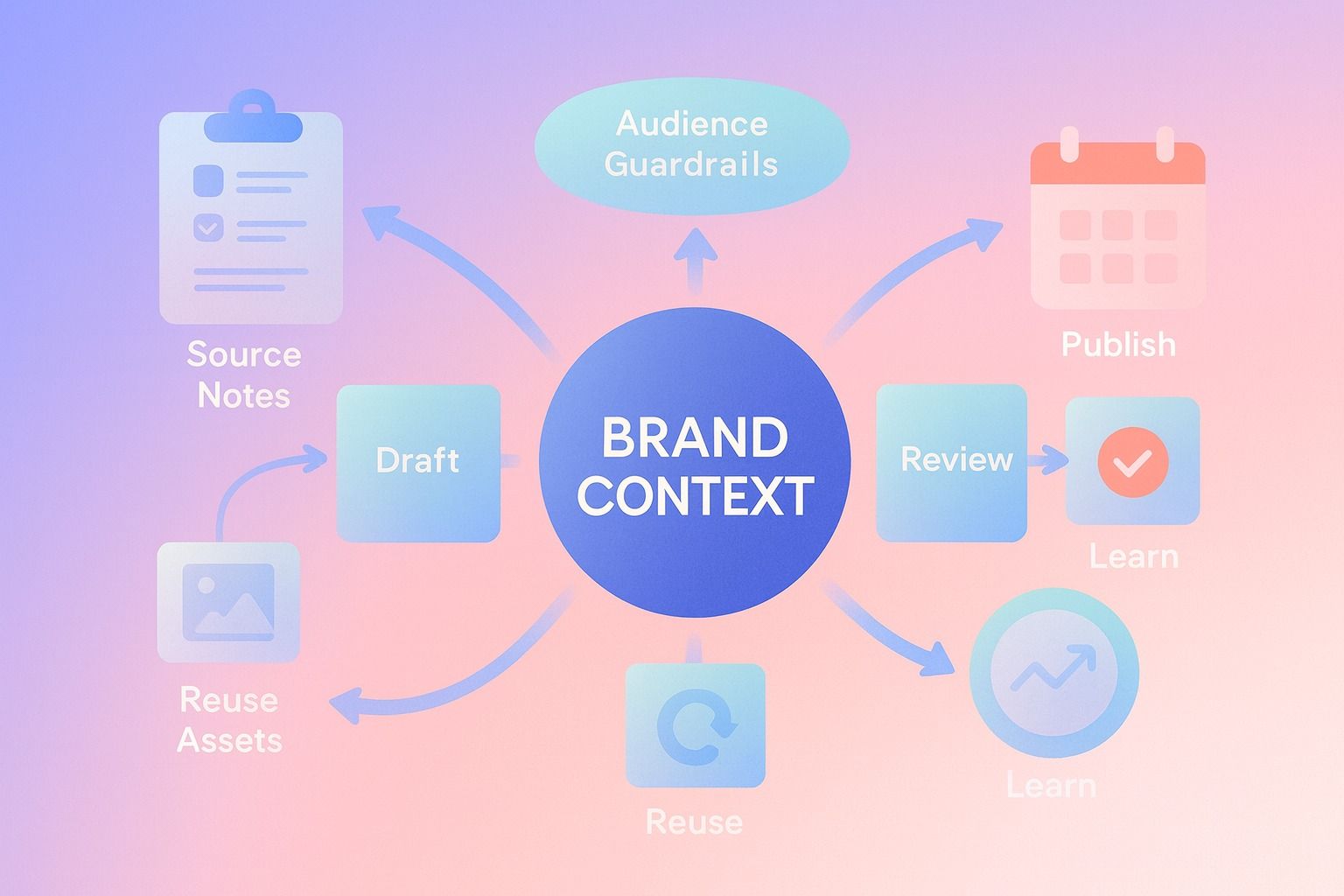
For LinkedIn-focused teams, this matters even more. The workflow is not just writing. It is planning, drafting, reviewing, scheduling, publishing, and learning what to do next.
Here is the simple version:
- A content system is how content operations become repeatable.
- The best systems do more than generate copy; they connect workflow to publishing.
- Fast publishing without chaos requires shared context, clear review steps, and reusable assets.
- An AI LinkedIn agent can support that flow when it is built around planning, brand context, and publish-ready execution.
If you are evaluating that kind of workflow, Dynal is an AI LinkedIn agent built around brand context, planning, and publishing. It is a useful reference point for teams trying to connect creation to distribution without adding more handoffs.
What is a content system in content operations?
A content system is the combination of people, process, context, and tools used to produce content consistently.
In content operations, that system usually includes:
- A way to capture strategy and brand context
- A repeatable content workflow
- Drafting and editing tools
- Review and approval checkpoints
- A scheduling and publishing layer
- Reuse rules for turning one idea into multiple assets
- A feedback loop based on performance
That is why a content system is not the same thing as a single AI writer, a calendar, or a document folder. Those may be parts of the system, but none of them alone runs the full workflow.
A useful way to think about it: teams do not buy content software for features alone. They “hire” a content system to get jobs done.
The 7 jobs to be done for a content system
Below are the seven core jobs most teams need their content system to handle.
1. Turn strategy into usable creation context
Most workflow problems start before drafting. The team knows what it wants to say, but that guidance lives in scattered docs, old briefs, Slack threads, and someone’s memory.
A content system must turn strategy into reusable context such as:
- who the brand is
- who the audience is
- what topics matter
- what tone fits
- what the team should avoid
Without that layer, every draft starts from zero.
What this looks like in practice
Instead of repeating instructions on every post, the team stores brand voice, audience, and topic guardrails in a shared brand context system.
In Dynal, this role is handled through Brand DNA, which acts as a structured personalization layer for LinkedIn content. It helps teams define voice, audience, boundaries, visuals, and reusable source knowledge for future creation.
That kind of structured context is exactly where an AI LinkedIn agent can help keep drafts consistent across authors and topics. Dynal’s Brand DNA is designed to centralize voice and audience context so the workflow starts from shared inputs instead of scattered notes.
Why this job matters
If strategy is not operationalized, consistency depends on whoever happens to be online.
2. Convert scattered inputs into draft-ready ideas
Teams rarely struggle from lack of information. They struggle from having too much of it in too many places.
A content system should help combine:
- meeting notes
- internal docs
- founder ideas
- article links
- product updates
- customer language
into clear draft starting points.
This is one reason chat-based creation flows have become useful in content operations. They reduce the handoff friction between source material and first draft.
For a LinkedIn workflow, that means going from prompt and sources to post drafts in one creation space instead of bouncing between tabs.
3. Produce content fast without sacrificing consistency
Speed is not the real goal. Sustainable speed is.
A content workflow that only moves fast when one senior marketer touches everything is not scalable. A content system must make it easier to draft quickly while preserving:
- voice consistency
- audience fit
- topic focus
- formatting patterns
- publishing quality
A simple test
Ask: can two different teammates produce content that still sounds like the same company or person?
If the answer is no, the workflow is fast only on the surface.
Example
A founder-led team wants to publish three LinkedIn posts per week. Without a system, each post becomes a custom writing task. With a content system, the team can reuse the same voice setup, audience framing, source inputs, and planning logic across multiple posts.
That is where an AI LinkedIn agent is more useful than a one-off writing tool. The value is not just generation. It is support for a repeatable workflow from creation through publishing.
4. Create a clear review and governance path
Publishing speed falls apart when review is vague.
Teams need to know:
- what counts as a draft
- who reviews what
- what can be edited directly
- what needs approval before publish
- what topics are off-limits
This is the governance side of content operations. Not compliance theater. Just enough structure to keep output aligned.
Common mistake
Many teams confuse governance with heavy process. The result is either:
- too many checkpoints, which slows publishing, or
- no checkpoints, which creates inconsistency and last-minute rewrites
Fix
Build a lightweight workflow with explicit stages:
- Brief or source collection
- Draft generation
- Review and edits
- Schedule or publish
- Performance check
If your team wants that same draft-to-publish flow in one place, Dynal is an AI LinkedIn agent worth looking at. It keeps the path from creation to scheduling connected, which can reduce the usual context loss between steps.
5. Connect planning to publishing
A content system must bridge the gap between “we have ideas” and “we actually published.”
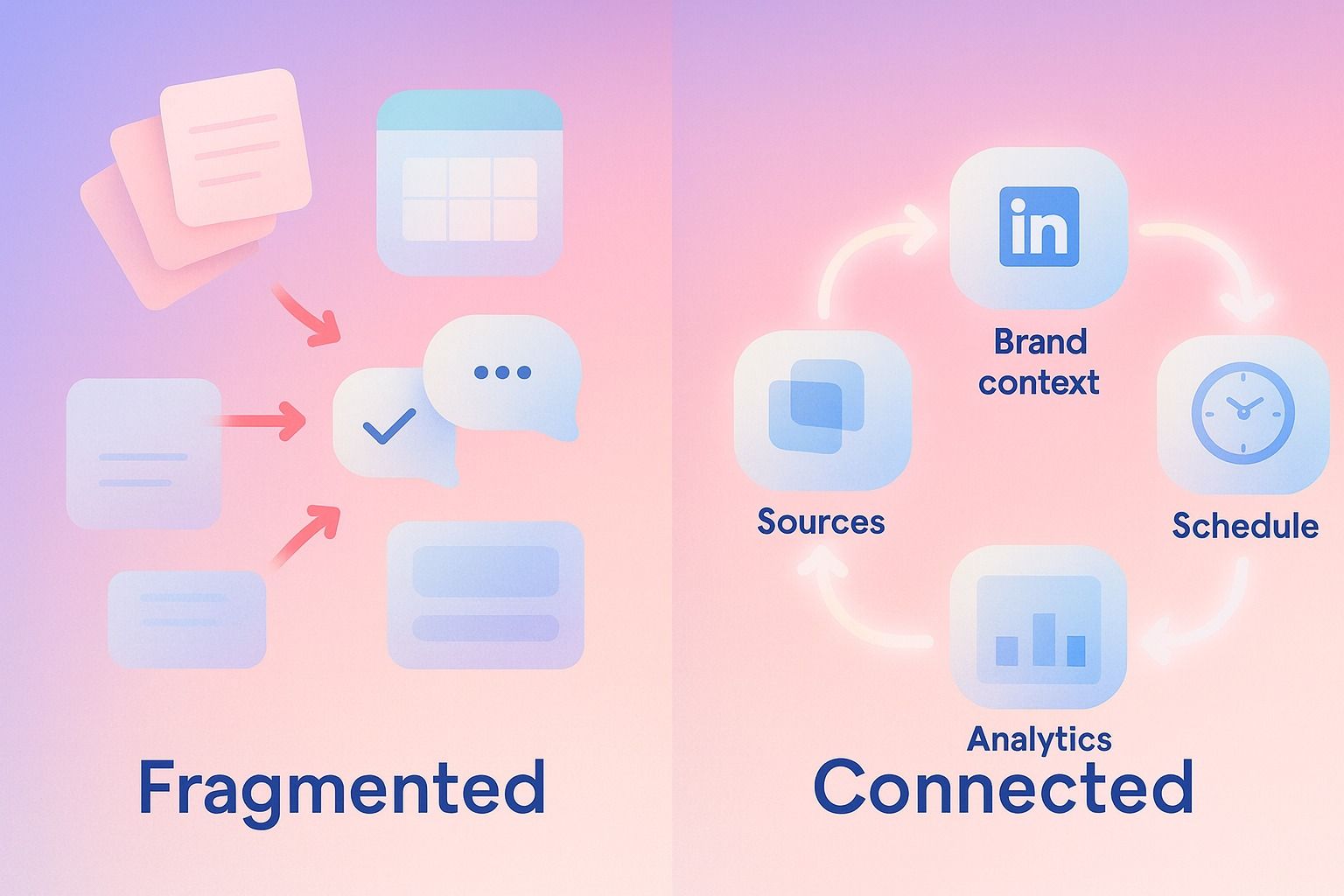
This is where many stacks break. Planning happens in one place, writing in another, assets in another, and scheduling somewhere else.
A stronger content workflow connects these steps:
- define goals and post volume
- map topics to time windows
- generate draft options
- review what is worth posting
- schedule or publish from the same flow
Where teams usually get stuck
They have a plan, but it is not operational. No one knows which draft belongs to which publishing slot.
A better model
Use a planning layer tied directly to a publishing layer.
In Dynal, Projects and Publishing help connect project-based content conversations to distribution. That matters because it keeps context close to the publish action instead of forcing the team to reconstruct intent later.
If your selected toolset cannot move from draft to schedule without copy-pasting across systems, your workflow is not really integrated.
6. Support content reuse without making everything feel recycled
One of the biggest jobs to be done in content operations is reuse.
A content system should help teams:
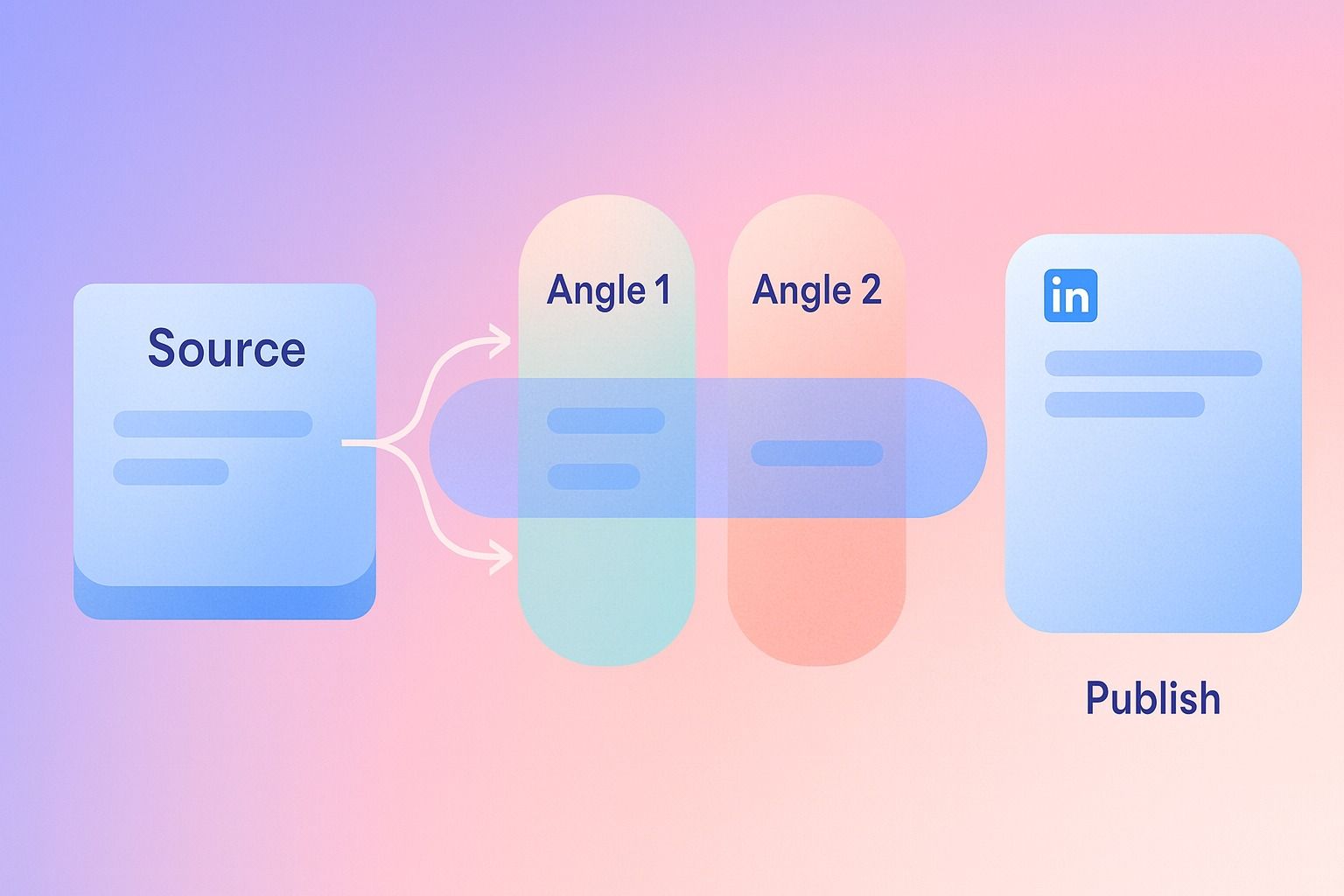
- turn one idea into several post angles
- repurpose source material into new drafts
- adapt messaging for different audiences
- maintain a recognizable voice across posts
This is not about publishing the same post over and over. It is about preserving valuable thinking and re-expressing it clearly.
Example template: one source, three LinkedIn post directions
Say your source material is a product update memo.
Your system should help you create:
- Educational post: what changed and why it matters
- Founder insight post: what the team learned while building it
- Customer impact post: what practical problem this solves
That kind of reuse is easier when your content creation workspace can work from source inputs and shared brand context.
7. Close the loop with lightweight feedback
A content system is incomplete if it stops at publish.
Teams need a feedback loop that answers:
- Which topics are resonating?
- Which post formats are earning engagement?
- Are we publishing consistently enough to learn anything?
- What should we double down on next month?
Not every team needs advanced attribution. Most need a lightweight way to inspect post performance and refine the next round of planning.
That is why analytics in a content system should be practical, not bloated. The goal is better next decisions, not dashboard theater.
How teams build a content workflow that speeds up publishing without losing consistency
Here is a step-by-step process teams can actually use.
Step 1: Define your repeatable inputs
Choose the core materials that should feed your workflow every week.
Examples:
- founder notes
- product updates
- sales call takeaways
- customer questions
- team announcements
- industry links
If the inputs change constantly, the workflow will feel random.
Step 2: Set shared brand context
Document the basics once so the team is not rewriting instructions forever.
Checklist:
- Primary voice
- Primary audience
- Topics to emphasize
- Topics to avoid
- Preferred post formats
- Key proof points or recurring themes
This is where a structured brand context system helps more than a loose style guide.
Step 3: Standardize draft types
Decide which post patterns your team uses most.
For example:
- insight post
- story post
- educational breakdown
- opinion post
- product update post
Fewer repeatable patterns usually means faster reviews.
Step 4: Build a simple review path
Keep the workflow light but explicit.
Example workflow:
- Marketer collects source inputs
- Draft is created in the workspace
- Reviewer checks voice, audience fit, and claims
- Final version is scheduled
- Published post is checked later for performance
Step 5: Connect scheduling to the draft context
Do not separate the publishing decision from the conversation that produced the draft.
When teams can schedule from the same project flow, they reduce context loss and shorten the time from idea to publish.
Step 6: Review results on a fixed cadence
Use a weekly or biweekly rhythm to inspect what is working.
Questions to ask:
- Which topics earned strong engagement?
- Which posts matched our brand voice best?
- Which drafts took too many review cycles?
- Where are we overcomplicating the process?
A practical checklist for evaluating your content system
Use this if you are comparing tools or redesigning content operations.
Your content system should be able to:
- capture brand voice, audience, and topic guardrails
- work from prompts and source materials
- support repeatable drafting in one workflow
- make review steps clear
- connect planning to scheduling
- support publish-now or schedule-later decisions
- make reuse easier across related posts
- provide basic performance feedback after publishing
If three or more of those are missing, your stack is likely creating work instead of removing it.
How an AI LinkedIn agent supports content reuse, governance, and distribution
An AI LinkedIn agent fits best when your workflow is LinkedIn-centered and your team wants one connected flow instead of isolated point solutions.
Here is the practical role it can play:
Reuse
It can help turn source material into multiple LinkedIn drafts while keeping the output closer to your defined voice and audience.
Governance
It can use structured brand context, such as voice and topic boundaries, to support more consistent drafting and reduce avoidable rewrites.
Distribution
It can help move selected content from creation into scheduling or publishing without breaking the workflow.
That is the distinction that matters. An AI LinkedIn agent is not just a text generator. It is more useful when it supports the operational path from idea to publish.
Dynal is positioned exactly in that category: an AI LinkedIn agent with a chat-centered creation workspace, Brand DNA for structured context, planning, publishing, and lightweight analytics.
For teams using Projects and Publishing, this is especially relevant. The project-based content thread keeps creation context attached to the next action, whether that is reviewing, scheduling, or publishing a LinkedIn post.
What tools do teams need for a scalable content operations workflow?
Most teams do not need dozens of disconnected tools. They need a small set of capabilities that cover the full workflow.
Minimum viable content operations stack
A scalable workflow usually needs:
- Content creation workspace for drafting from prompts and sources
- Brand context system for voice, audience, and boundaries
- Planning and calendar layer for post volume and timing
- Publishing flow for scheduling and distribution
- Analytics for post-performance review
That is why evaluating a stack by feature count is misleading. The better question is whether the stack covers the jobs between source input and publish.
Decision criteria: how to know if your team needs a content system upgrade
You likely need a stronger content system if:
- every draft starts from scratch
- publishing depends on one person remembering everything
- your brand voice changes by author
- drafts get lost between docs and scheduling tools
- content plans do not reliably turn into published posts
- review cycles are slow because rules are unclear
- good source material gets used once and forgotten
You may not need a full overhaul if:
- your workflow is simple
- publishing volume is low
- one owner can still manage quality easily
- your planning and publishing are already connected
Common mistakes teams make when building a content workflow
Mistake 1: Buying for generation only
A fast draft tool is helpful, but it does not solve planning, review, or publishing bottlenecks.
Fix: Choose for workflow coverage, not draft speed alone.
Mistake 2: Overbuilding governance
Too many approval layers slow down content operations.
Fix: Define lightweight stages and clear owners.
Mistake 3: Treating brand consistency as a writing problem only
Consistency usually breaks because context is not shared.
Fix: Store voice, audience, and boundaries in a structured way.
Mistake 4: Separating planning from execution
A content calendar that is not connected to actual drafts becomes a reporting artifact.
Fix: Tie planning, review, and publishing together.
A simple template for your next workflow audit
Use these prompts in your next team meeting:
- What inputs generate most of our best posts?
- Where does context get lost between idea and publish?
- Which review steps are necessary, and which are habit?
- How often do we reuse strong source material effectively?
- How long does it take a draft to move from creation to scheduled?
- What part of the stack creates the most manual copy-paste?
Your answers will usually reveal whether you need a new tool, a new process, or a real content system.
Final takeaway
A content system is not just software. It is the set of jobs your workflow must do reliably so the team can publish with speed, consistency, and less friction.
The best systems help teams:
- operationalize brand context
- create from real source inputs
- standardize review
- connect planning to publishing
- reuse ideas effectively
- learn from results without overcomplicating analytics
For LinkedIn-focused teams, an AI LinkedIn agent can play a strong role when it supports the full draft-to-publish workflow instead of just generating text.
If you want to put this into practice, start with your setup. Dynal’s Onboarding and Setup flow is built to get teams to a usable starting point quickly, with a LinkedIn-first connection path and a manual fallback if needed. That gives you a cleaner foundation for Brand DNA, planning, and publishing from day one.