

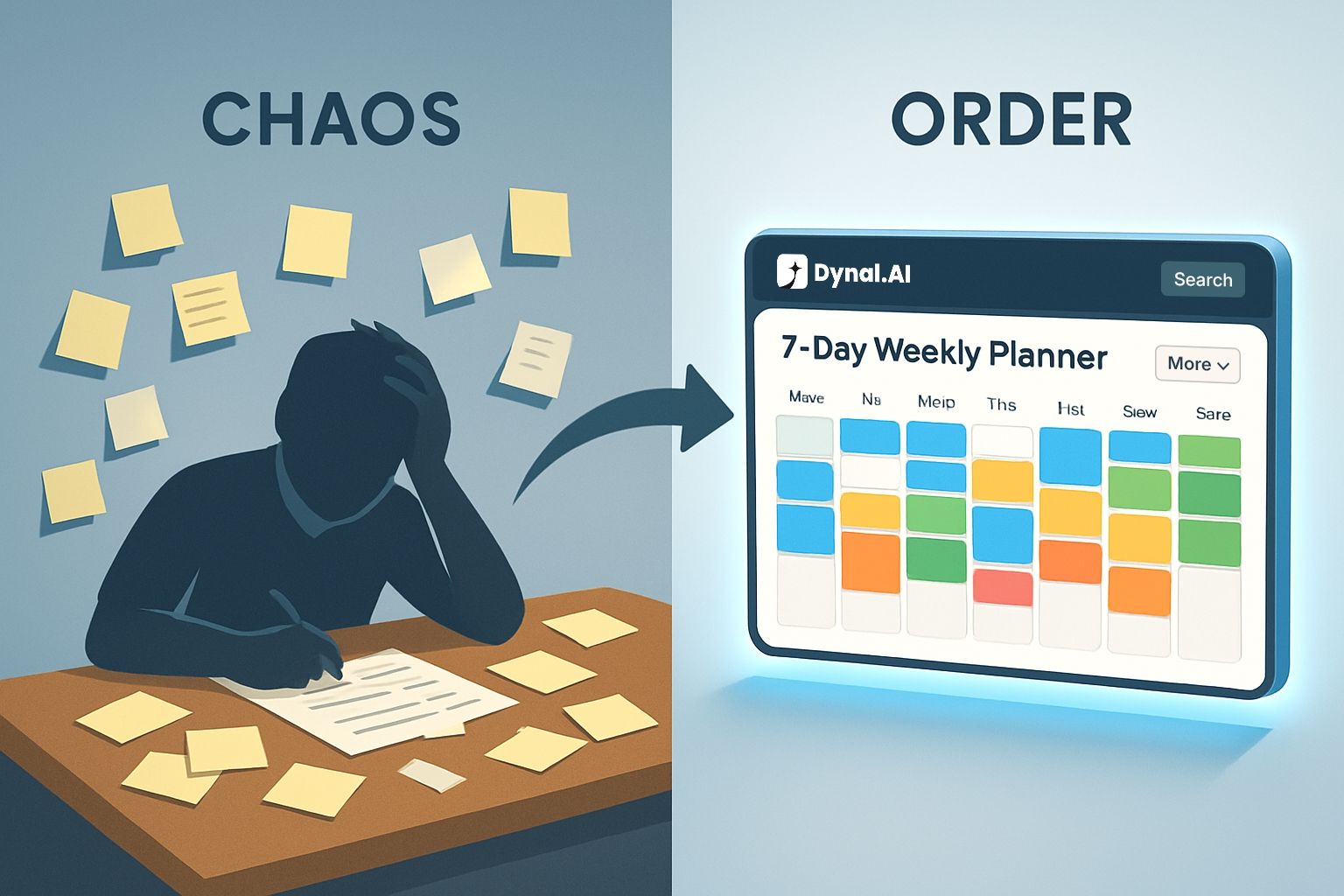
Dynal.AI's Plan feature turns scattered ideas and vague goals into a clear weekly LinkedIn plan you can actually follow. It helps you decide what to post, how often to post, and when to post, then generates drafts you can review and approve on your time.
The real pain: LinkedIn consistency breaks in the planning stage
Most people don’t lose momentum on LinkedIn because they can’t write. They lose momentum because they never decide what the week should look like in the first place. When you don’t have a plan, every day becomes a fresh negotiation: “What should I post?” “Is this worth sharing?” “Do I have enough time to make it good?”
That constant decision-making is exhausting, especially for founders, operators, and professionals with fragmented schedules. Dynal.AI was built to reduce that friction by turning raw ideas, files, and links into polished posts that still sound like you. The Plan feature is where that promise becomes a repeatable weekly system.
What the Dynal.AI Plan feature does
At its core, the Dynal.AI Plan feature helps you translate intention into execution. Dynal describes this as goal-driven planning: you set a growth objective, and Dynal generates a full 7‑day content plan tailored to that objective. From there, Dynal supports the rest of the workflow, including drafting and scheduling posts ahead of time so you stay consistent even when you’re busy.
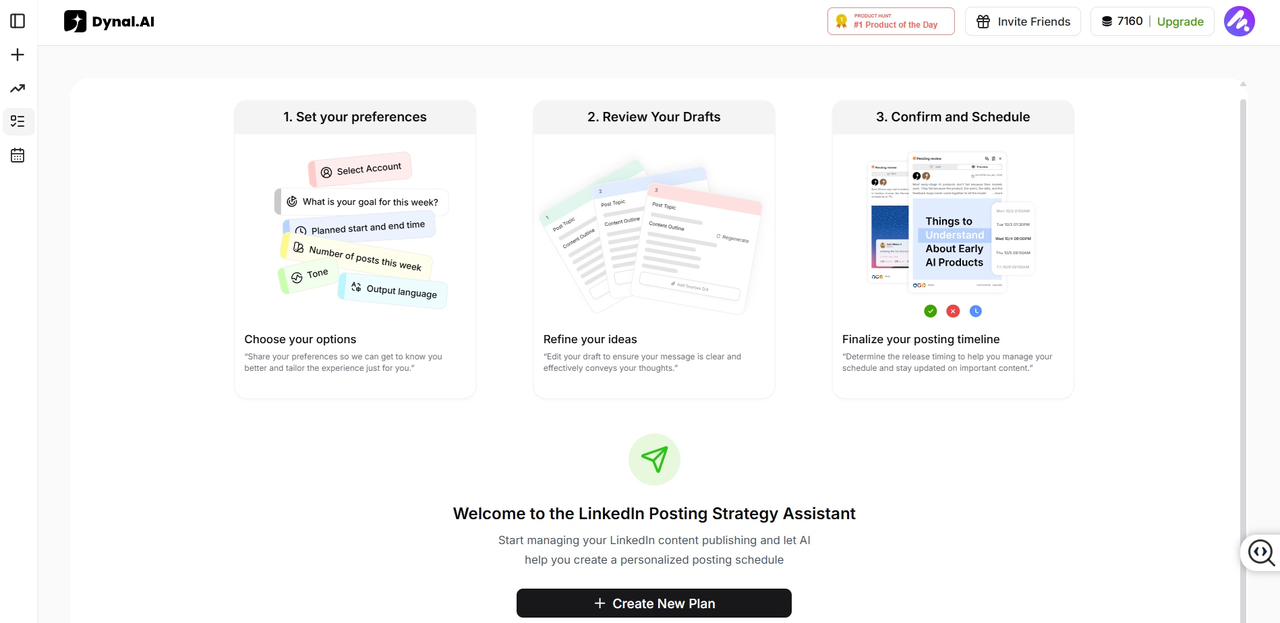
Think of the Plan feature as the “weekly decision engine” inside Dynal:
- It helps you pick a posting cadence that matches your week, based on how many times you want to post.
- It turns a messy list of ideas into a structured sequence across the week.
- It converts that plan into drafts you can review, edit, and approve.
The result is not just “more content.” It’s fewer daily decisions.
Why planning is the highest-leverage content habit
A strong LinkedIn presence usually looks effortless from the outside. But behind most consistent creators is a simple truth: they plan ahead.
Planning creates leverage in three ways:
- It reduces the number of decisions you make under pressure. Dynal is designed to remove friction so you don’t need to start from a blank page every time.
- It makes consistency realistic when time is fragmented, because the work is done upfront. Dynal’s auto-scheduling is explicitly built to help you stay consistent even when you’re busy.
- It helps you avoid “random posting.” A week with structure typically feels more intentional than scattered posts, even if each post takes less effort.
The Dynal.AI Plan feature is built around this idea: consistency isn’t a personality trait. It’s a workflow.
Who the Dynal.AI Plan feature is for
Dynal.AI is positioned for professionals who want to share ideas and build influence, including entrepreneurs, founders, CEOs, executives, and salespeople. The Plan feature is especially useful for users who feel any of these pain points:
- “I have ideas, but I don’t know which ones to post first.”
- “I want to post consistently, but I can’t think about content every day.”
- “I’m trying to grow, but my posts feel unstructured.”
- “My week is unpredictable, so I need a plan that I can batch and schedule.”
It also fits teams and agencies, since Dynal supports multi-account management through a unified dashboard for managing multiple LinkedIn profiles. When multiple stakeholders are involved, a weekly plan becomes a coordination tool, not just a personal habit.
How the Dynal.AI Plan feature works (walkthrough)
Step 1: Share your goal and focus for the week
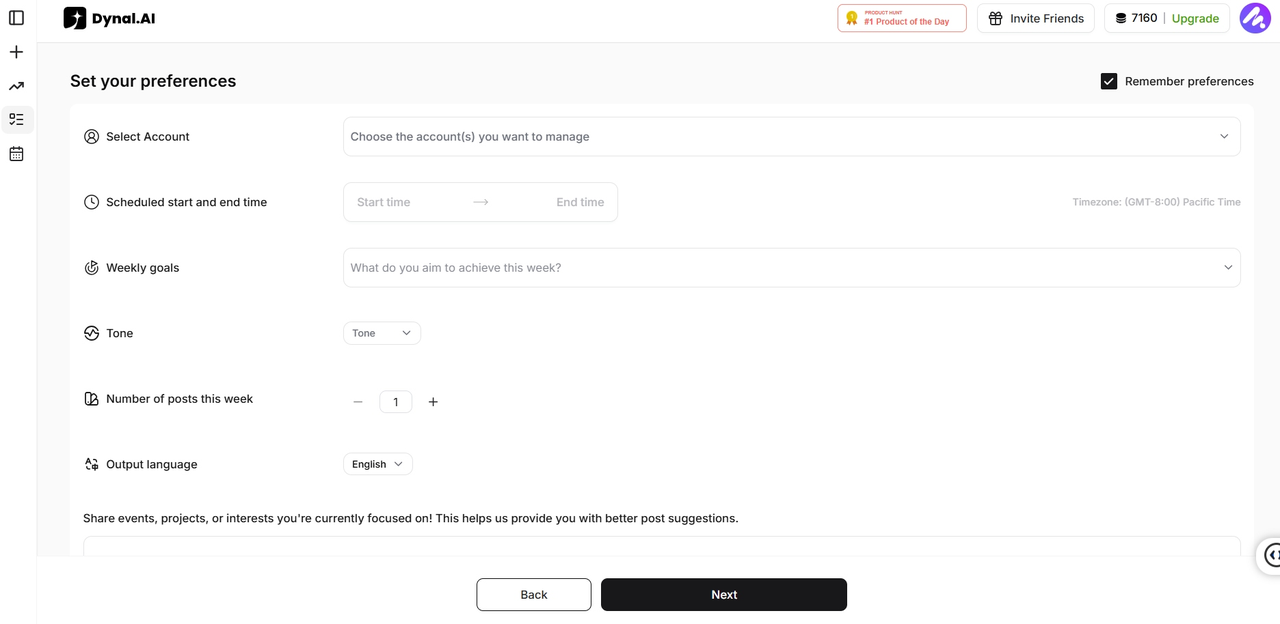
The Plan feature starts with intent. Dynal’s planning is “goal-driven,” meaning you set an objective (for example, increasing visibility or staying active), and Dynal uses that to shape the content week. This matters because different goals call for different types of posts, pacing, and emphasis.
In practice, this step is where you define the boundaries:
- What are you trying to achieve this week?
- How many posts do you realistically want to publish?
- What tone and language should the output match?
Dynal is built to learn your voice through persona/tone learning, so output is meant to feel authentically you rather than generic. Setting these parameters upfront makes the week cohesive.
Step 2: Add your raw ideas (no need to over-organize)
Most people wait until their idea is “fully formed” before they consider posting. That’s backwards. The Plan feature is designed to accept imperfect inputs and turn them into a structured sequence.
Your inputs can be simple:
- Topics you’ve been thinking about
- Lessons learned this week
- A product update
- A customer insight
- A take on an industry trend
If you have source material, Dynal is also built for multi-source content transformation: you can bring PDFs, Word docs, images, videos, or website links, and Dynal extracts key insights and reshapes them into LinkedIn-formatted posts. This is a huge unlock for busy people because it means your existing work can become content without starting from scratch.
Step 3: Turn ideas into a weekly sequence
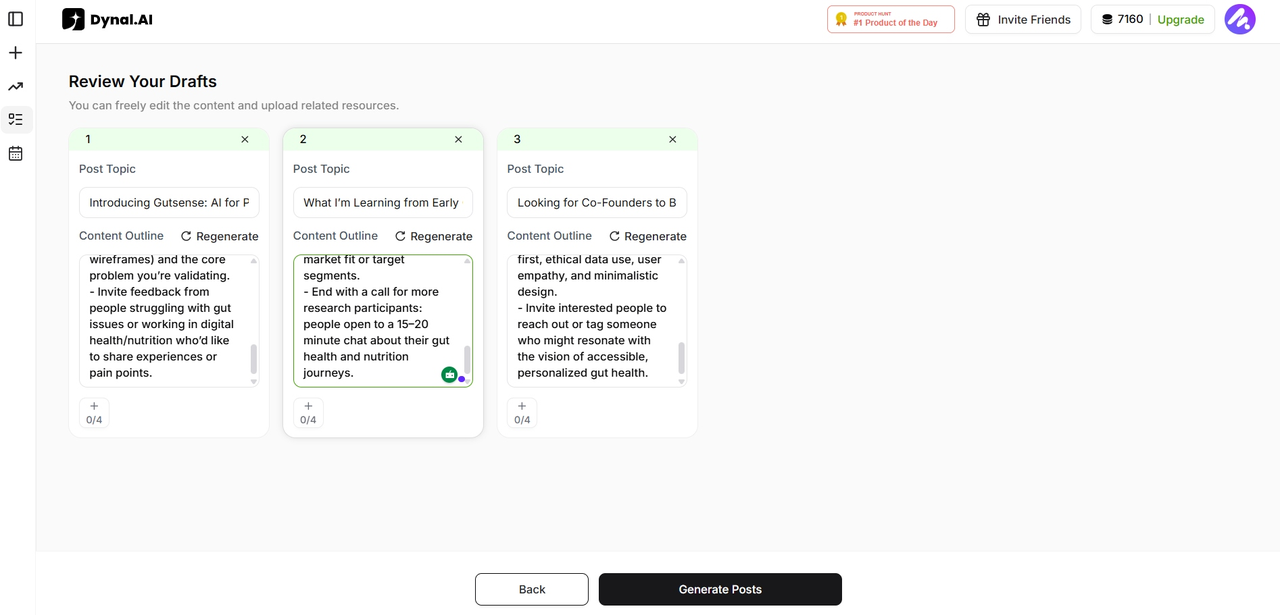
This is where the Plan feature becomes a true “co-pilot.” It turns your LinkedIn goals into a week of posts effortlessly, producing a 7‑day plan ready for review and fine-tuning. Instead of dumping ideas into a notes app and hoping they become posts, you get a weekly structure you can see and adjust.
A good weekly plan does a few things naturally:
- It spreads topics across the week so your content doesn’t feel repetitive.
- It balances different “post types” (insights, stories, learnings, tactical tips) without you needing to label everything.
- It creates momentum: each post feels like part of a consistent presence.
Even if you only post 2–3 times a week, a plan gives you a rhythm.
Step 4: Generate drafts while you go live your life
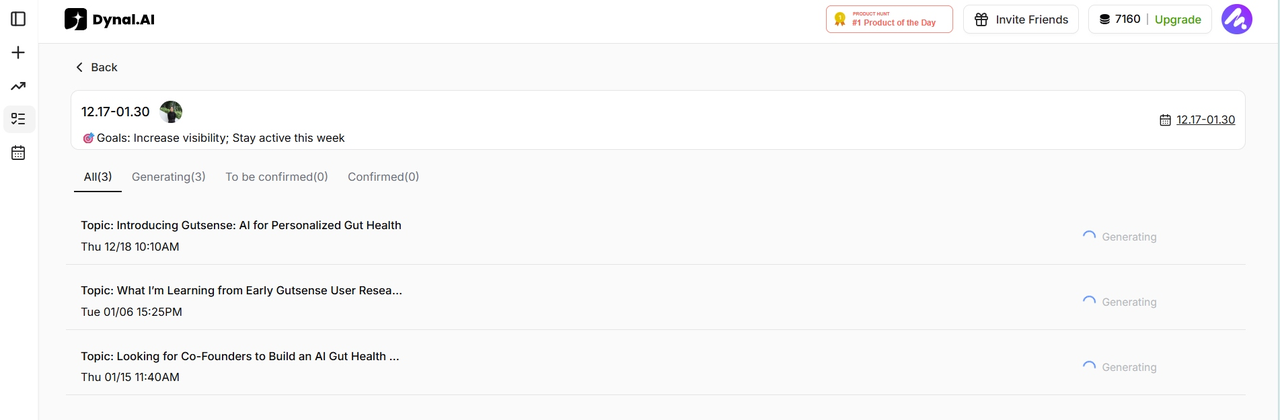
Once you hit generate, Dynal does the heavy lifting. Dynal positions itself as eliminating the friction of content creation by converting raw ideas into polished posts, so you can maintain consistency with minimal effort. The point is not just speed. It’s reclaiming attention.
Instead of spending your best hours formatting captions, rewriting openings, and second-guessing structure, you can put that energy into your work, your meetings, or your learning. Then you come back when drafts are ready.
Step 5: Review, edit, and keep control
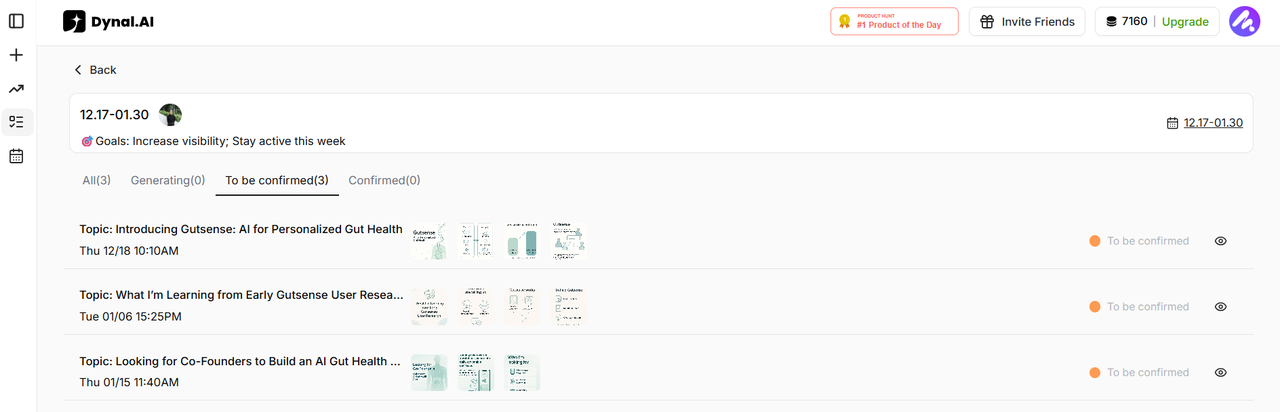
A common fear with AI content is losing your voice. Dynal addresses this by learning your tone and also giving flexible editing and customization, where you remain in the driver’s seat. Dynal also emphasizes ready-to-post drafts that are still fully editable, so you can tweak tone, emphasis, and visuals to match what you actually believe.
This step is where quality is protected. A plan without review becomes spam. The Plan feature is designed so you can:
- Approve what feels right
- Edit what feels off
- Keep the message aligned to your real perspective
Step 6: Finalize and schedule
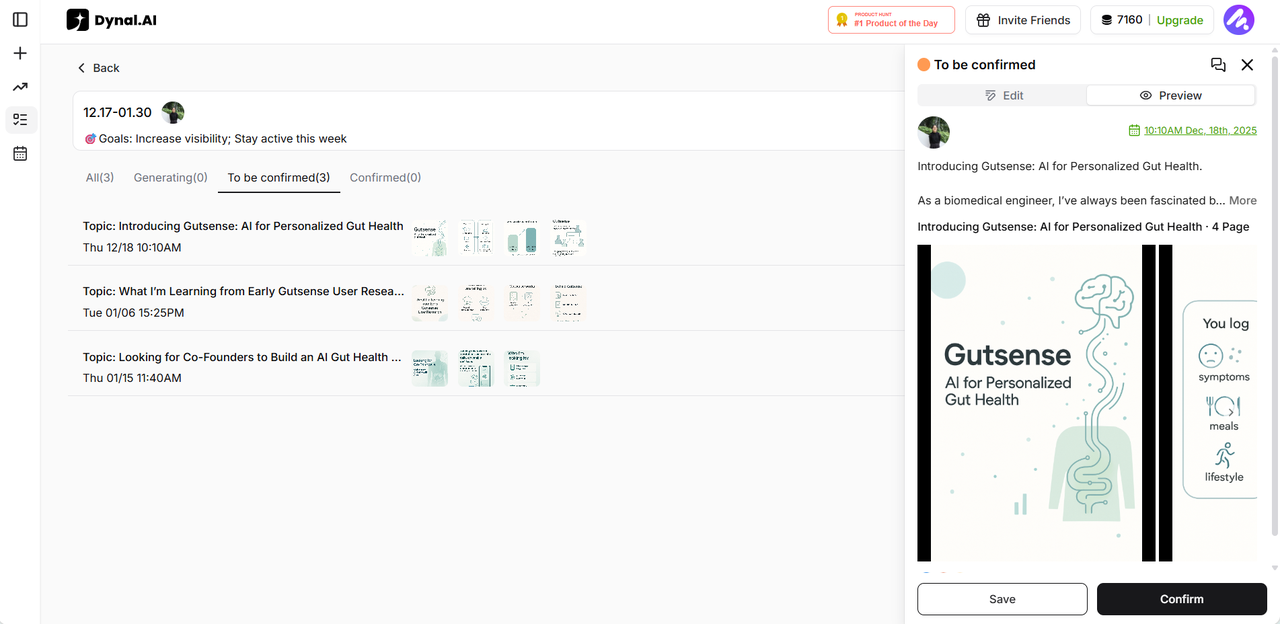
Once your posts have been generated, you can confirm each post and choose the exact time you want it to go live. (Dynal.AI will schedule a posting date and time for you, but feel free to change it as you wish!) This lets you maintain a consistent posting rhythm that matches your goals, without manually scheduling every single piece of content.
Common scenarios where the Plan feature shines
When your week is packed
If your calendar is full, daily content decisions become unrealistic. A weekly plan lets you batch the “thinking” into one session, and scheduling ensures publishing still happens.
When you’re rebuilding a posting habit
Many people stop posting for months, then try to restart with a big announcement. A weekly plan is a gentler restart: it gives you a steady cadence instead of a single high-pressure post.
When you have a lot of material but no time
If you already create documents, slides, notes, or reports, Dynal’s multi-source conversion can turn those into posts. The Plan feature then helps distribute that content across a week so you don’t dump everything at once.
When you manage multiple profiles
If you’re publishing for yourself and a company page (or for clients), you need structure. Dynal supports multi-account management via a unified dashboard, and planning becomes the way you avoid last-minute chaos.
What users get out of the Dynal.AI Plan feature
- A weekly LinkedIn plan tied to an actual goal, not random posting.
- Less decision fatigue, because the “what should I post” problem is solved in advance.
- Drafts that don’t start from a blank page, since Dynal can transform ideas, files, and links into posts.
- More consistent publishing, especially when paired with scheduling ahead of time.
- A workflow that scales as your life gets busier, because planning and auto-scheduling reduce daily manual effort.
A simple way to start this week
The easiest way to experience the Dynal.AI Plan feature is to keep the first week small.
Pick one clear objective, choose a realistic number of posts, and feed Dynal a handful of rough ideas or source material. Dynal’s goal-driven planning is designed to turn that into a 7-day plan you can review and fine-tune. Once you’ve approved the drafts, schedule what you can so your week runs without daily posting pressure.
Plan your week with Dynal.AI now

